32 Chapter 3
Screw List
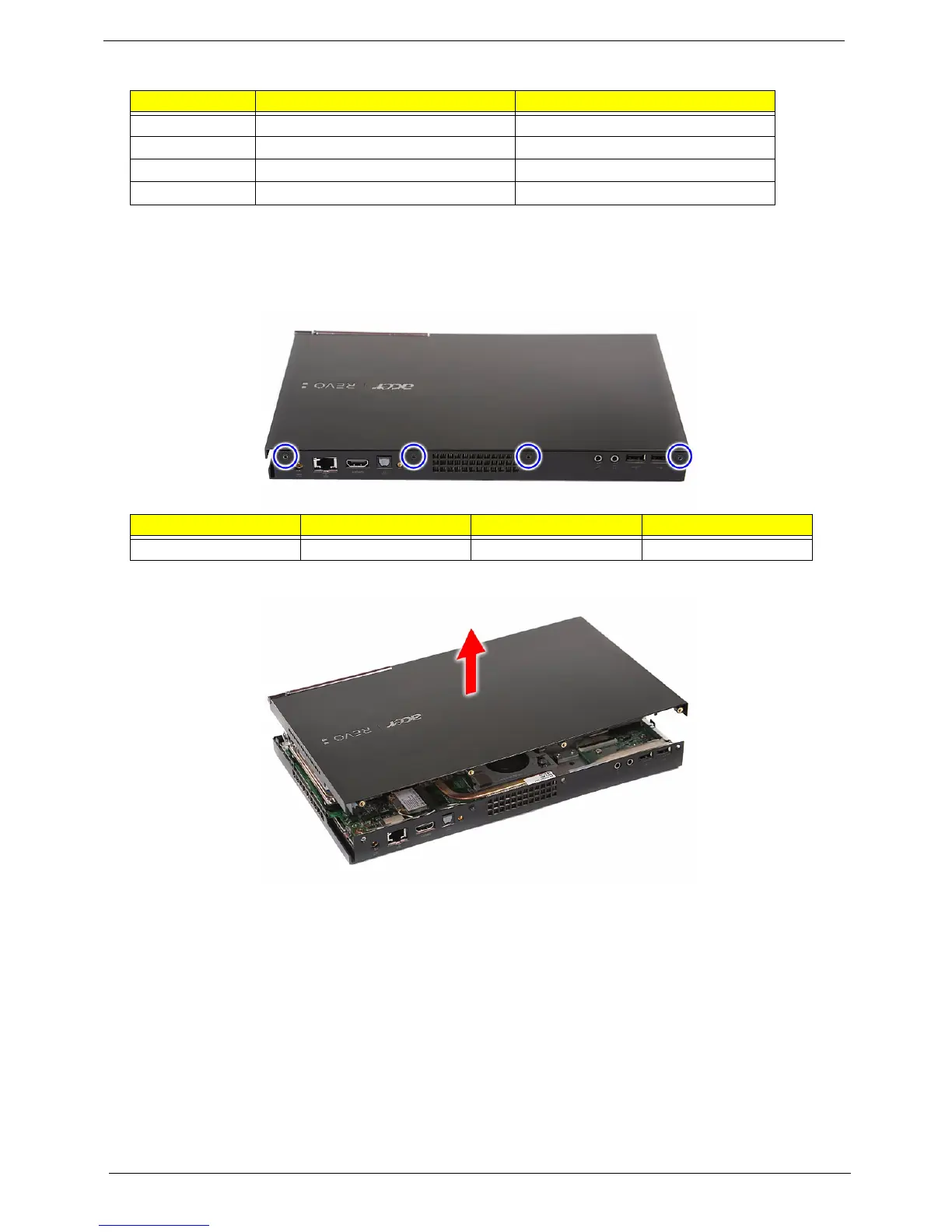
Removing the Top Cover
1. Perform the pre-disassembly procedure described on page 28.
2. Remove the four screws (A) securing the top cover.
3. Pry loose the top cover from the lower cover and remove the top cover.
Code Screw Part No.
A M3L4 HEX FLAT 86.00P08.344
B MECH TRUSS M3*L4 NI 86.3A534.4R0
C M2*2 86.9AJ32.2R0
D M2 CAP L4 NI 86.7A122.4R0
Screw (Quantity) Color Torque Part No.
M3L4 HEX FLAT (4) Black 4.5 0.3 kgf-cm 86.00P08.344












 To Next Page