Chapter 3 37
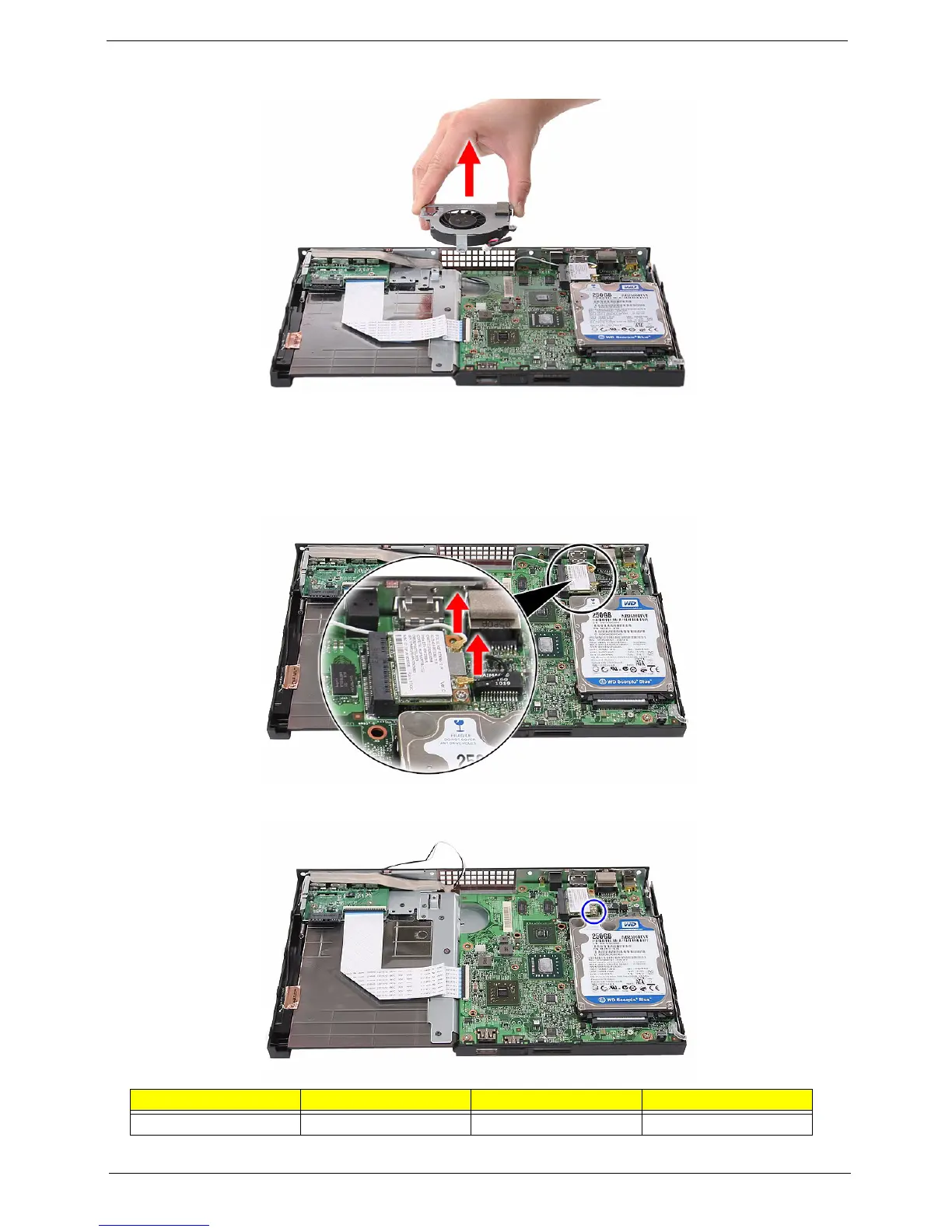
5. Remove the fan from the mainboard.
Removing the WLAN Module
1. See “Removing the Top Cover” on page 32.
2. Disconnect the black antenna from the main connector and the white antenna from the auxiliary connector
on the WLAN module.
3. Remove the screw (D) securing the WLAN module.
Screw (Quantity) Color Torque Part No.
M2 CAP L4 NI (1) Silver 4.5 0.3 kgf-cm 86.7A122.4R0












 To Next Page