36 Chapter 3
4. Lay it down in an upright position—with the thermal patch facing upward. Do not let the thermal patch on
the heatsink touch the work surface.
5. Use an alcohol pad to wipe off the thermal grease from both the heatsink and the processor.
Removing the Fan
WARNING:The fan becomes very hot when the system is on. NEVER touch the heatsink with any metal or
with your hands.
1. See “Removing the Top Cover” on page 32.
2. See “Removing the Heatsink” on page 35.
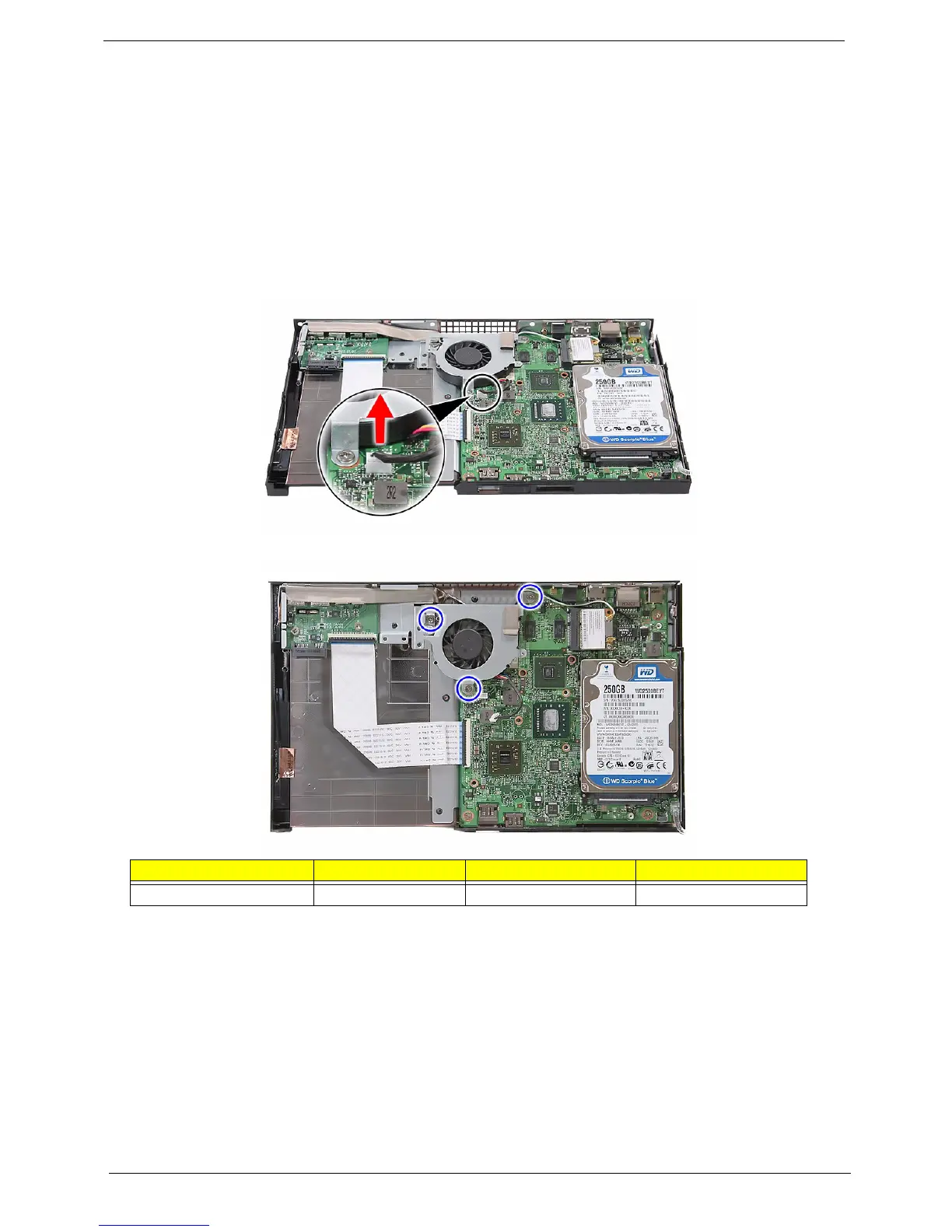
3. Disconnect the fan cable from its mainboard connector.
4. Remove the three screws (B) securing the fan.
Screw (Quantity) Color Torque Part No.
MECH TRUSS M3*L4 NI (3) Silver 4.5 0.3 kgf-cm 86.3A534.4R0












 To Next Page