40 Chapter 3
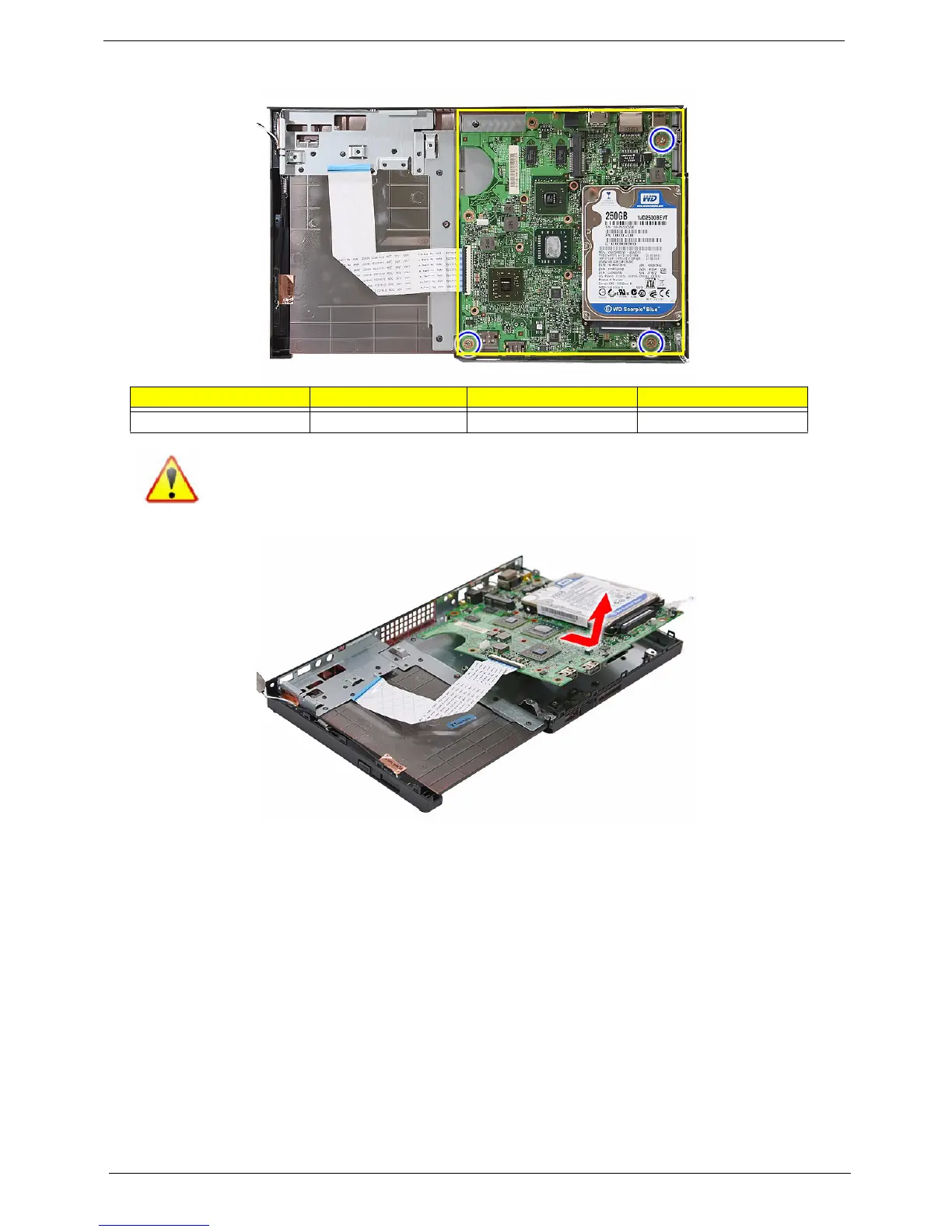
7. Remove the three screws (B) securing the mainboard.
8. Lift the board off the base cover.
Removing the Memory Module
IMPORTANT:Before removing any DIMM, make sure to create a backup file of all important data.
1. See “Removing the Mainboard” on page 39.
Screw (Quantity) Color Torque Part No.
MECH TRUSS M3*L4 NI (3) Silver 4.5 0.3 kgf-cm 86.3A534.4R0
NOTE: The mainboard has been highlighted with a yellow rectangle as above image
shows. Please detach the mainboard and follow local regulations for disposal.












 To Next Page