42 Chapter 3
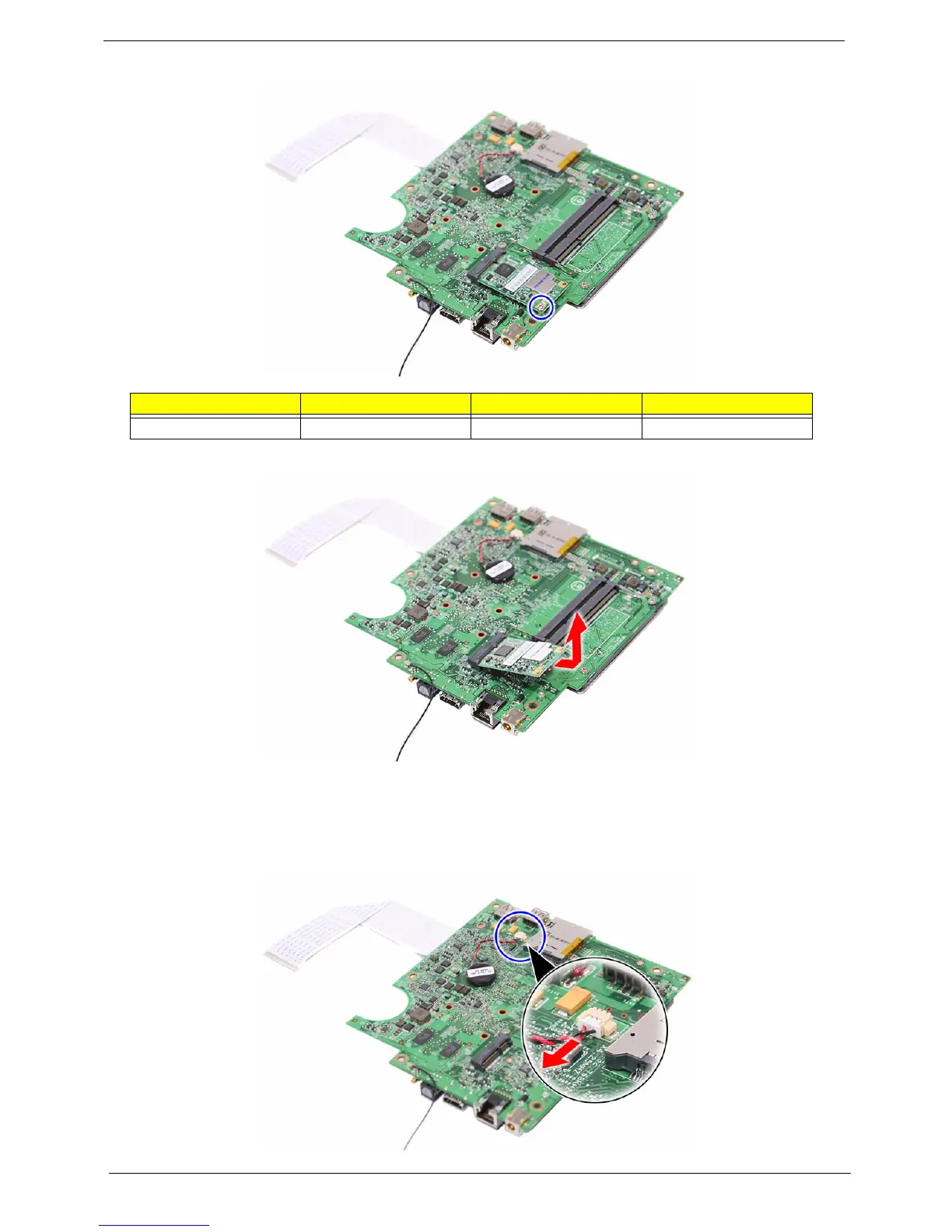
3. Remove the screw (D) securing the TV tuner card.
4. Detach the card out of the slot.
Removing the Battery
1. See “Removing the Mainboard” on page 39.
2. Detach the battery cable.
Screw (Quantity) Color Torque Part No.
SCRW M2 CAP L4 NI (1) Silver 4.5 0.3 kgf-cm 86.7A122.4R0












 To Next Page