Chapter 2 13
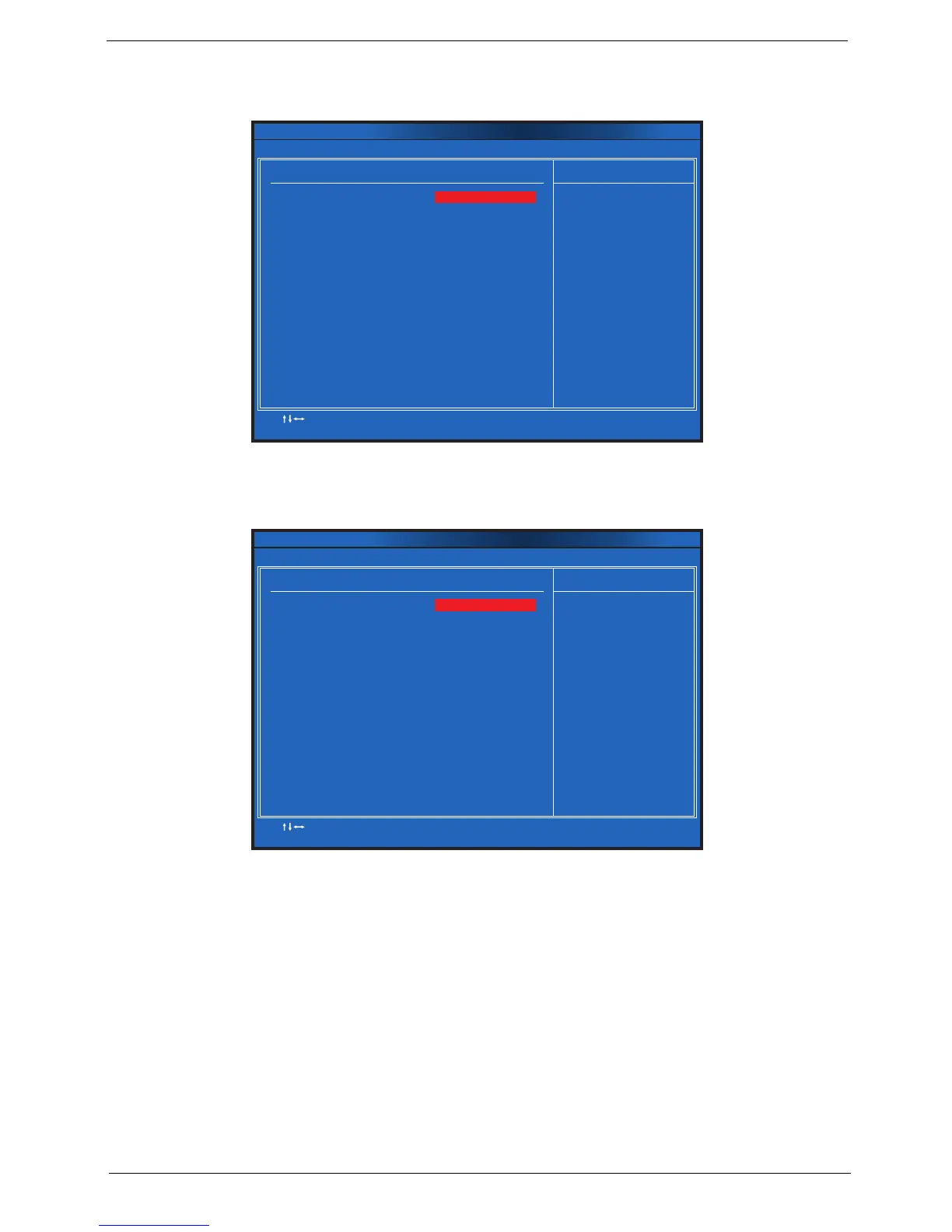
Hard Disk Drive Priority
This feature allows you to specify the boot sequence from all available hard disk drives.
Optical Disk Drive Priority
This feature allows you to specify the boot sequence from all available CD/VD drives.
Hard Disk Drives
:Move Enter:Select
F1:General Help F9:Load Default Settings
+ :Value//
-
ESC Exit
:
F10:Save & Exit Setup
Help Item
[Hard Disk:3M-WDC W]
CMOS Setup Utility - Copyright (C) 1985-2010, American Megatrends, Inc.
Hard Disk Drive Priority
Specifies the boot
sequence from the
available devices.
1st Drive
CD/DVD Drives
:Move Enter:Select
F1:General Help F9:Load Default Settings
+ :Value//- ESC Exit:
F10:Save & Exit Setup
Help Item
[CD/DVD:4M-MATSHITA]
CMOS Setup Utility - Copyright (C) 1985-2010, American Megatrends, Inc.
Optical Disk Drive Priority
Specifies the boot
sequence from the
available devices.
1st Drive












 To Next Page