Getting to know your smartphone
6 Acer x960 Smartphone User Guide
Getting to know your smartphone
Views
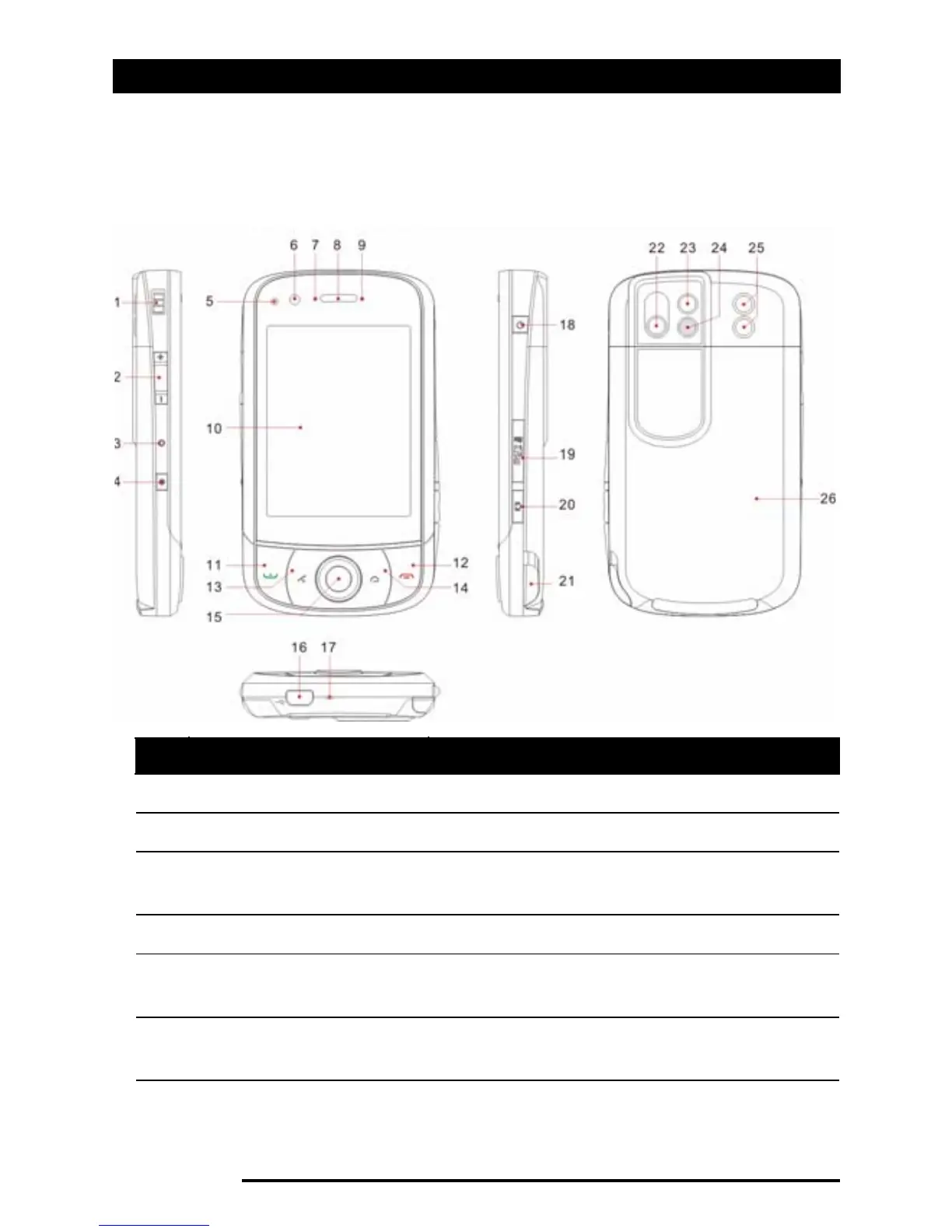
No. Item Description
1 Strap holder Attach a strap to hold your phone here.
2 Volume control Adjust the volume of your smartphone.
3 Reset pinhole Insert the stylus into this hole to reset
the device.
4 Record button Press to launch the recording toolbar.
5 Light sensor Senses ambient light to adjust screen
brightness for comfortable viewing.
6 Video conference
camera
Camera for video calls.



 To Next Page