Resetting your Acer x960 Smartphone
Acer x960 Smartphone User Guide 75
Performing a clean boot
A clean boot will restore your Acer x960 Smartphone to the
state it was when you got it from the factory.
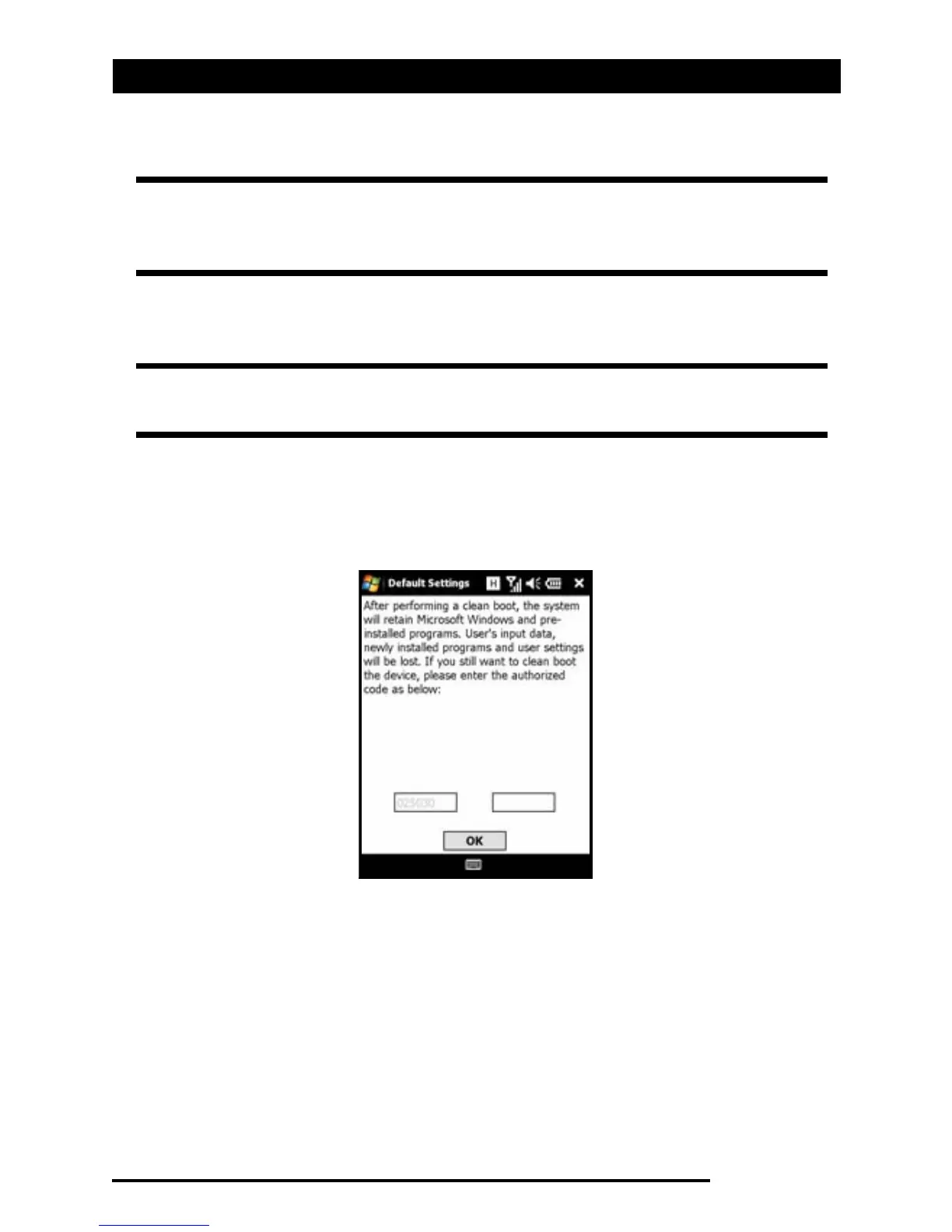
If your screen is responding to stylus input: Go to Start > Pro-
grams > Utilities > Default Settings. Read the warning informa-
tion and enter the security code in the empty textbox. Tap OK
to proceed.
If your screen is not responding to stylus input: Press the reset
button while holding the power button down. When you see
the Acer screen, press and hold the Record button. You will see
a screen asking you to confirm the clean boot, press the cam-
era button to confirm. If you do not press the camera button,
your Acer x960 Smartphone will reboot to as normal.
Warning! You should only perform a clean boot when all other reset
options have failed to restore your Acer x960 Smartphone to an oper-
ational state.
Warning! This will erase all your personal information, any contacts
stored on your phone and any programs you installed.



 To Next Page