Customizing basic settings
44 Acer x960 Smartphone User Guide
Returning to the Home screen
You can return to the Home screen from any application by
tapping Start > Today or pressing the button.
Customizing basic settings
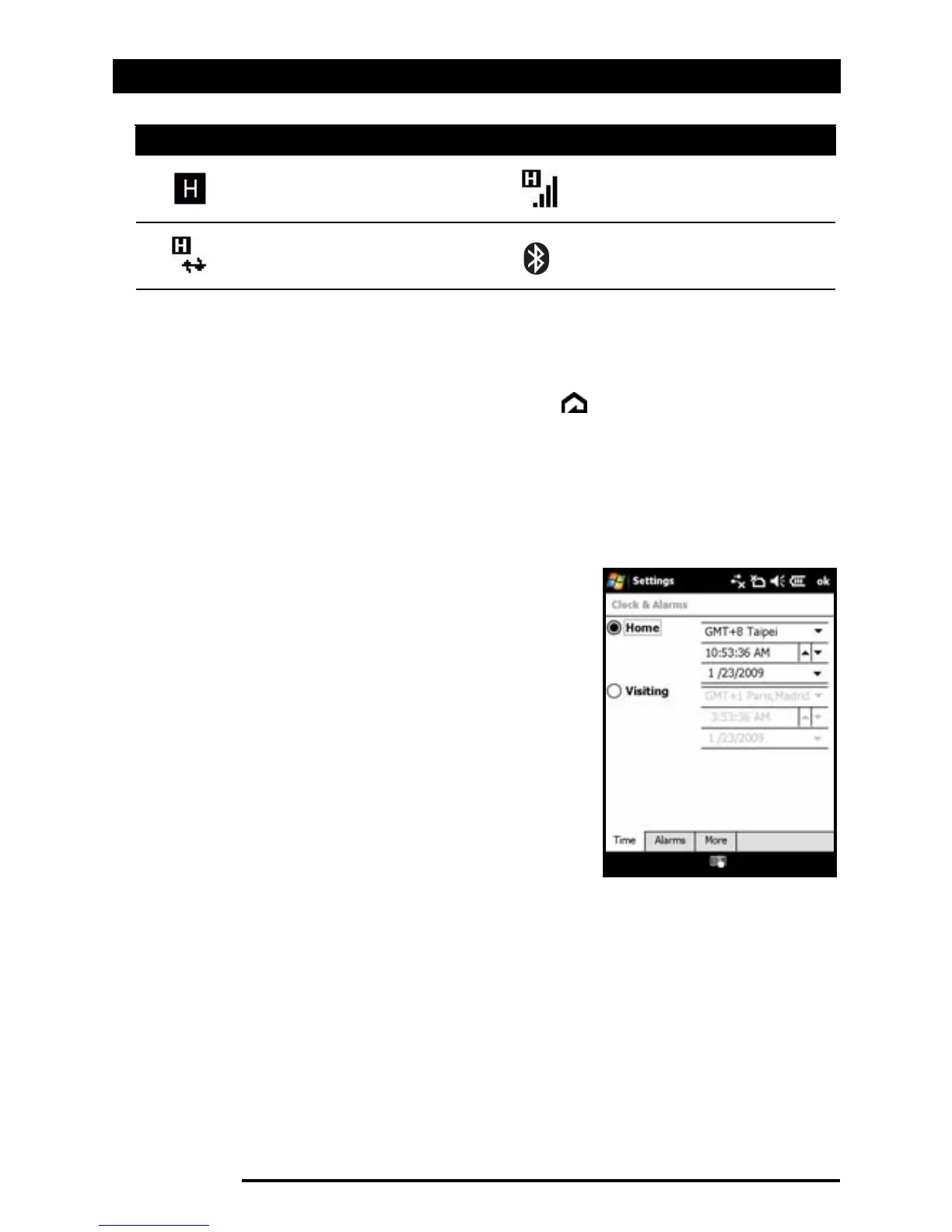
Setting the date and time
To set the date and time, tap Start >
Settings > Clock & Alarms > Time tab.
Tap Home and select your time zone
from the drop-down menu. Set the time
by tapping the up and down arrows.
Select the date from the drop-down cal-
endar.
When you have finished, tap OK or
press the OK button. A confirmation
message will appear. Tap Yes to save
your settings.
Personalizing your Acer x960 Smartphone
You can enter your personal information to easily identify
your Acer x960 Smartphone. This is especially useful if it should
ever be lost or stolen. To enter owner information, tap tap
Start > Settings > Owner Information.
HSDPA/HSUPA network
available
HSDPA/HSUPA
connected
Synchronizing over
HSDPA/HSUPA
Bluetooth headset
connected
Icon Description Icon Description



 To Next Page