Inserting a micro SD card
Acer x960 Smartphone User Guide 83
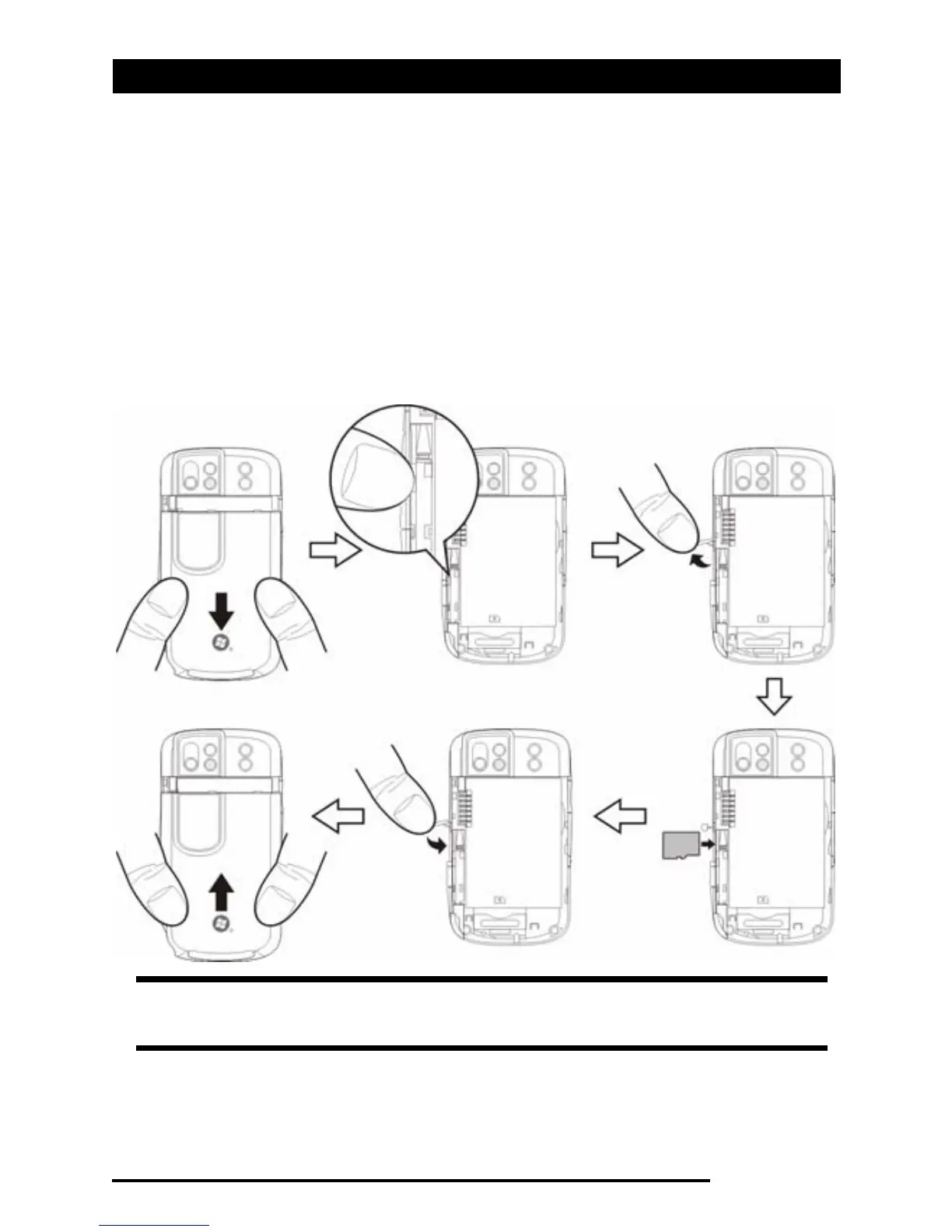
Inserting a micro SD card
Your Acer x960 Smartphone features a memory expansion slot
that accepts a micro SD card to expand memory and storage
capacity.
Remove the battery cover and open the SD/MMC slot cover
and insert the micro SD card into the slot as shown below.
Make sure the gold connectors are facing upwards. Push the
card in until it clicks into place.
Note: If your Acer x960 Smartphone is in power-saving mode when
you insert the card, it will “wake up.”



 To Next Page