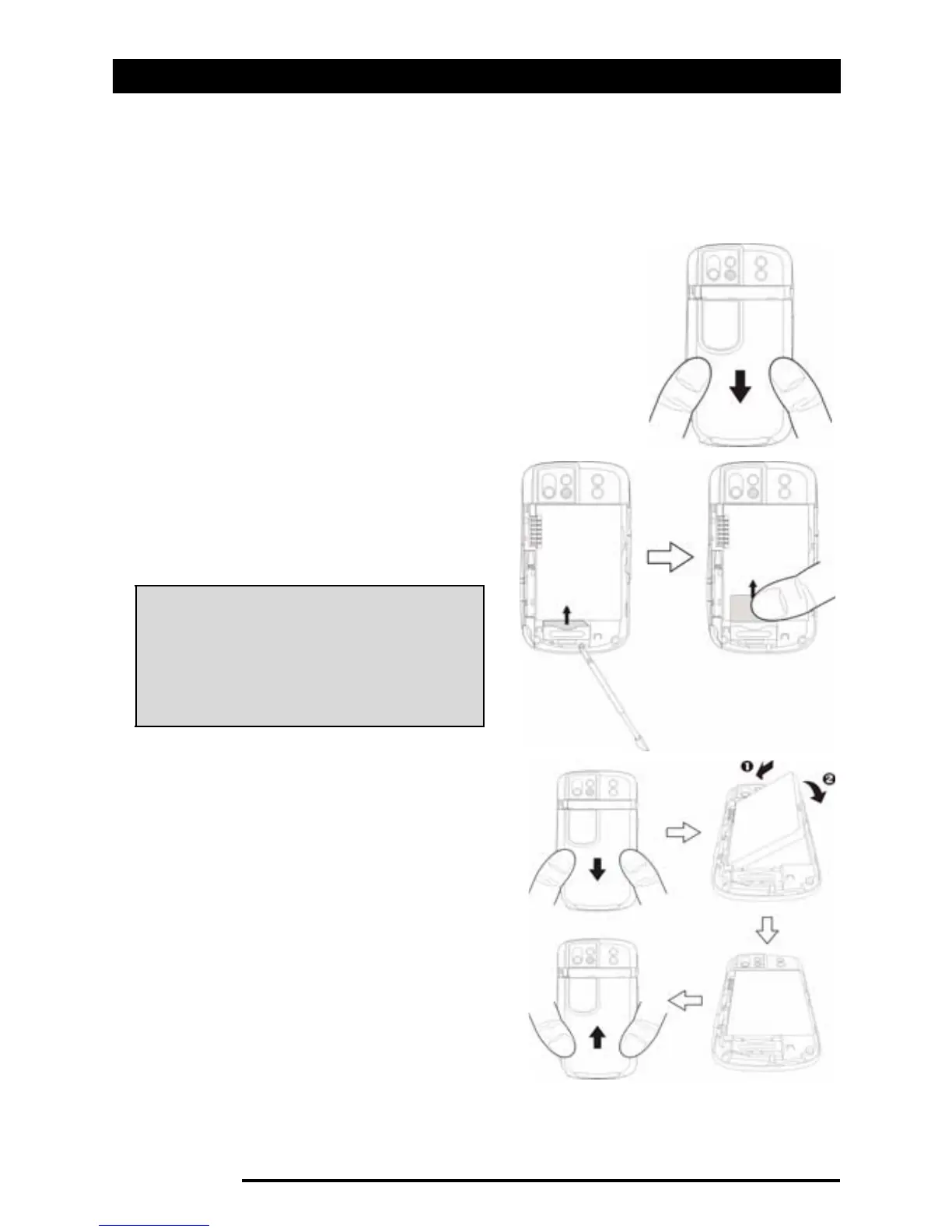
Removing the SIM card and battery
10 Acer x960 Smartphone User Guide
Removing the SIM card and
battery
Slide the battery cover down.
Carefully lift the battery out of its com-
partment.
Use the stylus to carefully push
the SIM card out of its holder.
Carefully slide the card out with
your finger.
Re-insert the battery into the
battery compartment as shown,
lining up the battery
connectors with those on the
side the compartment.
Slide the battery cover back until
the cover clip locks into place.
SIM card lock
Tip: Place your Acer x960
Smartphone on a flat but soft
surface when performing this
step, to avoid scratching or
damaging the screen.



 To Next Page