Introducing the home screen
Acer x960 Smartphone User Guide 43
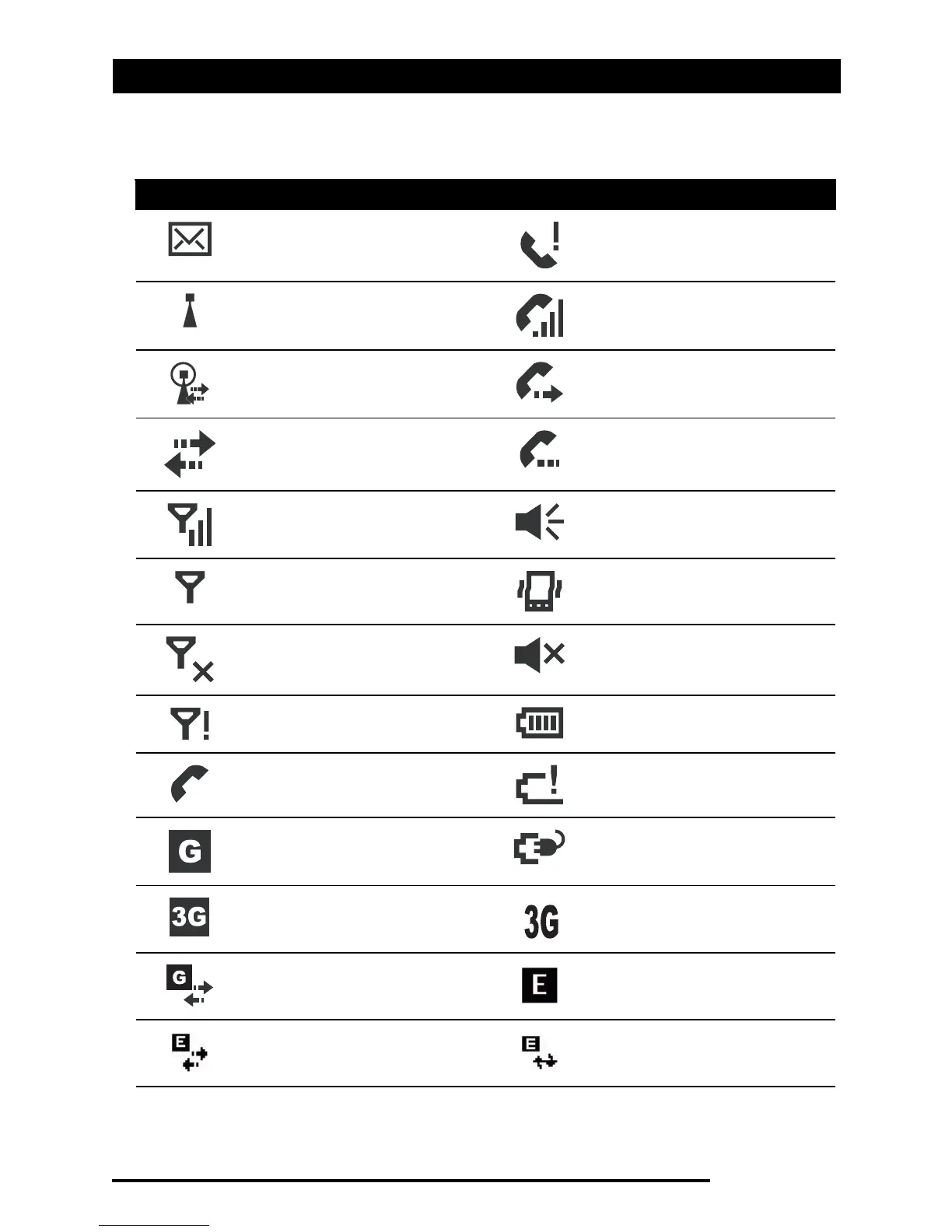
Status icons
Icon Description Icon Description
New email, SMS or
MMS
Missed call or calls
WLAN access available Telephone call
connected
WLAN connected Call is being forwarded
Connected to PC via
USB
Call is on hold
Signal strength System sounds on
No signal Vibrate only, no system
sounds
Antenna off (tele-
phone is off)
All system sounds off
No phone service Battery indicator
Incoming telephone call Low battery warning
GPRS available Battery is charging
3G network available 3G connected
GPRS connected EDGE available
EDGE connected Synchronizing over
EDGE



 To Next Page