Resetting your Acer x960 Smartphone
Acer x960 Smartphone User Guide 73
Resetting your Acer x960
Smartphone
You may have to perform a reset if your Acer x960 Smart-
phone fails to respond when buttons are pressed or the screen
is tapped.
Soft reset
A soft reset allows your Acer x960 Smartphone to get a fresh
start, similar to rebooting your computer. All data and settings
information are retained after a cold boot.
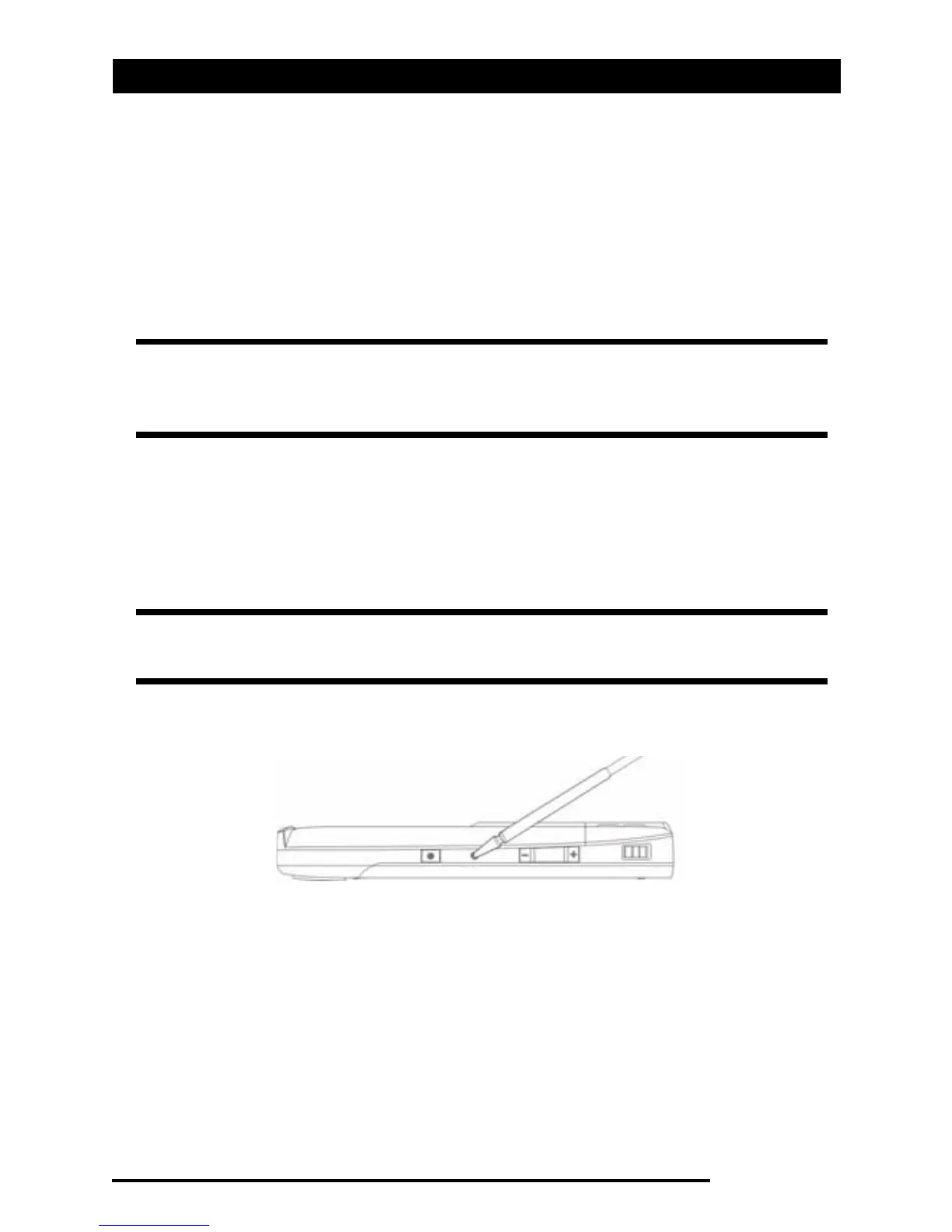
Using the tip of your stylus, lightly press the Reset button
inside the hole on the side of your Acer x960 Smartphone.
Note: Before performing a reset, ensure that you have not acciden-
tally locked your Acer x960 Smartphone. If this is the case, tap Unlock
displayed in the bottom right of the screen to unlock the system.
Note: To reduce risking damage to your Acer x960 Smartphone, only
use the supplied stylus to reset the device.
Reset button



 To Next Page