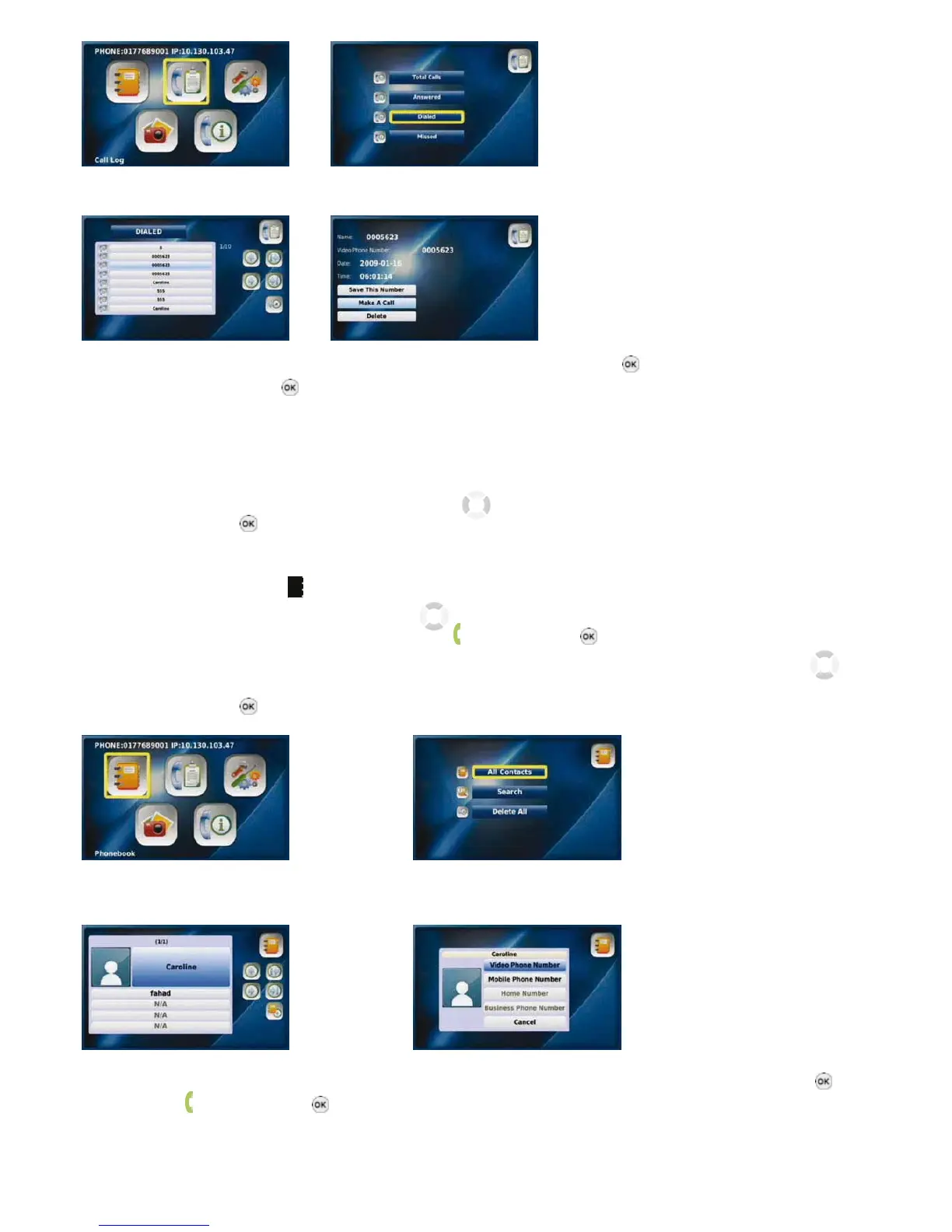
Select “Call Log” from the Main Menu Select the required call category
Select the number you would like Select “Make A Call” and press the “OK” button
to call and press the “OK” button
2-1-4. PLACING A CALL FROM YOUR PHONEBOOK
Press the “MENU” button when the LCD screen is off or in idle mode.
• The Main Menu is displayed
• Select the Phonebook menu by using the navigation buttons
• Press the “OK” button
or
• Press the “Phonebook” button located on the front of your Videophone.
• Select “All Contacts” by using the navigation buttons
• Select the desired contact and then press the “Call” button
or the “OK” button
• Select the number (video, mobile, home, company phone number) you would like to call by using the navigation buttons
• Press the “OK“ button
Select “Phonebook” from the Main Menu Select “All Contacts”
Select the desired contact and press Select the number you would like to call and press the “OK” button
the “Call” button or the “OK” button
10



 To Next Page