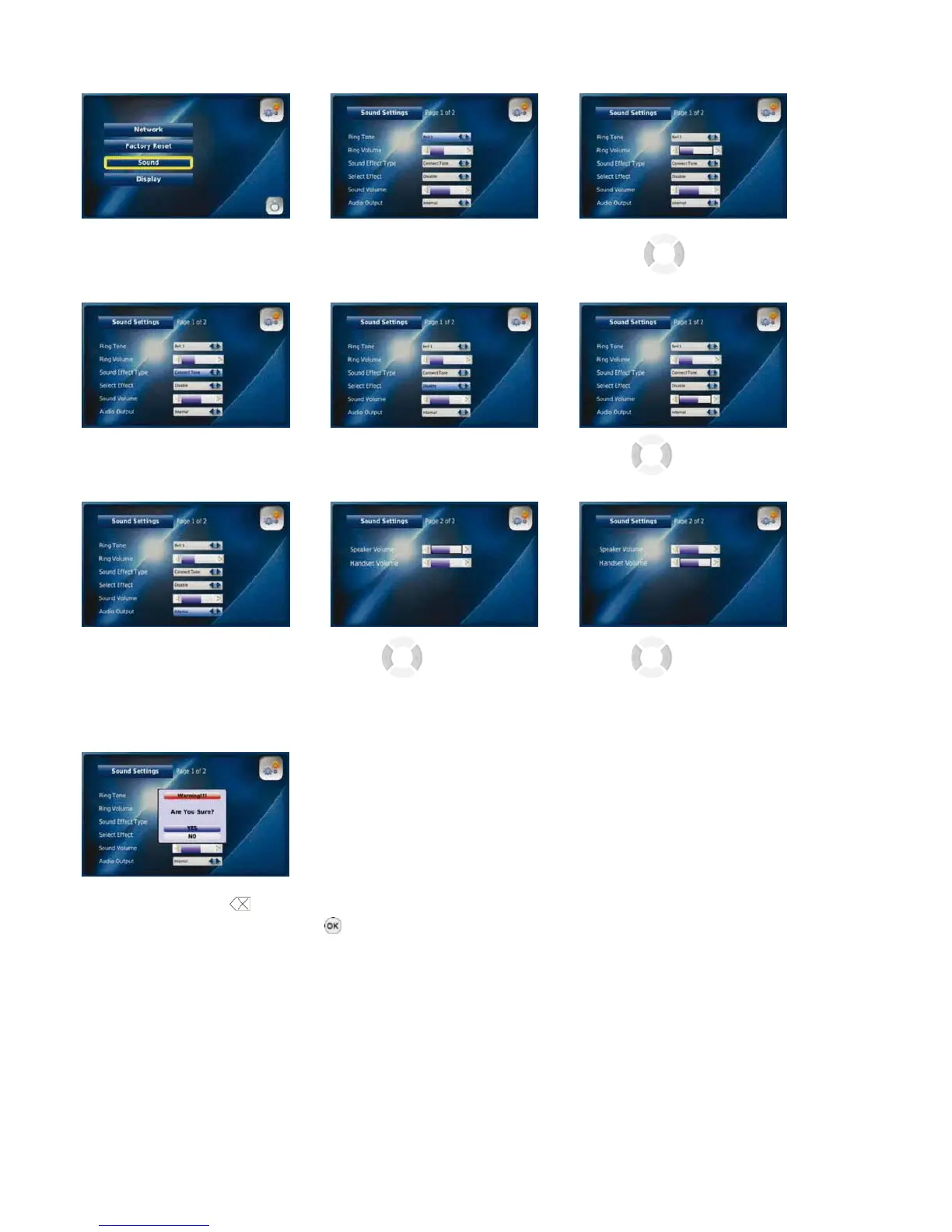
3-6-1-3. SOUND
You can manage the settings for Ring Tones, Sound Effects and Volume by selecting “Sound”.
Select “Sound“ from the System Select the required Use the buttons
Settings menu Ring Tone to manage the Ring Volume
Select “Sound Effect Type” and “Select Effect” Use the buttons
to manage the sounds for the warning, connect and keypad tones to manage the Sound Volume
Select “Internal” or Use the buttons Use the buttons
“External” for your desired to manage the Speaker Volume to manage the Handset
Audio Output. “External” Volume
allows you to use external speakers
Press the “Back” button
,
select “YES” and press the “OK” button
to save each change you make
24



 To Next Page