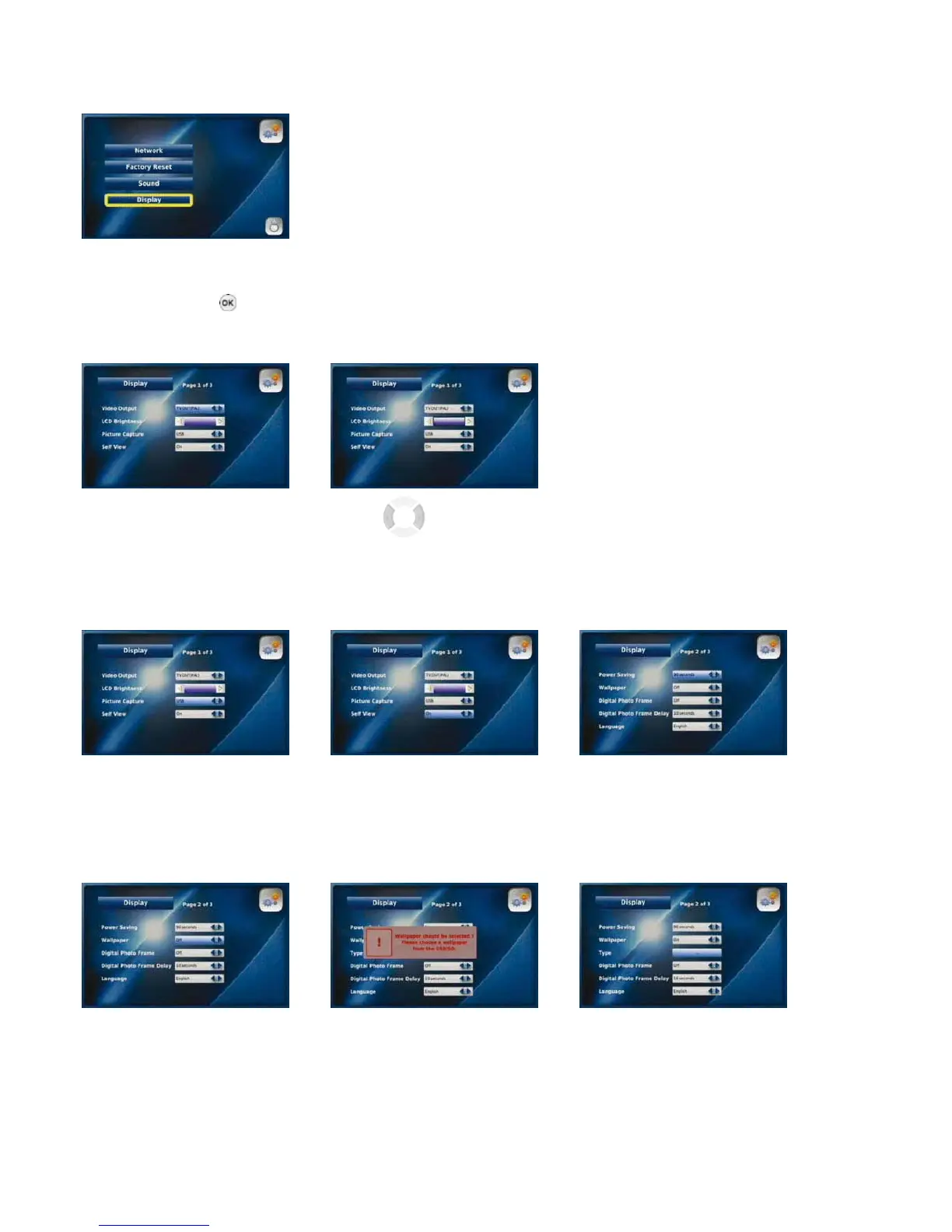
3-6-1-4. DISPLAY
You can activate and manage Video Output, LCD Brightness, Self View, Power Saving, Wallpaper and your Language options by
selecting “Display”. You can also enable the Digital Photo Frame from this menu and set the timing for this feature.
Select “Display” from the
System Settings menu
Press the “OK” button
after each setting:
Video Output LCD Brightness
Select “LCD”, Use the buttons
“TV OUT (PAL)” or to manage the LCD
“TV OUT (NTSC)”as your Brightness
Video Output
Picture Capture Self View Power Saving
Select “SD” or Select “On” to Select the interval at which
“USB” as your storage device enable the Self View option the phone switches to power
saving mode (30, 60 or
90 seconds)
Wallpaper
The wallpaper is the background on your Videophone’s LCD screen. You can choose the wallpaper that will be displayed.
Select "On" to enable the The above message will appear Select "SD" or "USB" as the "Type"
Wallpaper function prompting you to select your Wallpaper
25



 To Next Page