Digital Photo
Frame
The Digital Photo Frame allows you to view the pictures from your memory stick or SD card as a slide show•
Information
The Information screen shows you the main system settings for your Videophone •
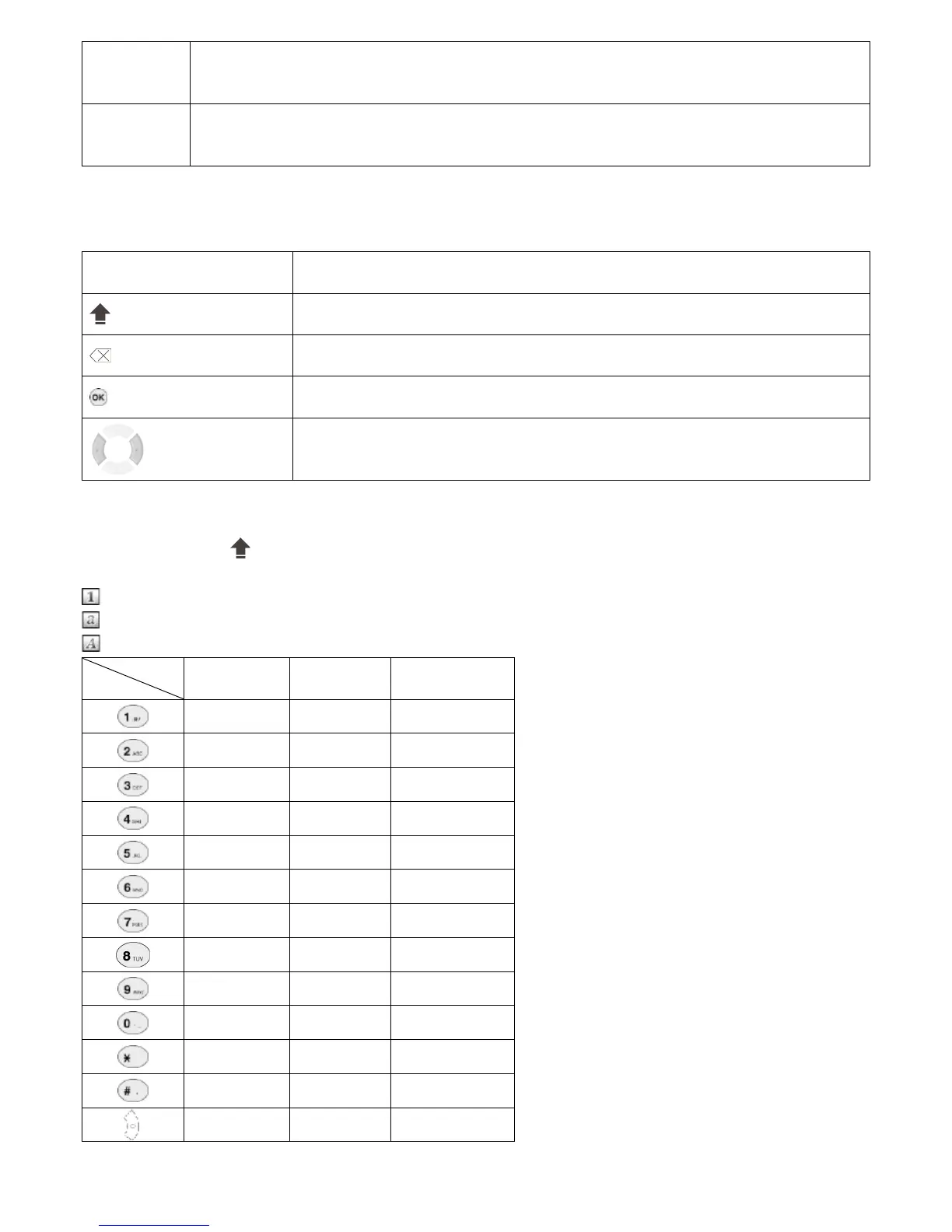
3-2. USING THE KEYPAD
Numeric keys Used for character input •
(Caps)
Enables you to select the type of characters to enter (Numeric/Lowercase/Capital)•
(Back)
Enables you to return to the previous menu•
(OK)
Used to select and confirm selections•
Navigation buttons
Used to navigate between menus
Directs you to edit mode, and allows you to set values for selected items
•
•
3-3. E
NTERING CHARACTERS
Press the “Caps” button to select the required input mode (Numeric/Lowercase/Capital). The current input type is indicated at the
top left of the LCD screen, represented by one of the following icons:
Indicates numeric
Indicates lowercase letters
Indicates capital letters
Mode
Key
Lowercase Capital Numeric
:@/ :@/ 1
abc ABC 2
def DEF 3
ghi GHI 4
jkl JKL 5
mno MNO 6
pqrs PQRS 7
tuv TUV 8
wxyz WXYZ 9
“.” “-“ 0
* * *
# # # .
Space Space space
16



 To Next Page