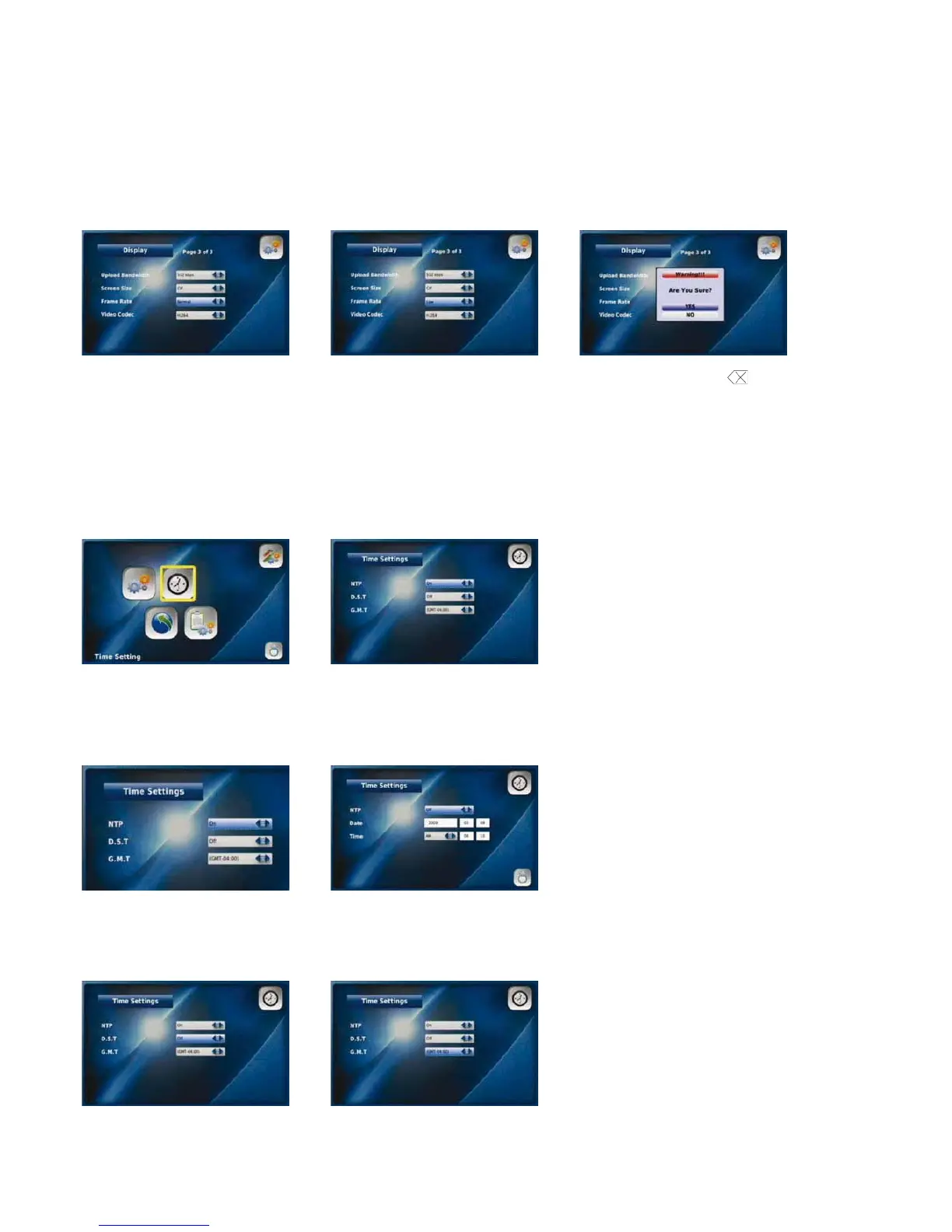
NOTE: You cannot change your display settings while on a call. To see the effects of the change simply place a call after adjusting your
settings. The called party will be able to confirm whether the video you are sending is clearer. If you set the upload bandwidth speed
too high it will distort the quality of the image. To adjust simply reset your upload bandwidth speed to the next setting down.
Screen Size
Screen Size refers to the resolution of your video. The screen size will automatically adjust to the appropriate setting (CIF or VGA)
based on your bandwidth and frame selection.
Frame Rate
The Frame Rate is the speed at which your Videophone updates images. You can select Low, Normal or High depending on your
bandwidth speed.
Go to “Frame Rate” in the Select the appropriate Frame Rate Press the “Back” button and
Display menu (Low, Normal or High) select “YES” to save your settings
Video Codec
Video Codec represents the video compression on your phone. Your Videophone uses two video codecs: H.263 and H.264. The Video
Code will automatically adjust to the appropriate setting based on the upload bandwidth and frame rate selected.
3-6-2. settiNg the tiMe
Your Videophone provides you with a world time function.
Select “Time Setting” from the Time settings
Settings menu
NTP (Network Time Protocols)
Select “On” to enable the Select “Off” to disable
NTP option NTP and enter the date and time manually
D.S.T (Daylight Saving Time) G.M.T (Greenwich Mean Time)
Select “On” to activate D.S.T. Select the time zone for your area
and “Off“ to disable it
27



 To Next Page