3-3-1. eNteriNg NuMBers
Example: To enter “123”:
• Press the “Caps” button
until the appears at the top left of the screen.
• Press the
buttons consecutively.
3-3-2. eNteriNg letters
• Press the ”Caps” button until the appears at the top left of the screen.
• Press the corresponding buttons until the desired letter appears. Example: To enter “SKY”:
• Press the “Caps” button
to set the input mode to
• Press the corresponding buttons for ‘S’, ‘K’, ‘Y’ consecutively: , ,
3-3-3. eNteriNg NuMBers ANd letters
Example: To enter “123.com”
• Press the “Caps” button
to set the input mode to .
• Press the
buttons consecutively.
• Press the “Caps” button
to set the input mode to .
• Press the corresponding buttons for ‘”com” until the desired letter appears:
• Press the
, , buttons consecutively
3-4. phoNeBook
The Phonebook enables you to save any frequently dialled numbers as contacts, and place phone calls directly. Up to 300 contacts can
be stored in the Phonebook.
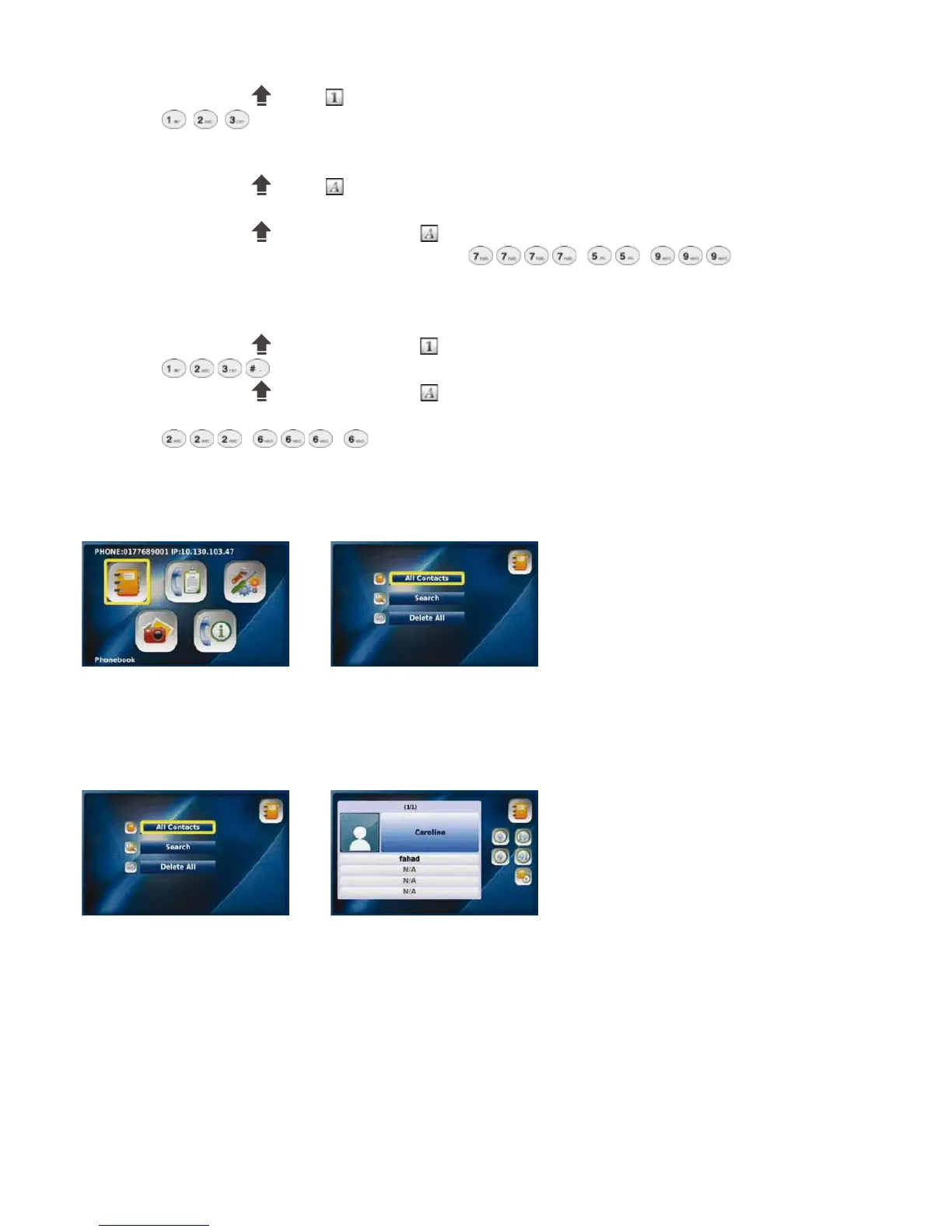
Select “Phonebook” Phonebook menu
from the Main Menu
3-4-1. All CoNtACts
“All Contacts” lists all the contacts you have saved in your Phonebook. You can edit, save or delete your contact information.
Select “All Contacts” from the “All Contacts” list
Phonebook menu
17



 To Next Page