29
View another picture
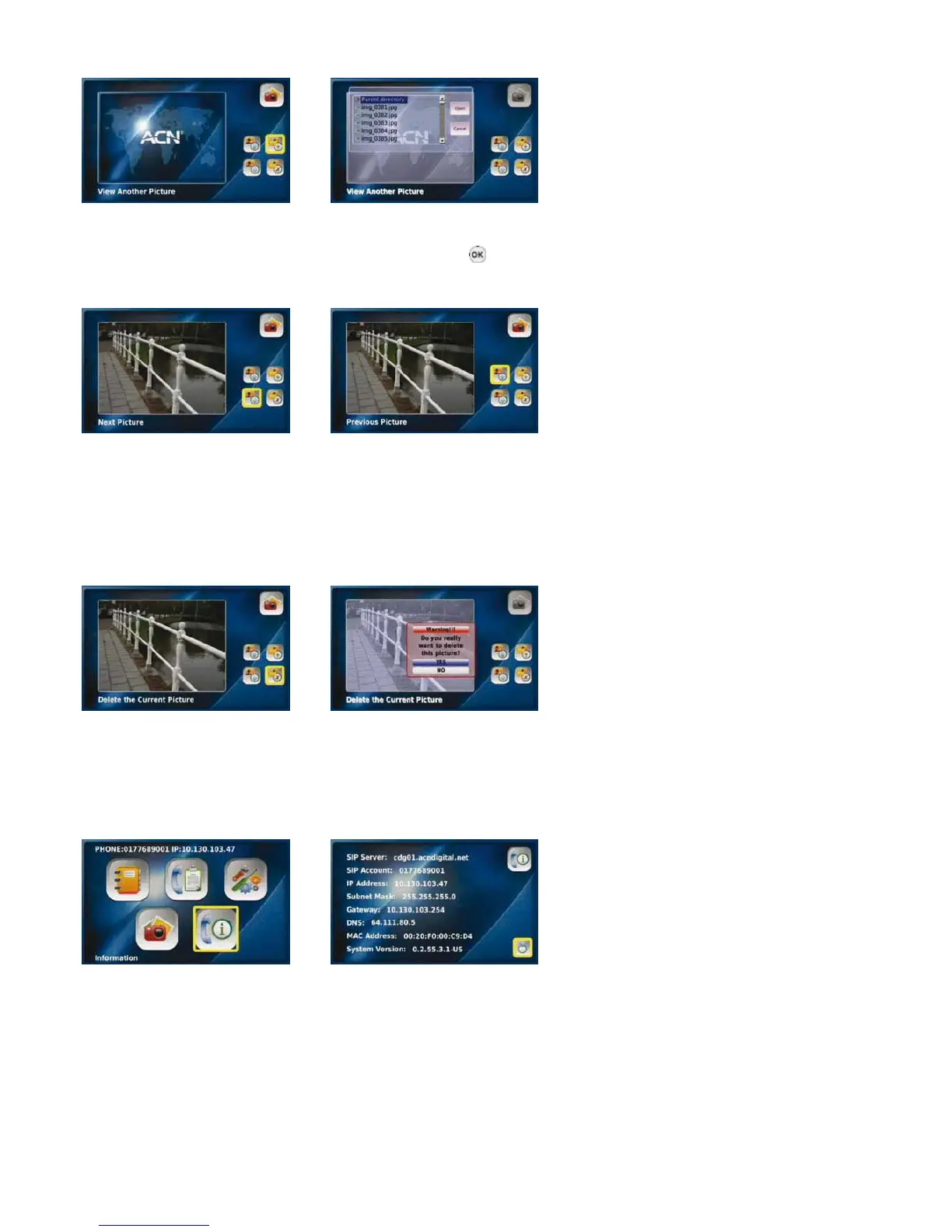
Select “View Another Picture” Select the desired image file and
press the “OK” button
Next picture Previous picture
Select “Next Picture” to view Select “Previous Picture” to view the
the the previous image next image
NOTE: The Videophone can only read JPG and PNG image files. If the size of your image is greater than 3 megapixels, increase the
time delay between images to 20 seconds to allow enough time for each image to load.
Delete the current picture
Select “Delete the Current Select
Note: deleting the current picture
will delete it permanently from
from the USB or SD Card
“YES” to delete
Picture”
3-8. iNFor MAtio N
To view the system information for your Videophone select “Information” from the Main Menu.
Select “Information” from the Your Videophone system
Main Menu information



 To Next Page