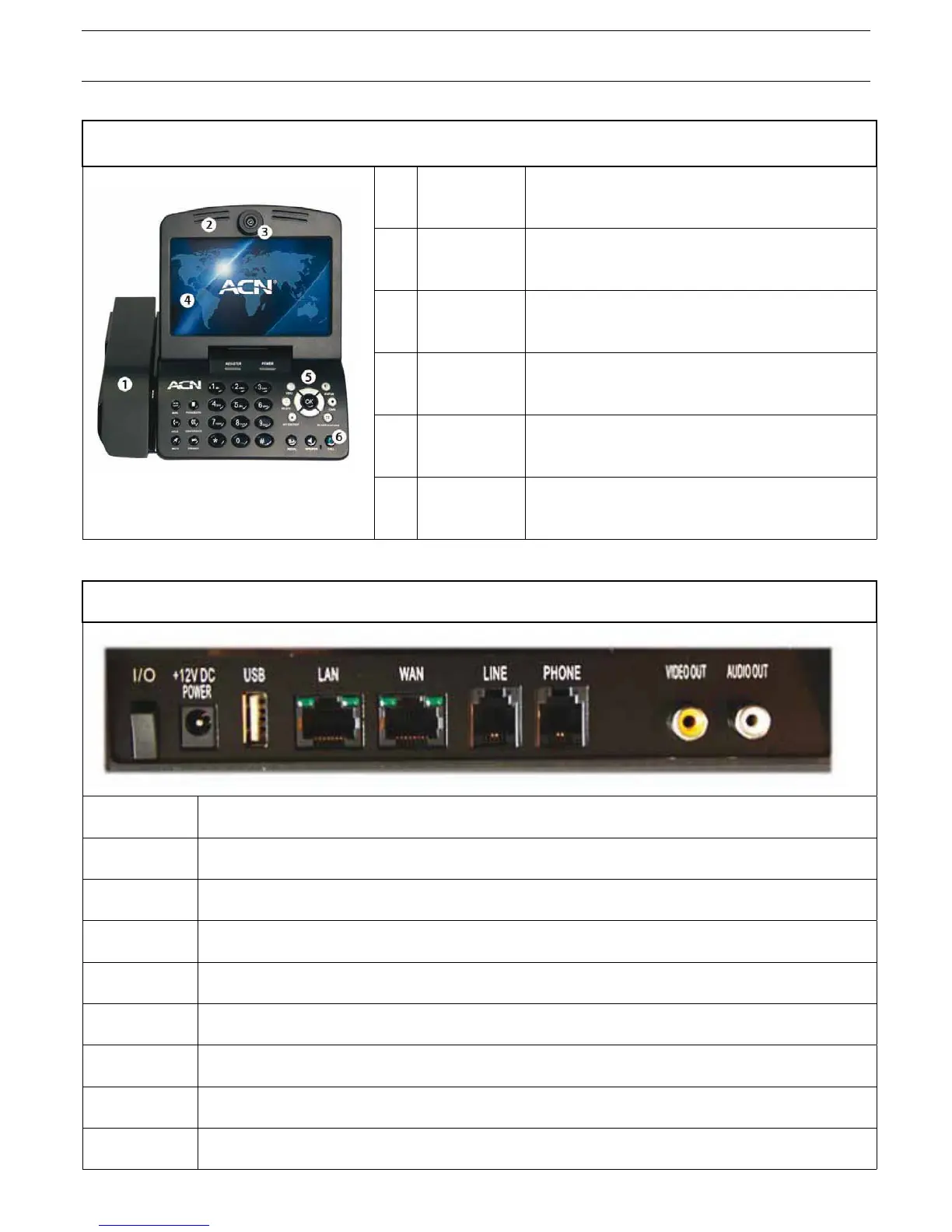
1-3. Getting to know your Videophone
FRONT
1 Handset Videophone handset
2 Speaker Plays ring tones and transfers audio in speakerphone
mode.
3 Camera Captures images that are transmitted to the called party.
4 LCD Screen Displays your image and the image of the person you are
talking to during a call.
5 Keypad Buttons that operate the functions of your Videophone.
6 Microphone Receives and transmits audio in speakerphone mode.
REAR
ON/OFF (I/O) Turns your Videophone on/off
POWER (DC IN) Connects to the power adapter
USB USB port used to transfer data to/from your Videophone
LAN Local Area Network connection
WAN Connects to Internet via the Ethernet cable
LINE Connects your analogue phone line
PHONE This is disabled
VIDEO OUT Transmits video to a TV or Computer
AUDIO OUT Transmits audio to external speakers or audio system
6



 To Next Page