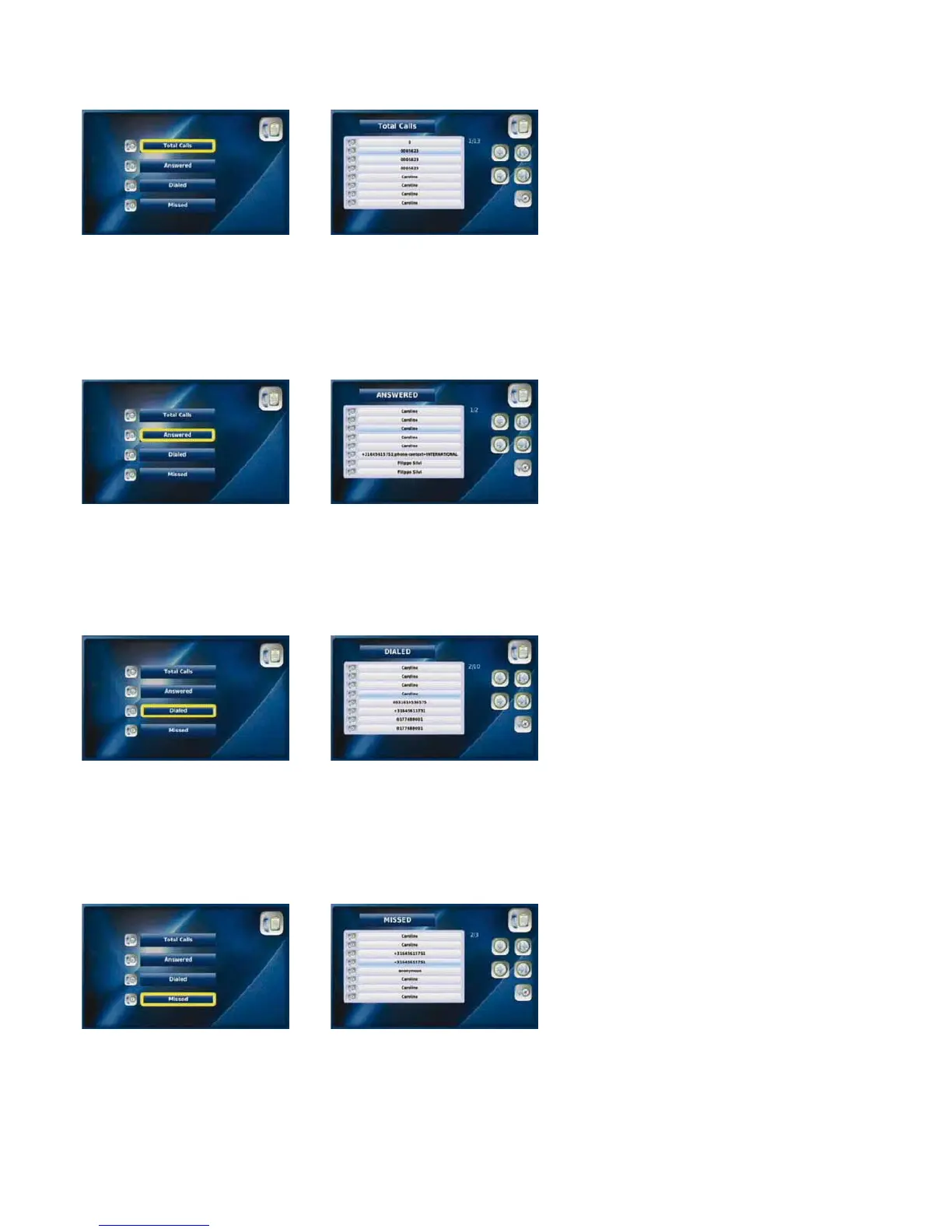
3-5-1. totAl CAlls
You can view a list of all answered calls, dialled numbers and missed calls by selecting “Total Calls”. You can also directly place a call
from this menu.
Select “Total Calls” from the Select the desired number or
“Call Log” menu contact name
3-5-2. ANsWered CAlls
You can view all the calls that you have recently answered by selecting “Answered Calls”. You can also directly place a call from this
menu and save numbers to your Phonebook.
Select “Answered” from the Select the desired number or
“Call Log” menu contact name
3-5-3. diAlled NuMBers
You can view all your dialled numbers by selecting “Dialled”. You can also directly place a call from this menu and save numbers to
your Phonebook.
Select “Dialled” from the Select the desired number or
“Call Log” menu contact name
3-5-4. Missed CAlls
You can view all the calls that you have recently missed by selecting “Missed”. You can also directly place a call from this menu and
save numbers to your Phonebook.
Select “Missed” from the Call Log Select the desired number or
menu contact name
21



 To Next Page