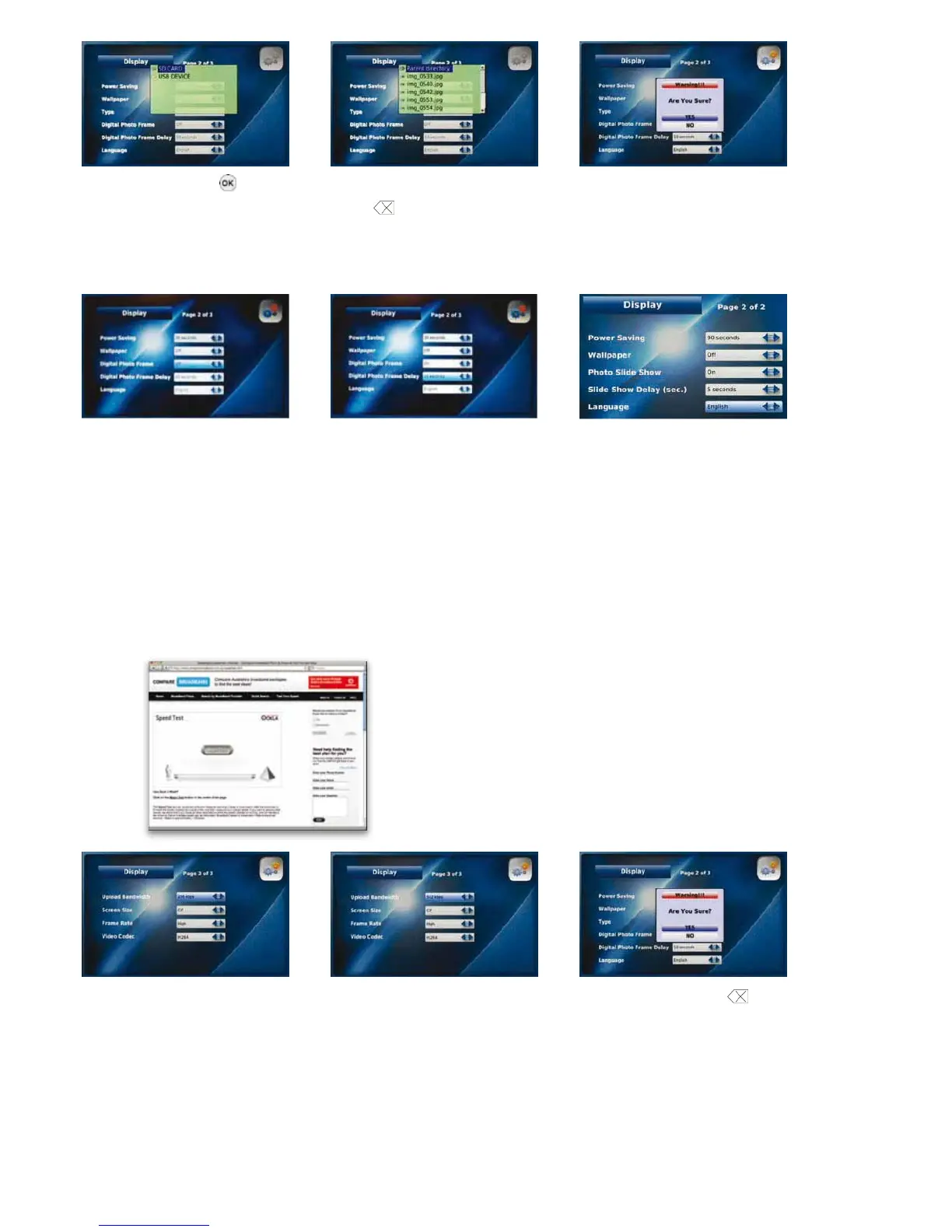
Press the “OK” button Select the image to use as your Select “YES” to confirm the change of Wallpaper
Wallpaper and press the “Back” button
to save
NOTE: A “No USB/SD device!” warning will appear if a USB or SD device is not inserted.
Digital Photo Frame Digital Photo Frame Delay Language
Select “On” to Select the time delay you To change the language displayed on the LCD
enable the Digital Photo Frame would like to use between images screen simply select an alternative language
(10, 15 or 20 seconds)
NOTE: If you are displaying large photo files (greater than 3 mega pixels or larger than 600 x 800), set the delay in between each
picture to 20 seconds. This will allow enough time for each photo to load.
Upload Bandwidth
Upload Bandwidth is the capacity at which your Videophone can upload data over your Internet connection. Your Videophone is pre-set
with optimal factory settings. If the video you are sending is not as clear as you would like, you can adjust the upload bandwidth speed
of your Videophone.
Before adjusting your upload bandwidth you should perform a test to determine your actual upload bandwidth speed. From your
computer connected to your LAN, go to www.comparebroadband.com.au/speedtest.htm
Go to “Upload Bandwidth” in the Select the Upload Bandwidth Press the “Back” button
and select
Display menu speed for your Videophone “YES” to save your settings
(128, 256, 384 or 512)
If your Upload bandwidth speed is between less than 256, please contact your ISP about higher speed service.
If your Upload bandwidth speed is between 257 and 383, you should select an Upload bandwidth speed of 128.
If your Upload bandwidth speed is between 384 and 531, you should select an Upload bandwidth speed of 256.
If your Upload bandwidth speed is between 532 and 698, you should select an Upload bandwidth speed of 384.
•
•
•
•
If your Upload bandwidth speed is greater than 699, you should select an Upload bandwidth speed of 512.•
26
1. Click on ‘Begin Test’. This process will take approximately 60 seconds
2. Write down the Download and Upload speed for your Videophone



 To Next Page