5. Calendar Adjustment
To adjust the calendar (time), operate as follows.
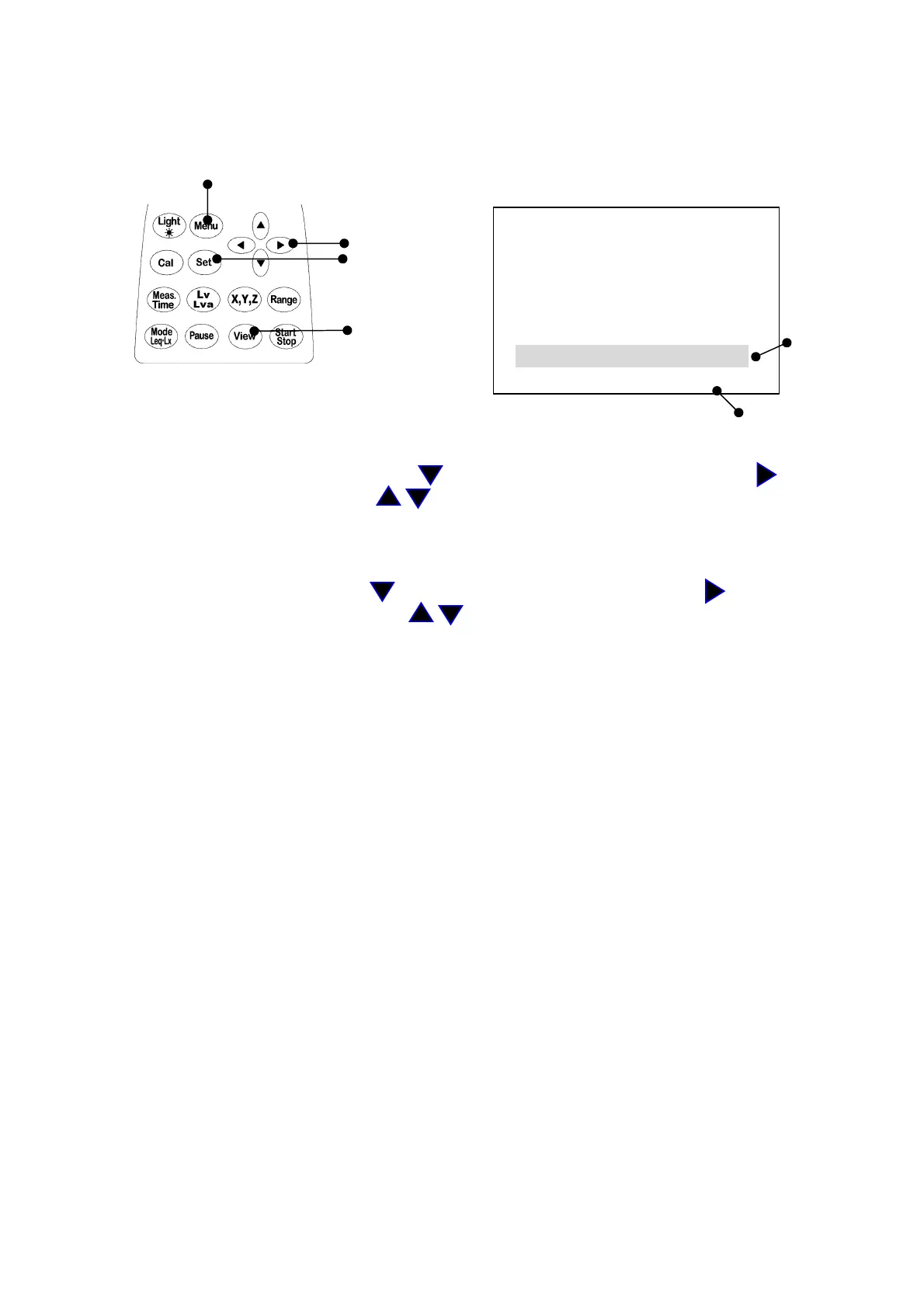
You can adjust calendar in the Menu mode in the same way as LCD adjustment.
Menu key
1) When the menu key is inputted,
the following menu screen appears.
<menu> 1/2
Cursor key Meas Mode : Manu
Set key Interval : Single
I/O : O f f
OUT Ch : X
View key LCD cont : ***** Date
date y/m/d : 00/01/01 adjustment
time : 00:00:00
Time adjustment
【Calendar adjustment】
1) Select
date y/m/d
with
Cursor
key , then move the cursor rightward with key.
2) Set the year/month/day with key, then press
Set
key to save the setting.
After pressing
Set
key, the cursor moves to leftward.
3) If you want to go back to the measurement mode, press
View
key.
【Time adjustment】
1) Select
time
with
Cursor
key , then move the cursor rightward with key.
2) Set the hour:minute:second with key, then press
Set
key to save the setting.
After pressing
Set
key, the cursor moves leftward.
3) If you want to go back to the measurement mode, press
View
key.
【Caution】
Be sure to enter the date (date y/m/d) in the order of “year → month → day.”
Input any figure of; y(year): 00 – 99, m(month): 01 – 12, and d(day): 01– 31.
Ex.) For November 30, 2003
Correct) 03/11/30
Incorrect) 11/30/03 30 has been entered for m(month). Input any figure of
01 through 12.
Be sure to enter the time in the order of “hour → minute → second.”
Input any figure of; h(hour): 00 – 24, m(minute): 00 – 59, s(second) 00 – 59.
Ex.) For 23:58:32
Correct) 23/58/32
Incorrect) 32/58/23 32 has been entered for h(hour). Input any figure of
00 through 24.
<Entry of incorrect date and time>
The instrument has a function for outputting data that was measured or is being measured
to a personal computer.
During recovery of data, if an incorrect date and time are entered, an error message “Econver
Error” is displayed on the screen and data recovery cannot be carried out.



 To Next Page