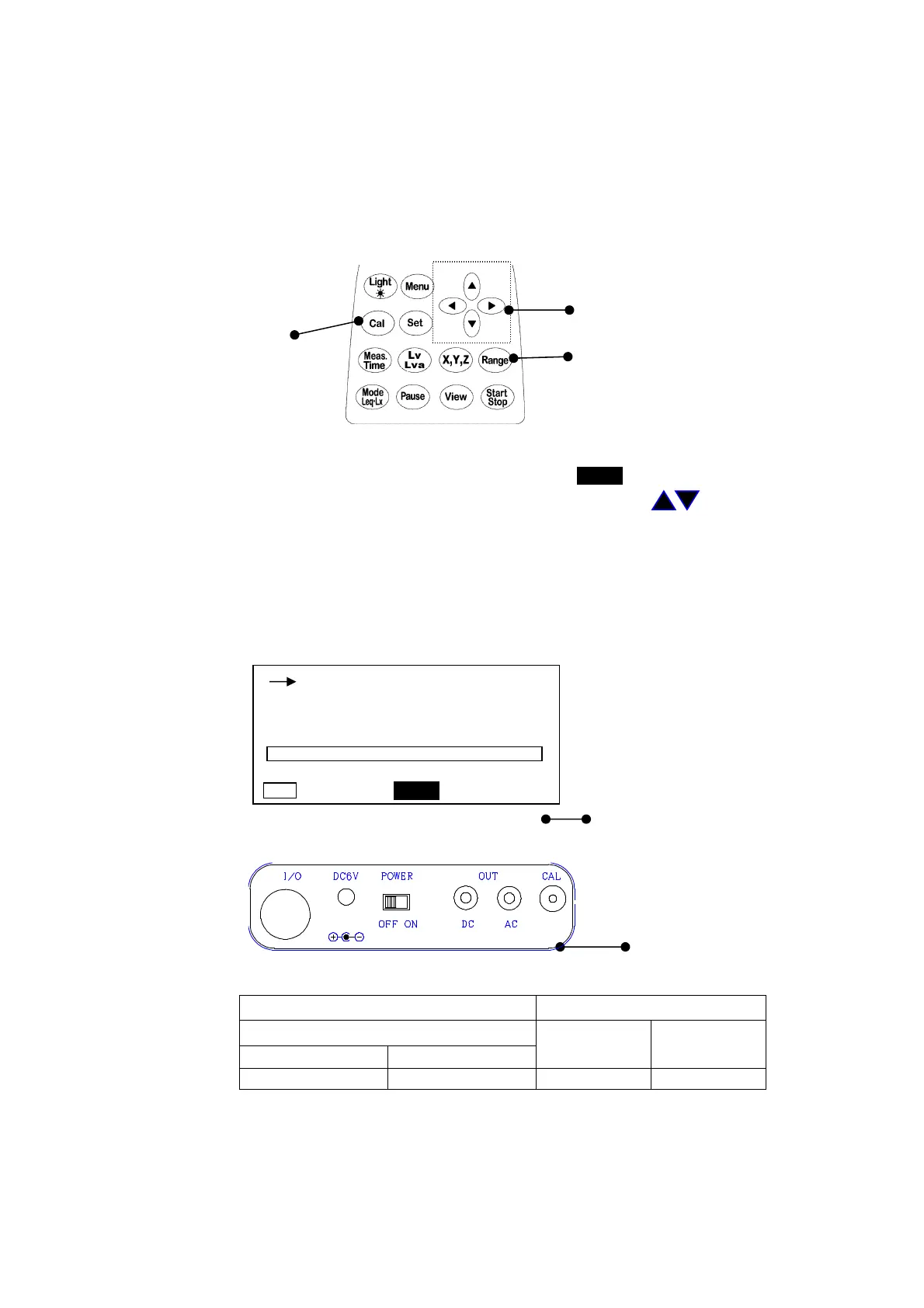
3. Calibration
Before starting calibration, it is recommended that the Vibration Level Meter be periodically
calibrated.For calibration, there are two types for using the internal oscillator of the Vibration
Level Meter, and to calibrate including pick-up by using an agitator.
3-1 Calibration by internal oscillator
The oscillator (31.5Hz, sinusoidal wave), which is incorporated in this Vibration Level Meter,
allows for calibration.
Cursor key
Calibration key
Range key
1) Turn
ON
the power switch.
2) Press the Cal key to switch into calibration status. The lights in the calibration screen.
3) Press the Range key, select
110 dB
or
90 dB
with the cursor key , and press the
Range key to register.
4) Turn the calibration volume on the side panel so that the level display indicates
110.0dB
at
the age of a
110dB
range,
90.0dB
at the age of a
90dB
range.
5) Press the Cal key one more time to end the calibration.
< Calibration screen
>
When the range key is pressed,
Calibration display
< Side panel >
<Reference>
The relationship between range display value and output voltage
Display value(dB)
Output voltage(V)
RANGE
AC OUT DC OUT
50~110 30~90
110.0 90.0 0.316 2.500
3-2 Calibration with vibration calibrator TYPE 2110
Set the vibration level meter to the vertical (Z) and vibration level (Lv) measurement states.
Vertical (Z) vibration level (Lv) if the meter instruction value of the vibration level meter
is 97.2 dB±1 dB (96.2 dB to 98.2 dB) is a pass.
1s 000h00m00s
X
Lv
dB
110.0
50 110
Cal
Calibration volume



 To Next Page