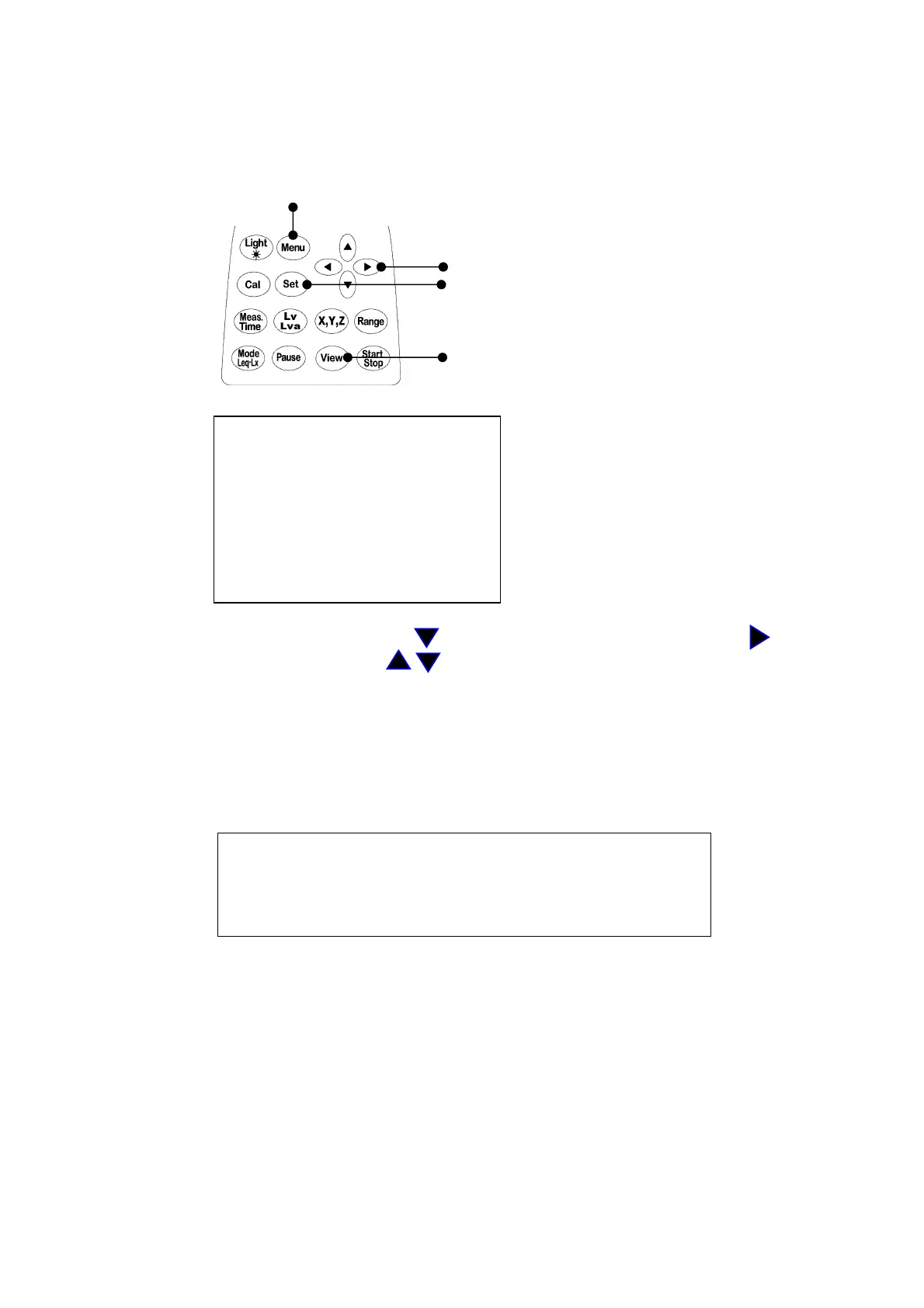
4. LCD Adjustment
You can adjust LCD contrast, when the batteries were low, or when the new batteries were
installed.The procedure is as follows.
Menu key
Cursor key
Set key
Screen switching key
1) When you press the
Menu
key, the following screen appears.
<menu> 1/2
Meas Mode : Manu
Interval : Single
I/O : O f f
OUT Ch : X
LCD cont : *****
date y/m/d : 00/01/01
time : 00:00:00
2) Select
LCD cont
with
Cursor
key , then move the cursor rightward with key.
3) Adjust the LCD contrast with key, then press
Set
key to save the setting.
The greater the * mark increases, the thicker the contrast becomes.
After pressing
Set
key, the cursor moves to leftward.
4) If you want to go back to measurement mode, press
View
key.
CAUTION
There can be a temporary appearance of a line on the LCD
when the Power switch is turned OFF. It is a normal
phenomenon and not a problem or failure.



 To Next Page