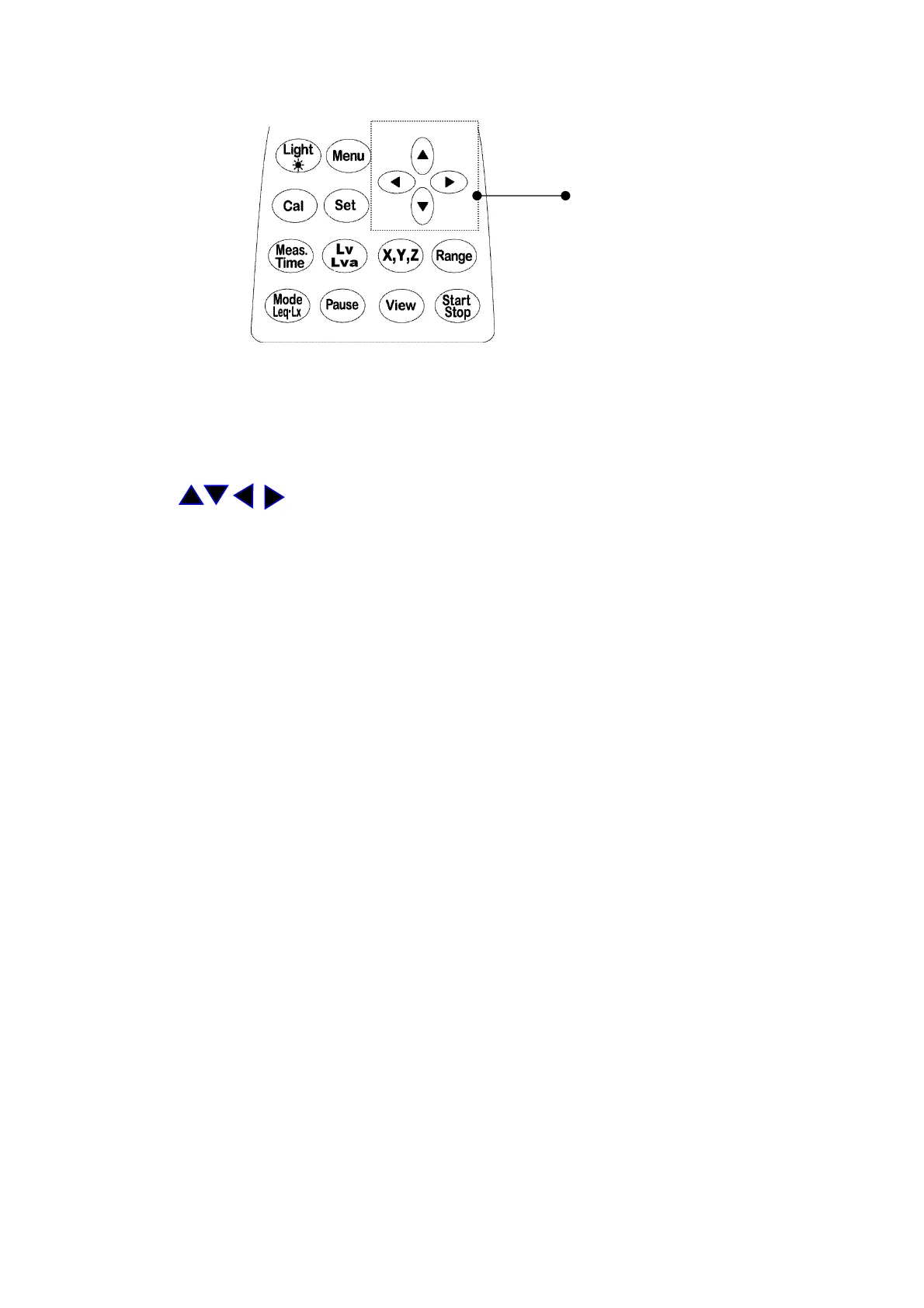
1-5 Operation of panel switch and list of functions
Cursor key
● Light: Backlight for LCD
For details, refer to “Section 1-7. How to use LCD backlight.”
● Menu : Menu key
For details, refer to “Section 4-1. Menu operations.”
● Set: Register key for Set menu key
● : Cursor key
Use to set menu item and change range.
● Cal: Calibration mode key
For details, refer to “Section 2-3. Calibration.”
● Meas. Time: Measuring time selection key
For details, refer to “Section 3 Measuring operations.”
● Lv・Lva: Filter selection key
For details, refer to “Section 3 Measuring operations.”
● X,Y,Z: Channel switching key
For details, refer to “Section 3 Measuring operations.”
● Range: Range switching key
For details, refer to “Section 3 Measuring operations.”
● Mode Leq・Lx: Measuring mode switching key
For details, refer to “Section 3 Measuring operations.”
● Pause: Temporary stop key
For details, refer to “Section 3 Measuring operations.”
● View: Display switching key
For details, refer to “Section 2-1. Switching of display screens and
names of each portion.”
● Start Stop : Measurement start and stop key
For details, refer to “Section 3 Measuring operations.”



 To Next Page