2. Battery installation
When LCD display tells low battery, install new batteries.
For long-term measurement, install new batteries in advance.
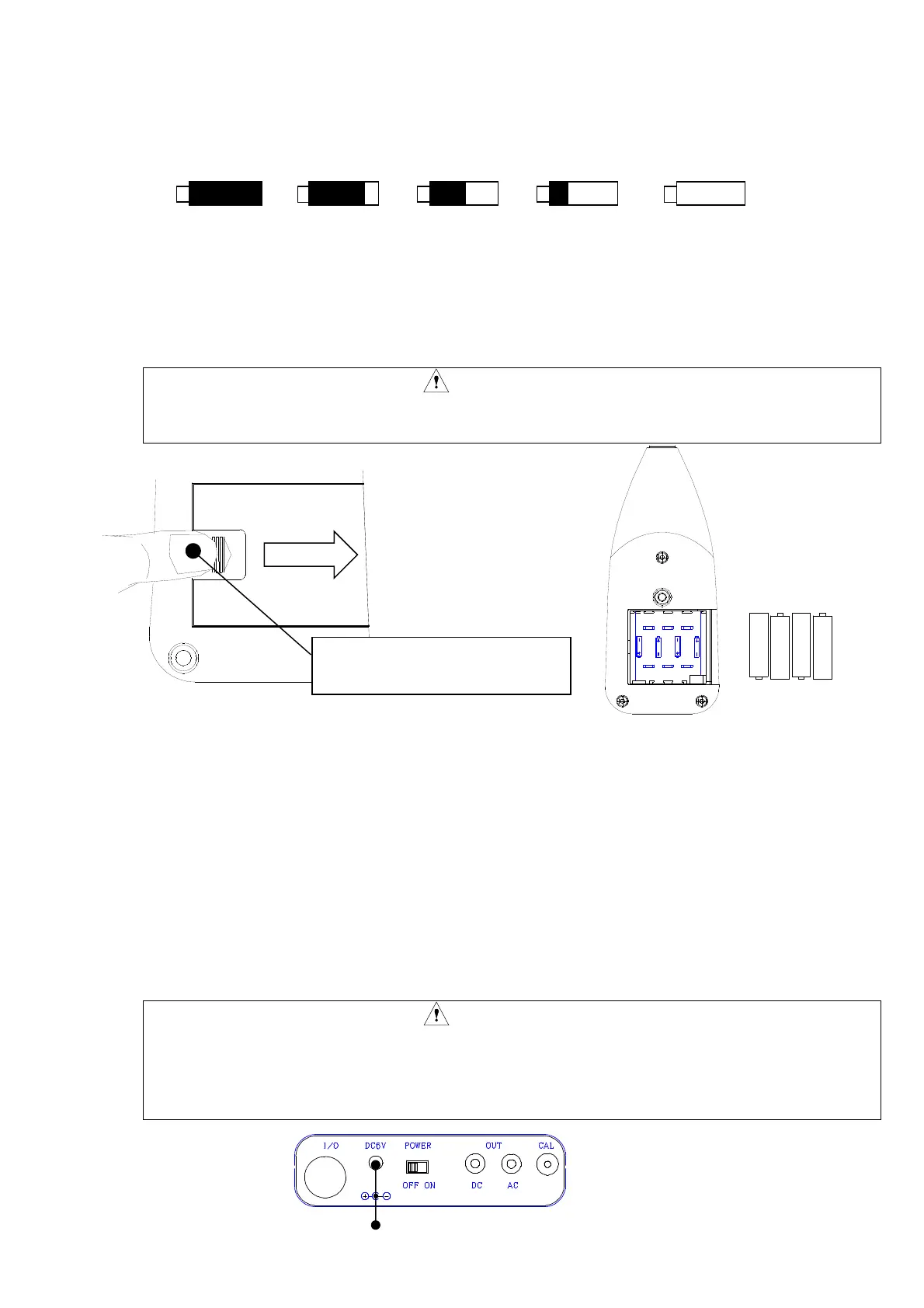
The following displays tell you the condition of the batteries.
Full Low Replace batteries.
To install new batteries:
1)Turn off the POWER switch.
2)The slide is done while pushing the battery lid by the thumb.( Refer to the figure below)
3)Put the new batteries in the case, then shut the cover. The inside of the case shows you the
direction of the batteries.
CAUTION
・ Do not put the batteries in the wrong direction.
・ These four batteries should be replaced at the same time.
・Battery life is approximately:
20 hours (Alkaline batteries, continuous operation)
10 hours (Manganese batteries, continuous operation)
・Use of LCD back-light shortens the life of the batteries (approximately 1/3).
3. AC power adaptor
1)Turn off the POWER switch.
2)Connect the optional AC power adaptor to the AC power adaptor connector.
3)Put the AC plug in the AC 100V outlet.
Power consumption Approx. 2VA
CAUTION
・ The specification article of our company should be used for conversion
transformers, such as an AC/DC adaptor ,AC200V and etc. in the case of using
overseas, at any cost.
The failure by combination other than the specified goods cannot be guaranteed.
AC power adaptor connector
“OPEN” pushing and slide in
the direction of the arrow.



 To Next Page