Section 4 Menu operations
1. Menu operations
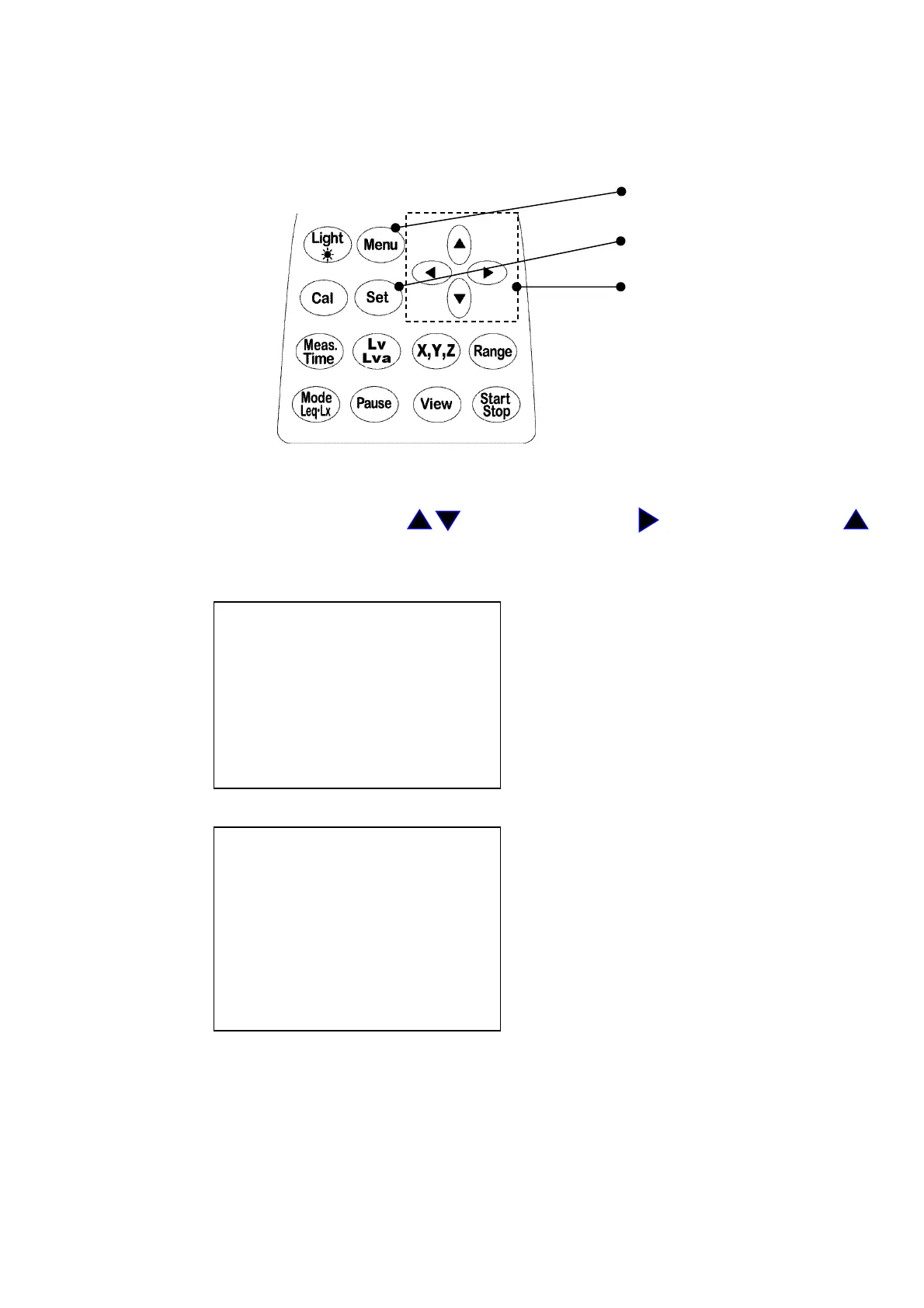
The following menu display screen appears with Menu key input on the panel
To return to the measuring screen, input the View key.
Menu key
Set key
Cursor key
Pages of <Menu> and <Mode Set> change alternately at each time when the Menu key is
inputted.
Select the item with the cursor key , start input with the key, change with the
key and register with the Set key.
<menu> 1/2 This screen is for basic setting of the
Meas Mode : Manu calendar and LCD contrast, etc.
Interval : Single
I/O : O f f
OUT Ch : X
LCD cont : *****
date y/m/d : 00/01/01
time : 00:00:00
<Mode Set> 2/2 This screen is for setting of measurement
mode and the like required for
DC Out : Z measurement.
Meas time : 1s
View : L10
baud rate : 9600
Samp Time : normal



 To Next Page