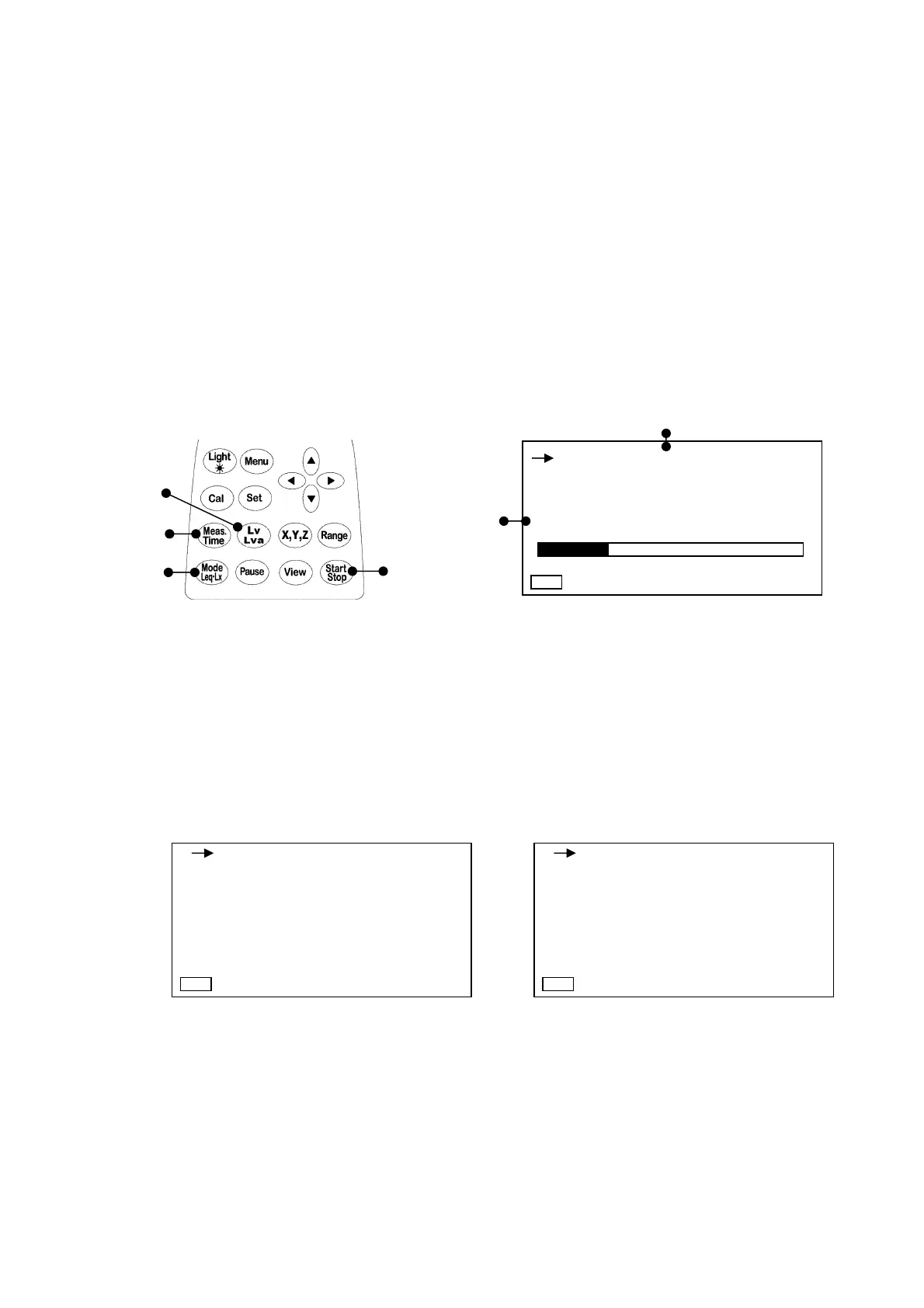
Measurement of hour rate vibration level (Lx)
When
Lva
is selected with the [
Lv, Lva
] key and the same measurement is performed, an hour rate
level for vibration acceleration can be measured.
Hour rate vibration level (Lx): Lvxx or Lvaxx (xx is 05, 10, 90 or 95)
1) Select the measuring item with the [
Mode Leq・Lx
] key and [
Lv, Lva
] key.
2) Set the time to call up an hour rate vibration level with the [
Meas.Time
] key.
3) Measure the hour rate vibration level of the time set in [
Meas.Time
] with the [
Start Stop
] key.
If the [
Start Stop
] key is inputted during operation, the vibration level is computed with data
up to that time and is displayed. (When the [
Pause
] key is inputted, the operation is
temporarily suspended, and measurement restarts when the [
Pause
] key is re-pressed.)
4) The measurement ends at the measuring time set with the Meas. Time key. Or, press the
[
Start Stop
] key to end measurement.
Setting can be changed as shown in Section 4-3. Mode Set screen description (2/2) page 24.
The mode set in the items for View is displayed on the normal creen.
When the [
View
] key is pressed, all of the measurement data lists can be displayed on the list
screen display as follows.
The list screen can be displayed by selecting the [
View
] key even when measuring the vibration
level and power average in the previous section.
When Lv key is set When Lva key is set
3)
2)
1)
1)
1)
2)
50 110
1s 000h00m00s
Z
LV05
dB
66
Manu
Manu dB
1s 000h00m00s
Z-110
Lv : 100.0 Lv05 : 100.0
Lveq : 100.0 Lv10 : 100.0
Lv50 : 100.0
LMin : 100.0 Lv90 : 100.0
LMax : 100.0 Lv95 : 100.0
Manu dB
1s 000h00m00s
Z-110
Lva : 100.0 La05 : 100.0
Laeq : 100.0 La10 : 100.0
La50 : 100.0
LMin : 100.0 La90 : 100.0
LMax : 100.0 La95 : 100.0



 To Next Page