6-20 TUNING THE CONTROL LOOPS
SB1391 Hardware and Setup Guide - Document revision no. 1.14
7.
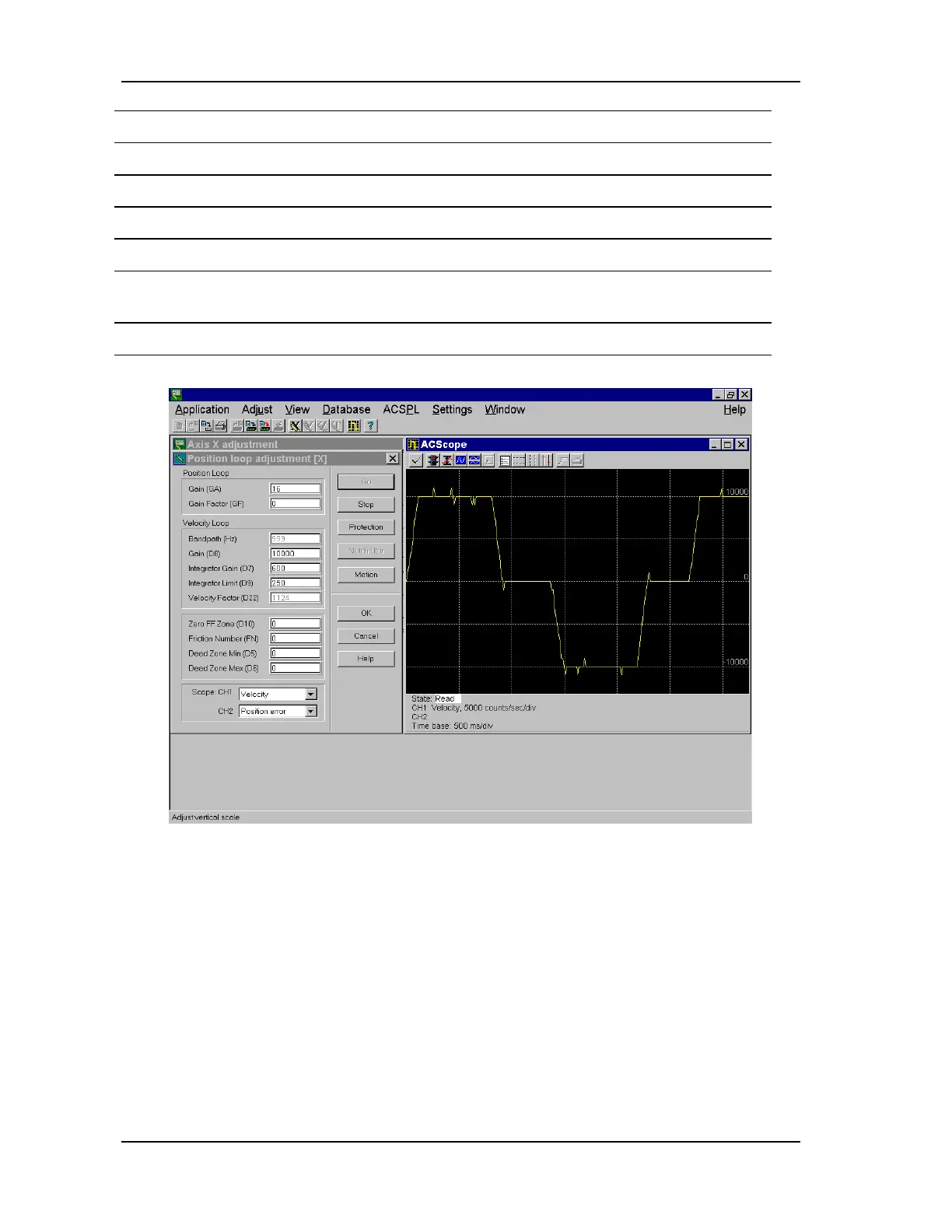
Select Velocity (Scope CH1).
8. Set the Gain Factor (GF) to 0 and Gain (GA) to 1.
9. Increase GA until an overshoot becomes noticeable.
10. Select Position Error (Scope CH1).
11. Increase/decrease GA in order to minimize the position error.
12. If there is high frequency oscillation, reduce the Velocity Loop Gain (D8). If there is
low frequency oscillation, reduce the Position Loop Gain (GA).
13. Click OK to complete the Position loop adjustment step.
FIGURE 6-13 Position loop velocity response



 To Next Page