• After that the patient is properly positioned on the chin rest or bite support, adjust the temple rest support by means of the
temple rest knobs.
• Ensure that the patient is positioned in such a way that no part of the body can come into contact with or collide against the
mobile column or the U-Arm or the CEPH arm during the scan.
• Ensure that hair and clothes do not remain caught in the mobile column or in the U-Arm.
• Ask the patient to keep tongue raised on the palate.
• Ask the patient to keep still during U-arm rotation or any mechanical motion of the device.
5.3 EXECUTION OF THE PAN EXAM
• Once the patient is correctly positioned, press “O position” button; the green status indicator will be ON.
• Ask the patient to press his/her tongue to the palate.
• Ask the patient to stay still during the whole exposure.
• Go out from the room to start exam; do not forget to observe the applicable radiation safety procedure.
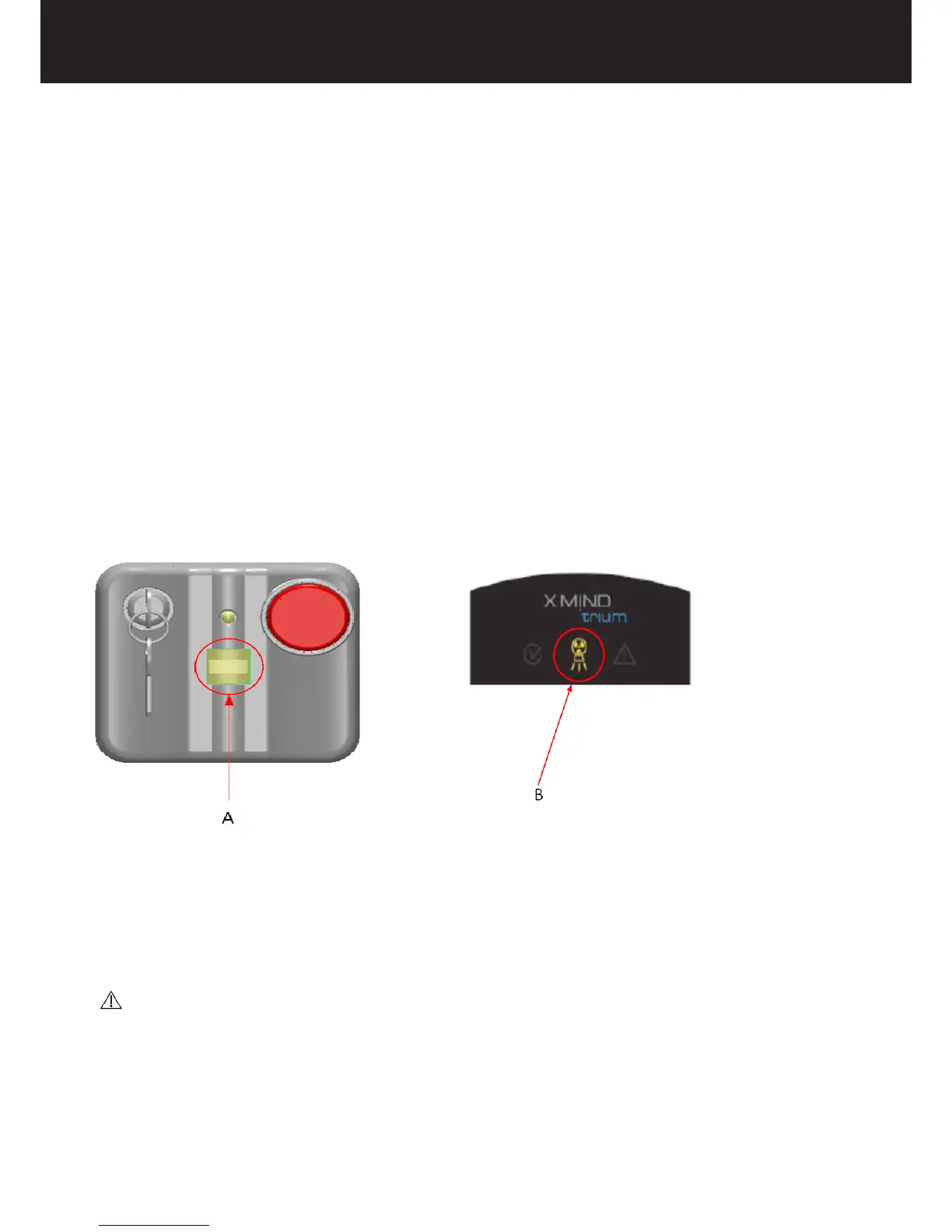
• Start the PAN exam by pressing the X-ray emission switch on the X-MIND trium remote control. During this stage, the device
emits X-rays; the X-ray emission LED on the control panel and the X-ray exposure LED on the X-MIND trium remote control
will light up.
A = X-ray emission switch
B = X-ray emission LED
• Keep the switch pressed for the whole duration of the exam until the U-arm stops. If the switch is released earlier, the
X-ray emission and the carriage movements will be stopped and the exam is irremediably interrupted (“dead man” exposure
mode); in this case, the device must be reset and the patient positioning redone.
CAUTION :
Monitor the patient throughout the entire exposure. In the event of an emergency, release the Xray exposure switch to stop the U-arm
rotation and X-ray emission.
In the event that the U-arm rotation and/or X-ray emission do not stop, press the remote emergency switch.















 To Next Page