Select position command smoothing filter1 (No.66.0) and position command
smoothing filter 2 (No.66.1)
0=Disable
1=Enable
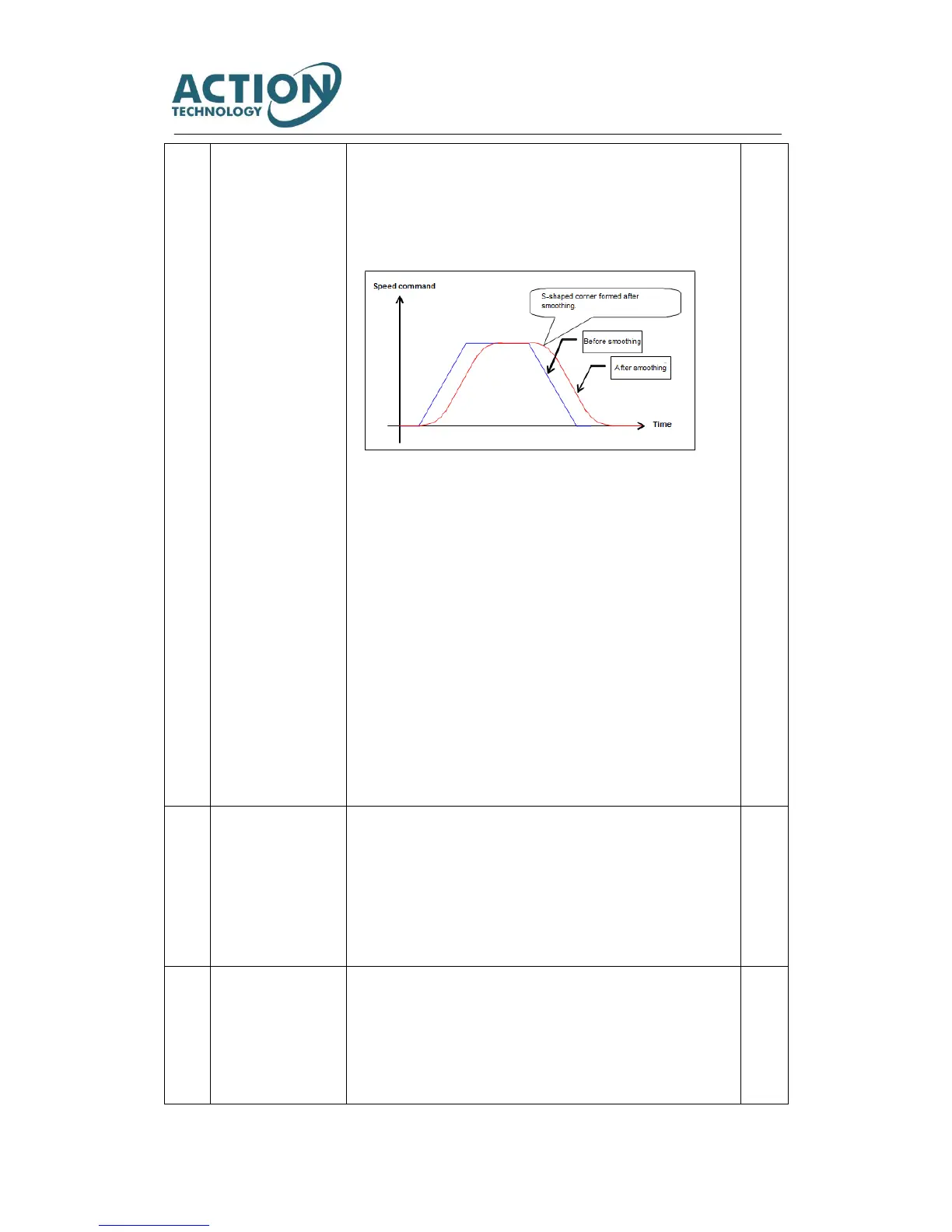
Command will be smooth as shown below after using a smoothing filter.
[Adjustment method]
Used when command acceleration or deceleration are too fast.
Used to suppress device resonance when positioning. Measuring the resonant
frequency in torque command curve and setting a corresponding average
movement number in position command smoothing filter1 moving average
time No,80 or position command smoothing filter2 average movement
number No.81, may inhibit resonance. The relation between resonant
frequency and average movement number is stated under parameter
specification of No.80 and No,81.
[Notes] This parameter can be set after more than 1.5s when the command
pulse input is 0. And the servo must be off while setting. If there is pulse input
or residual pulse setting, position difference will occur.
[Initial setting] Command smoothing filter 1 is ‘0”. (Not used)
Command smoothing filter 2 is ‘1”.(Used)
[Setting range] 0 or 1
Enable/Disable Feed forward delay compensation in position control mode.
0=Disable
1= Enable
<Note> Generally set to “1”. Do not make the changes and cannot be done on
setting panel.
[Initial setting] 1 (Enable)
[Setting range] 0 or 1



 To Next Page