16
Chatper 2 - Connections
GFR-700 Owner’s Manual
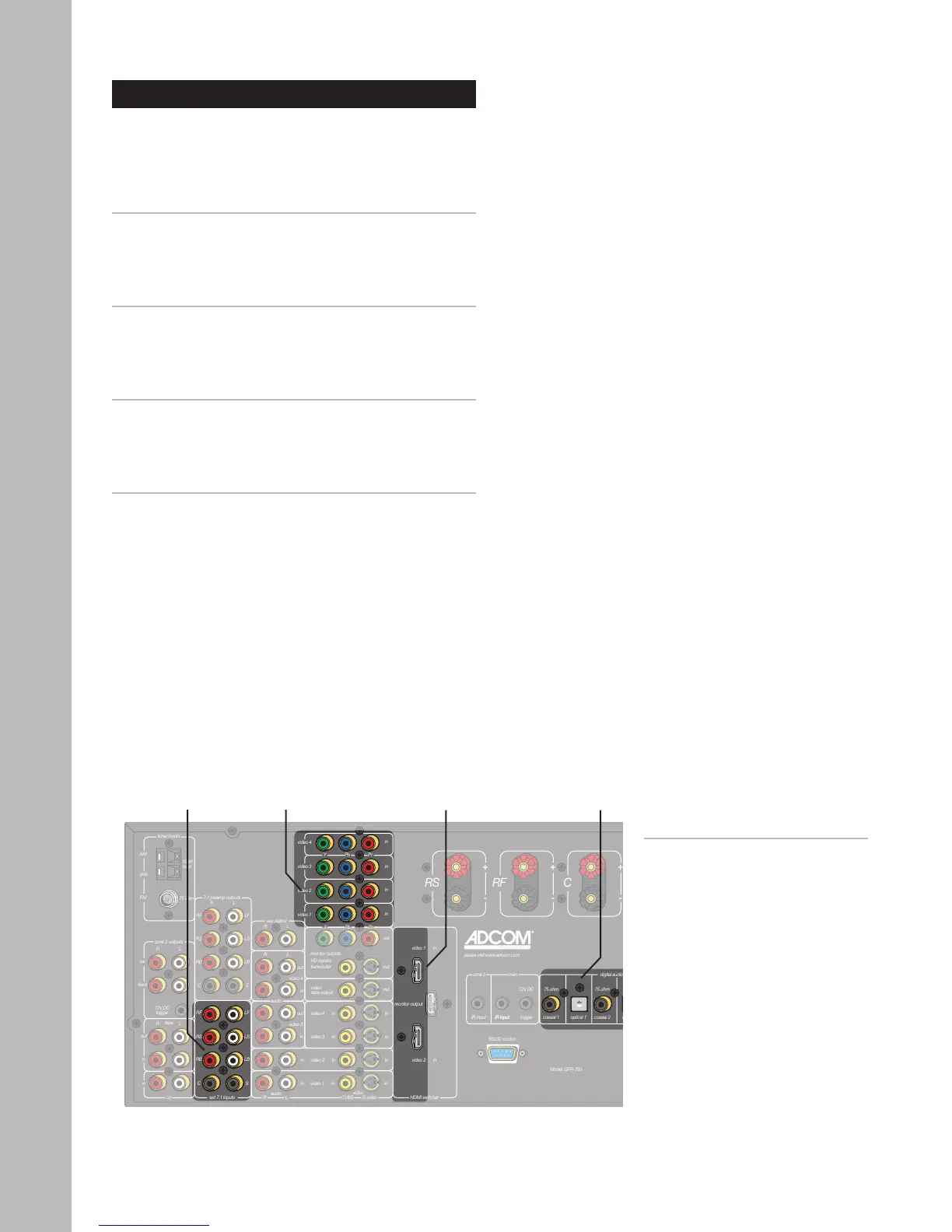
Ext. 7.1
Audio
Inputs
Component/
Progressive
Scan Video
Inputs
Digital
Audio
Inputs
HDMI
Inputs
DVD Player Connections
The GFR-700 is a movie lover’s dream. Choose from
the following special options when connecting your
DVD player.
Component/Progressive Scan Connections
To take the video quality up a notch, use your DVD
player’s Component/Progressive Scan outputs.
• See page 17.
Digital Audio Connections
For crystal-clear multi-channel digital audio, use
your DVD player’s digital audio outputs.
• See page 18.
HDMI Connections
If your DVD player supports HDMI, you’re in for an
all-digital audio/video feast.
• See page 19.
External 7.1 Connections
If your DVD player supports DVD-Audio or SACD play
-
back, use the External 7.1 inputs.
• See page 20.
Notes:
• These superior quality connec-
tions are covered in detail on
pages 17-20.



 To Next Page