17
Chatper 2 - Connections
www.adcom.com
GFR-700 Owner’s Manual
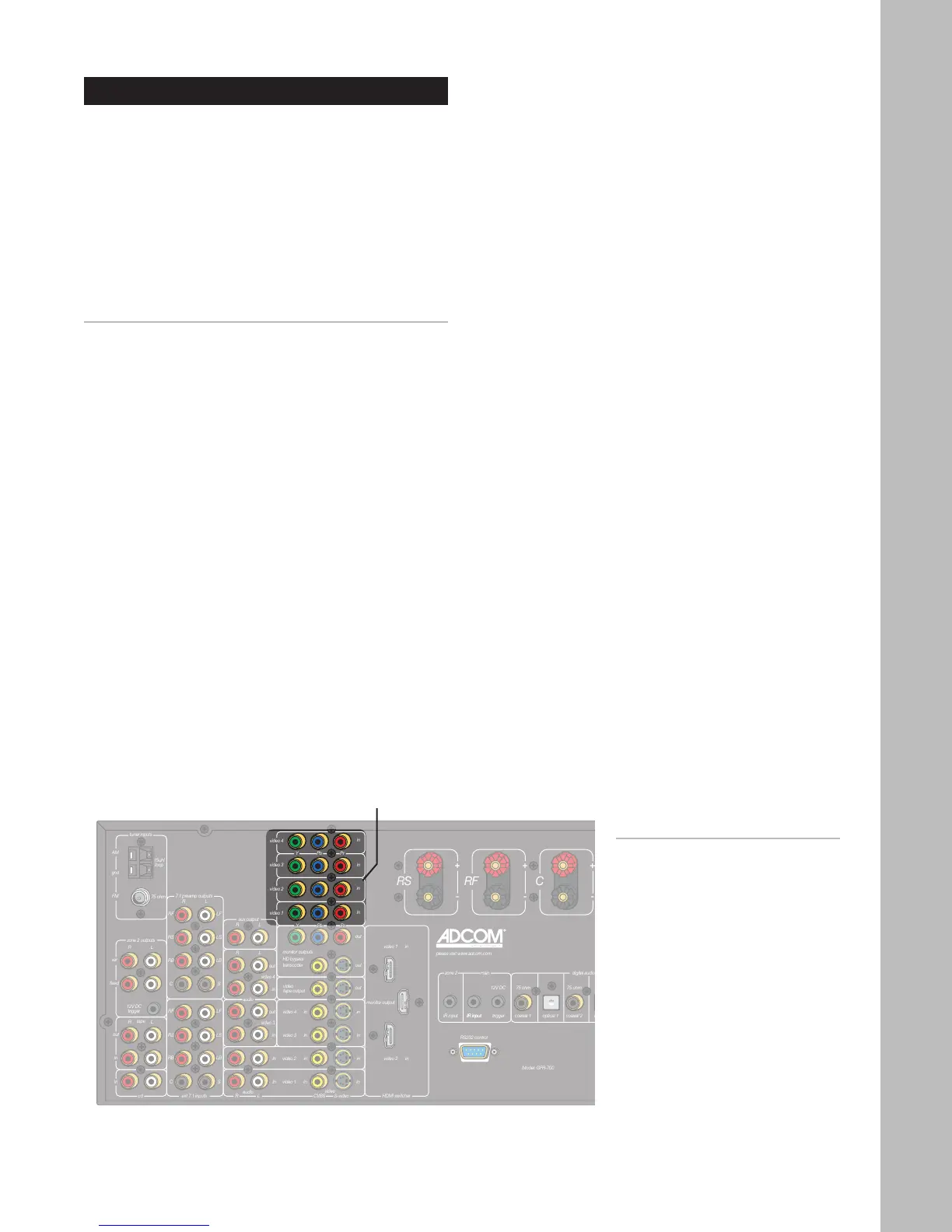
Component/Progressive Scan Connections
The GFR-700 features four Component video inputs
for connection to DVD players, digital CableTV box-
es, digital satellite receivers, HDTV receivers/tuners,
and more.
Component video is the best available analog con
-
nection method to an HDTV set, and if you have a
Progressive Scan DVD player, the picture quality is
even more impressive.
Component/Progressive Scan Connections
1 Choose an available Component Video input
(1~4).
2 Connect Component video cables.
• Using a set of Component video cables, con
-
nect the Y/Pb/Pr outputs on your source de-
vice to the corresponding Y/Pb/Pr inputs on
the GFR-700.
• Be sure to match the red, green, and blue
connectors accordingly.
Notes:
• To select the Component/Pro-
gressive Scan inputs, press
the corresponding Video 1~4
button on the remote control
or front panel.
• To connect the Component/
Progressive Scan outputs to
your TV, see page 22.
Component Video/
Progressive Scan
Inputs



 To Next Page