24
Chatper 2 - Connections
GFR-700 Owner’s Manual
Speaker Connections
Follow these steps to connect your front (LF/RF),
center (C), and surround (LS/RS) speakers. For sub-
woofer or surround back connections, see page 25.
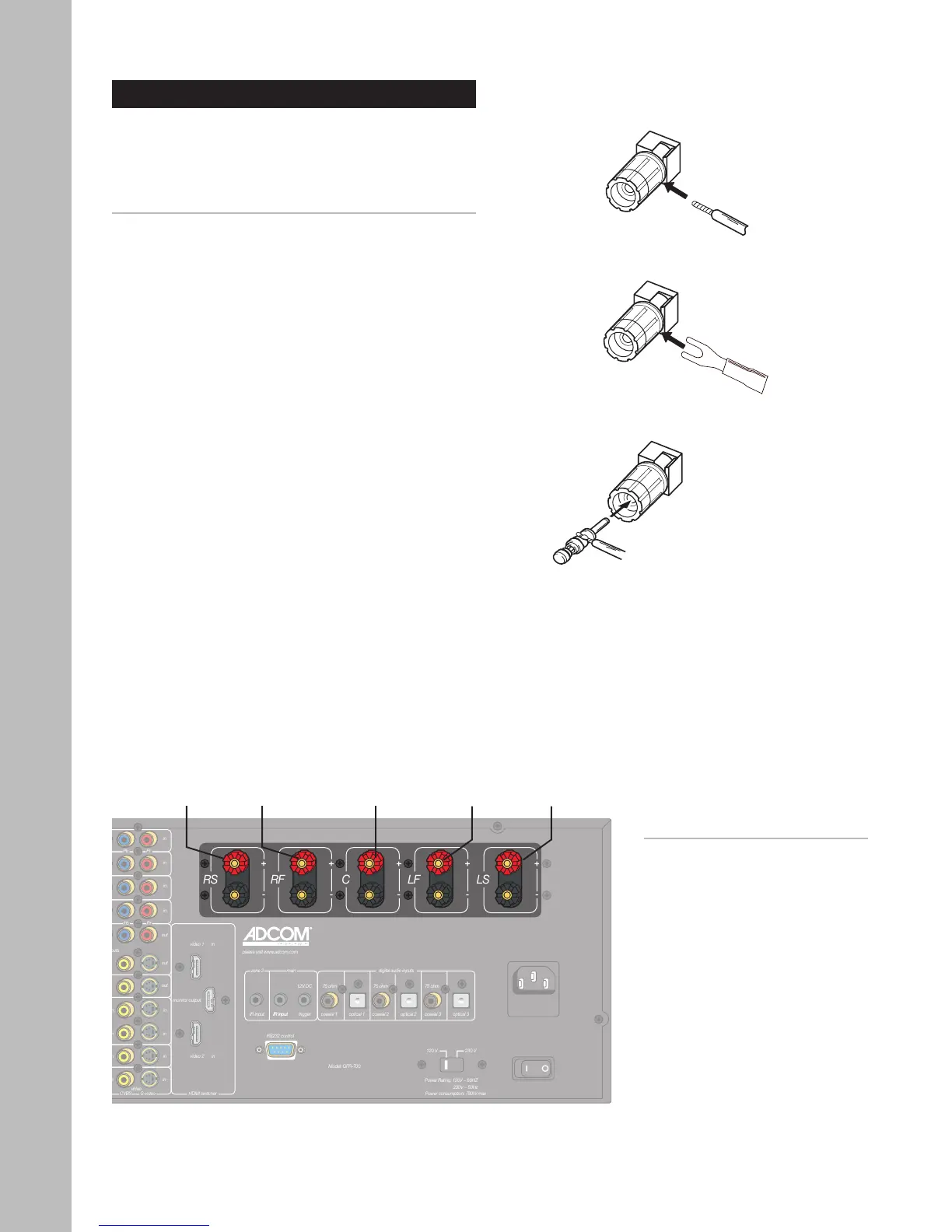
Connecting Speakers
1 Route speaker wire from your speakers to the
following GFR-700 terminals:
• LF - Left front
• C - Center
• RF - Right front
• LS - Left surround
• RS - Right surround
2 Connect the speaker wires to the terminals using
one of the following connections:
• Bare wire - Tightly wind the exposed wire
strands and insert through the hole in the
binding post; then tighten the binding post
head in a clockwise direction.
• “U”-type spade connectors - Attach the
spade connector to the binding post and
hand tighten.
• “Banana” plugs - Insert the plug directly
into the binding post.
3 To ensure your speakers are in phase, make sure
your connections maintain proper polarity (posi
-
tive to positive and negative to negative).
• The positive posts are red and labeled “+”.
• The negative posts are black and labeled “-”.
Notes:
• For subwoofer and surround
back connections, see page 25.
• 12~16 gauge speaker wire is
recommended.
• To configure the number, size,
crossover frequency, delay,
and balance settings for your
speakers, see pages 34-36.
Right
Surround
Right
Front
Left
Front
Left
SurroundCenter
Bare wire
connection
“Banana” plug
connection
“U”-type spade
connection



 To Next Page