48
Chapter 3 - Setup
GFR-700 Owner’s Manual
Programming Macro Buttons
If you find yourself repeatedly pressing the same se-
quence of buttons while using your GFR-700, then
consider taking advantage of the built-in Macro fea-
ture. Macros allow you to execute a series of com-
mands (up to ten button presses) at the touch of a
single button.
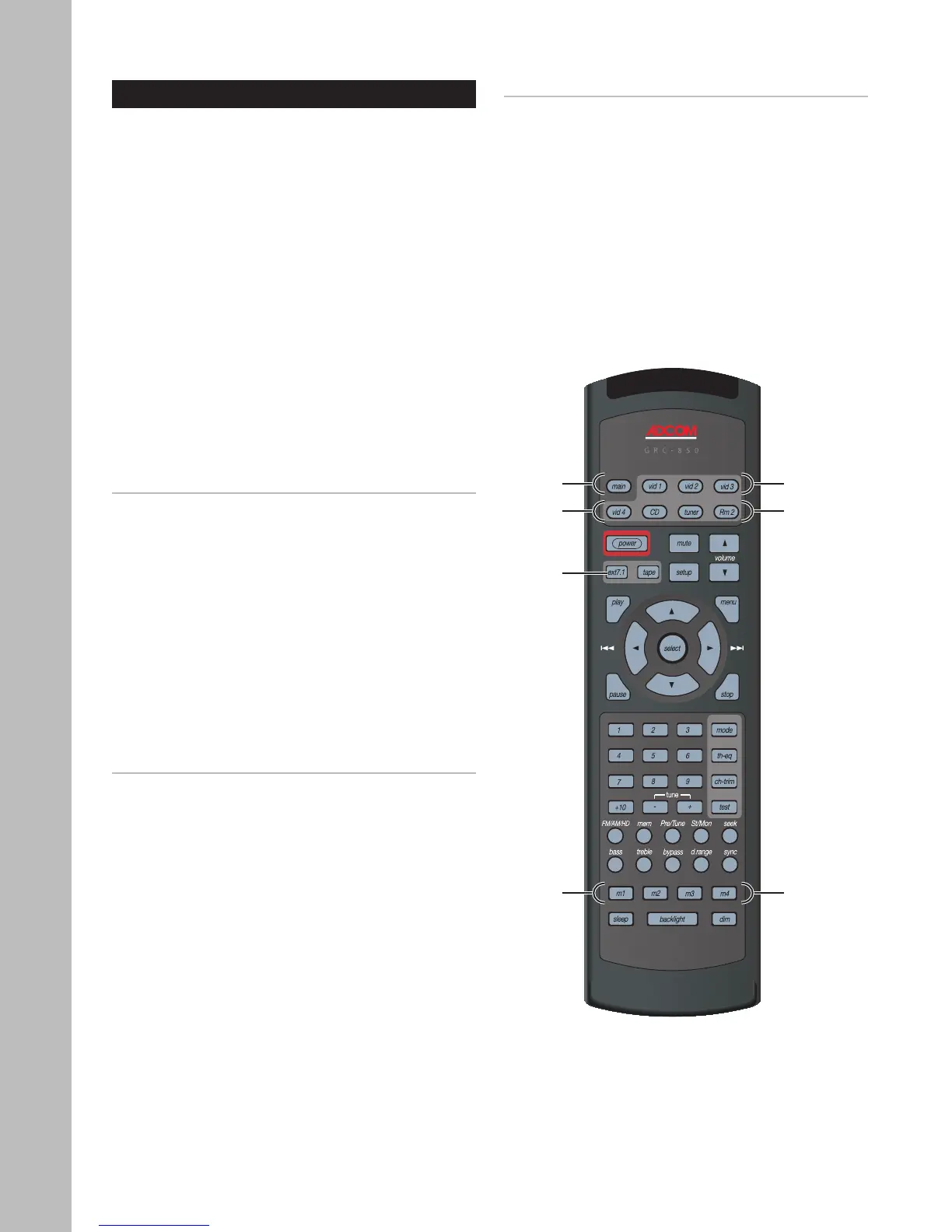
Each Macro button (labeled M1, M2, M3, and M4) can
store two macros, one for each “group” of input but
-
tons:
• Group 1 inputs - Main, Video 1, Video 2, and
Video 3
• Group 2 inputs - Video 4, CD, Tuner, Room 2
For example, if you program the M1 macro in Group
1, the macro will perform the same series of steps
whether you are in any Group 1 mode (Main, Video 1,
Video 2, or Video 3).
Programming a Macro Button
1 Press a Source button (Main or Vid 4) and the
Ext7.1 button, simultaneously.
• Hold both buttons until the red light under
the Source button turns on.
2 Press one of the five macro buttons (M1-M4, Pow-
er) you wish to program.
• The red light under the Source button will
blink once for each subsequent button
press.
3 Press up to 10 commands you would like to in-
clude in the macro sequence.
• Pressing a Source button to change modes is
counted as one command.
Note:
• The Power On/Off command, for devices other than
the Main receiver, is programmed into a macro using
the Ext7.1 button.
4 Press the Volume button to store the com-
mands.
• The red Status LED and the Source button
will blink twice to confirm the program and
then turn off.
Deleting a Macro button
1 Press the Source button (Main or Vid 4) and the
Ext7.1 button, simultaneously.
• Hold both buttons until the red light under
the Source button turns on.
2 Press the macro button (M1-M4, Power) you wish
to delete.
• The red light under the Source button will
blink once.
3 Press the Volume button to delete the mac-
ro.
• The red Status LED and the Source button
will blink twice to confirm deletion and then
turn off.
Macro
Buttons
Group 1 Main, Vid 1~3
Group 2
Vid 4, CD,
Tuner, Rm 2
M1~M4
Ext 7.1



 To Next Page