25
Chatper 2 - Connections
www.adcom.com
GFR-700 Owner’s Manual
External Amplifier Connections
The GFR-700’s built-in 5 x 125 watts per channel am-
plifier has more than enough power for most home
applications. Nevertheless, 7.1 preamp outputs are
provided so you can hook the GFR-700 up to an even
bigger rig (the GFA-7707 comes to mind), if desired.
More importantly, these preamp outputs can also be
used in tandem with the GFR-700’s built-in amplifier
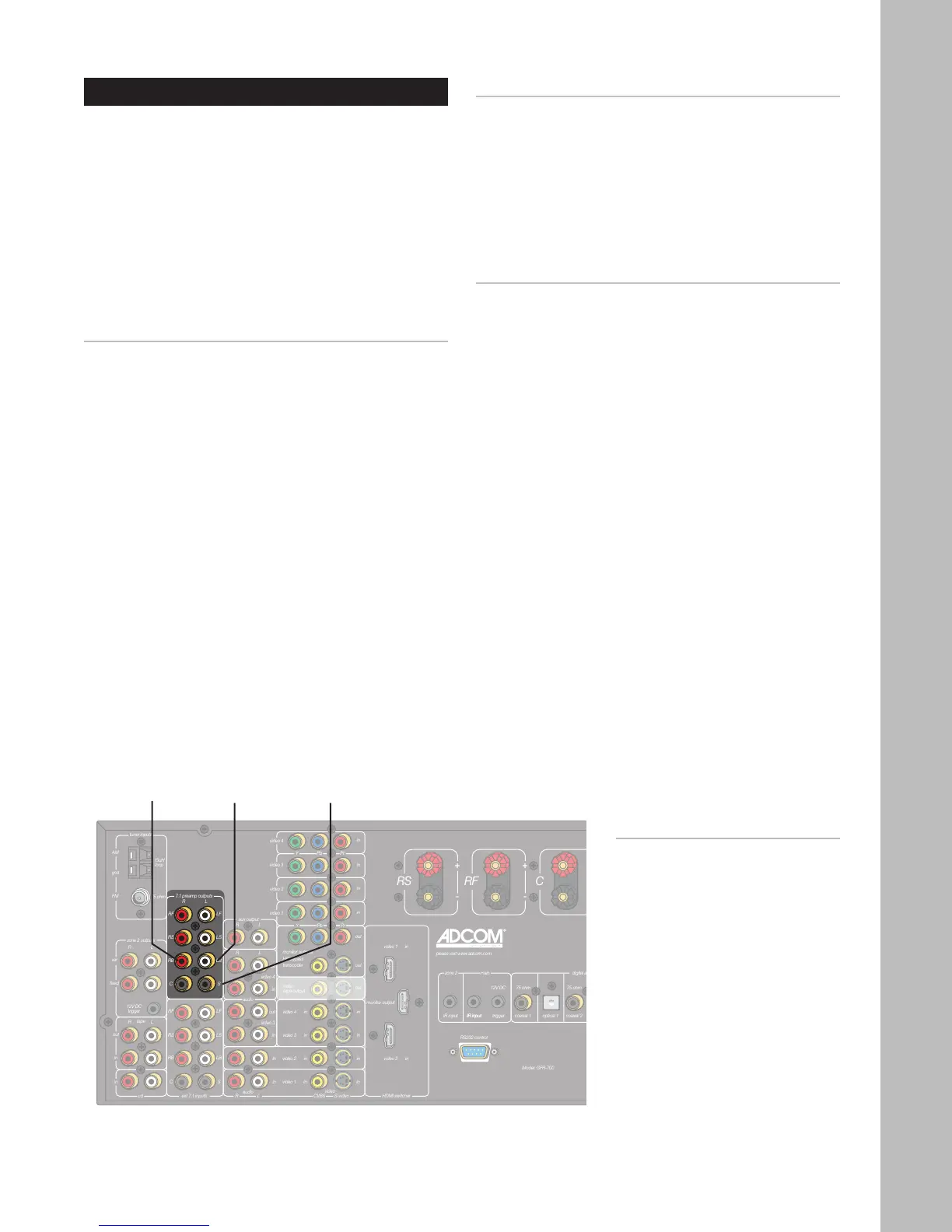
to connect a subwoofer (S) and surround back (RB/
LB) speakers.
Connecting an Amplifier
1 Using eight RCA cables, connect the 7.1 channel
preamp outputs from the GFR-700 to the corre-
sponding RCA inputs on your external amplifier.
• Connect the RF, LF, RS, LS, RB, LB, and C
outputs to the amplifier and the S output to
a powered subwoofer.
2 If you have a 5.1-channel amplifier, use five RCA
cables and omit the RB and LB connections. Con-
nect the S output to a powered subwoofer.
Connecting Surround Back Speakers
For full 7.1 surround sound, you’ll want to connect
surround back speakers, which must be connected to
an external amplifier.
1 Using two RCA cables, connect the RB and LB
outputs from the GFR-700 to the corresponding
RCA inputs on your external amplifier.
2 Connect your right and left surround back speak-
ers to the external amplifier.
Connecting a Subwoofer
The “.1” in 5.1 and 7.1 stands for the all-important
Subwoofer, also known as an L.F.E., or low-frequency
effects channel. No home theater would be com
-
plete without a subwoofer rumbling your listening
area with thunderous bass.
1 Using an RCA cable, connect the S output from
the GFR-700 to the corresponding input on your
powered Subwoofer.
Notes:
• To configure your speakers,
see pages 34-36
Surround
Back Right
Output
Surround
Back Left
Output
Subwoofer
Output



 To Next Page