36
Chapter 3 - Setup
GFR-700 Owner’s Manual
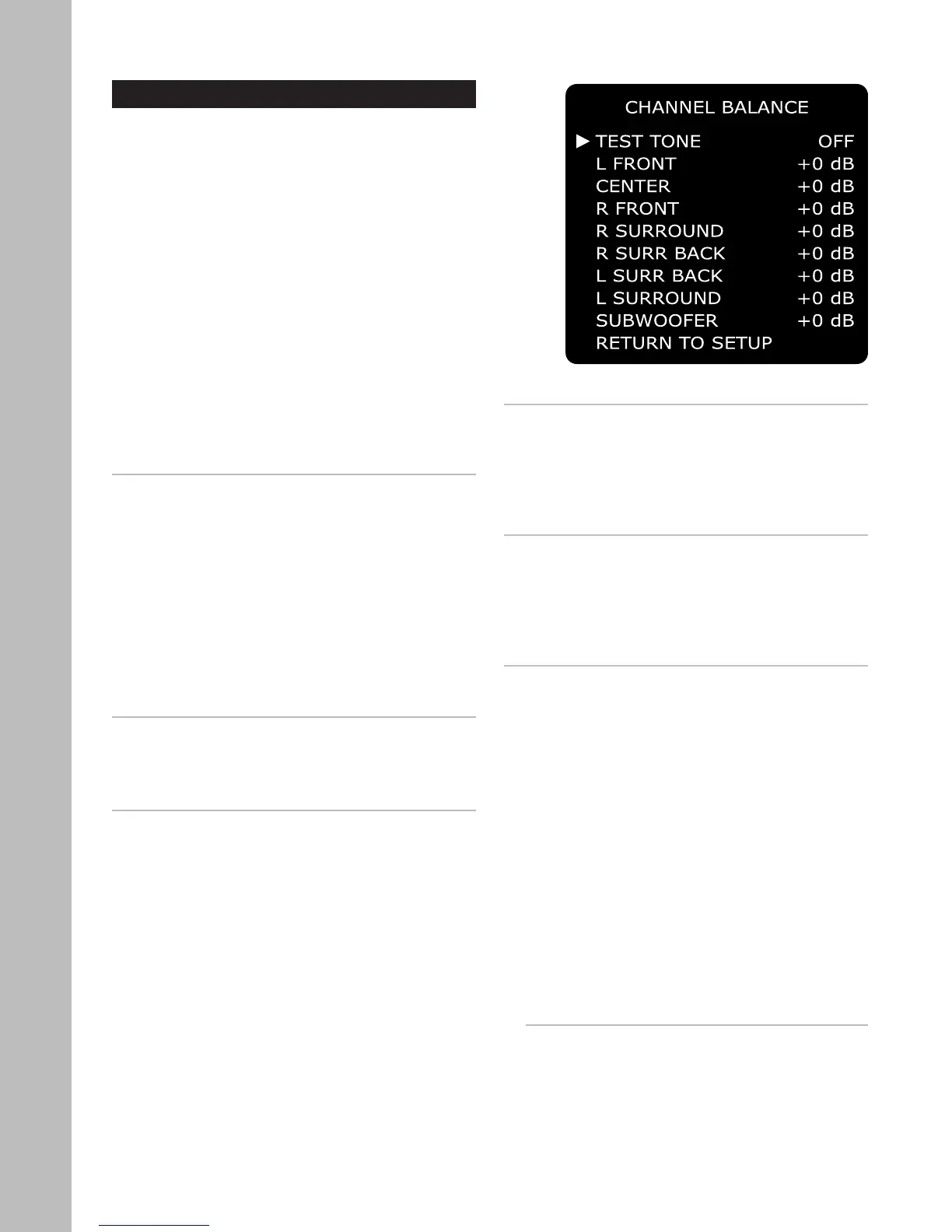
Channel Balance
How can you achieve optimal balance in volume lev-
els from all speakers? The GFR-700 supplies individ-
ual sliders and a “pink noise” test tone to aid you in
balancing your speaker levels. For best results, it is
recommended that you use a Sound Pressure Level
(SPL) meter to precisely measure the volume levels
from each speaker. However, your ear aided by ex-
perimentation is ultimately the best judge. The fol-
lowing is an overview of the Channel Balance menu.
To access the Channel Balance menu:
1 Press the Main button on the remote control.
2 Press the Setup button.
3 Use the
/ buttons to select CHANNEL BAL-
ANCE, then press the Select button.
4 Use the / buttons to choose from the follow-
ing menu items:
TEST TONE
Generates a “pink noise” test tone that you can move
manually from speaker to speaker. This neutral tone
provides an effective gauge to measure volume lev
-
els that is more objective than a movie sound track
or other variable signal. Use the / buttons to se-
lect:
• On or Off
• If you select On, the test tone does not begin
until you first select a speaker (see below).
• If you select Off, the currently selected audio
source will be heard instead of the test tone.
L FRONT / R FRONT
Adjusts the relative volume of the left/right front
speakers. Use the
/ buttons to select:
• -10 to +10 dB
CENTER
Adjusts the relative volume of the center speaker.
Use the
/ buttons to select:
• -10 to +10 dB
• If you do not have a center speaker (as set on
page 34), the choice will be fixed to N/A.
L SURROUND / R SURROUND
Adjusts the relative volume of the left/right surround
speakers. Use the / buttons to select:
• -10 to +10 dB
• If you do not have surround speakers (as set on
page 34), the choices will be fixed to N/A.
L SURR BACK / R SURR BACK
Adjusts the relative volume of the left/right surround
back speakers. Use the
/ buttons to select:
• -10 to +10 dB
• If you do not have surround back speakers (as set
on page 34), the choices will be fixed to N/A.
SUBWOOFER
Adjusts the relative volume of the subwoofer. Use
the
/ buttons to select:
• -10 to +10 dB
• If you do not have a subwoofer (as set on page
34), the choices will be fixed to N/A.
Notes:
• You can also use the Channel Trim and Test Tone
buttons on the remote control to adjust the chan-
nel balance.
• Press the Channel Trim button to set the volume
levels for each individual speaker.
• Press the Test Tone button to hear a test tone in
each speaker.



 To Next Page