21
Chatper 2 - Connections
www.adcom.com
GFR-700 Owner’s Manual
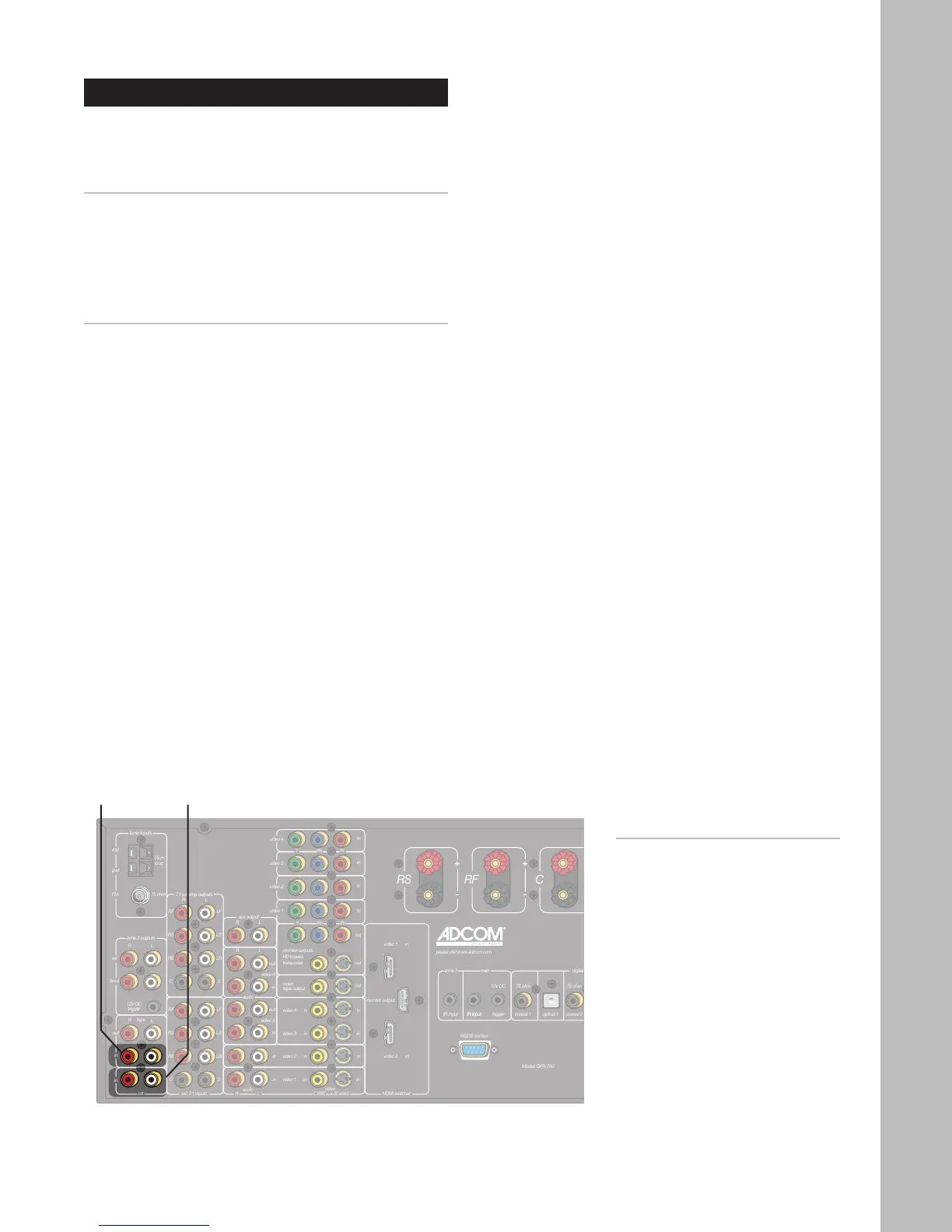
CD/Tape Player Connections
Follow these steps to connect a CD or tape player to
the GFR-700.
Connecting a CD Player
1 Using RCA cables, connect the audio outputs on
your CD player to the CD inputs on the GFR-700.
• If your CD player is equipped with a digital
audio output (e.g. to play back a DTS CD),
see Digital Audio Connections on page 18.
Connecting a Tape Player
1 Using RCA cables, connect the audio outputs on
your tape player to the Tape inputs on the GFR-
700.
Notes:
• To switch to CD mode, press
the CD button on the remote
control or front panel.
• To switch to Tape mode, press
the Tape button on the remote
control or front panel.
• For CD configuration settings,
see page 33.
• For CD operations, see page
52.
• For digital audio connections,
see page 18.
CD
Input
Tape
Input



 To Next Page