155
ADOBE PHOTOSHOP ELEMENTS 2.0
User Guide
To scale a layer, selection, or shape:
1 Select the layer, area, or shape you want to scale.
(See “Specifying what to transform” on page 153.)
2 Choose Image > Resize > Scale.
3 Do one of the following:
• To maintain the relative proportions as you
scale, click the Maintain Aspect Ratio button
in the options bar, and then drag a corner
handle. Alternatively, you can hold down Shift
as you drag a corner handle.
• To scale only the height or the width, drag a side
handle.
• Enter a percentage for the Width, Height, or
both in the options bar. To scale both dimen-
sions proportionately, select the Maintain
Aspect Ratio button .
4 Do one of the following:
• To commit the transformation, double-click
inside the bounding box, click the Commit
button in the options bar, or press Enter
(Windows) or Return (Mac OS).
• To cancel the transformation, click the Cancel
button in the options bar, or press Esc.
To simultaneously apply several transforma-
tions, including scale, use the Free Transform
command. (See “Using the Free Transform
command” on page 156.)
Skewing, distorting, and setting
perspective
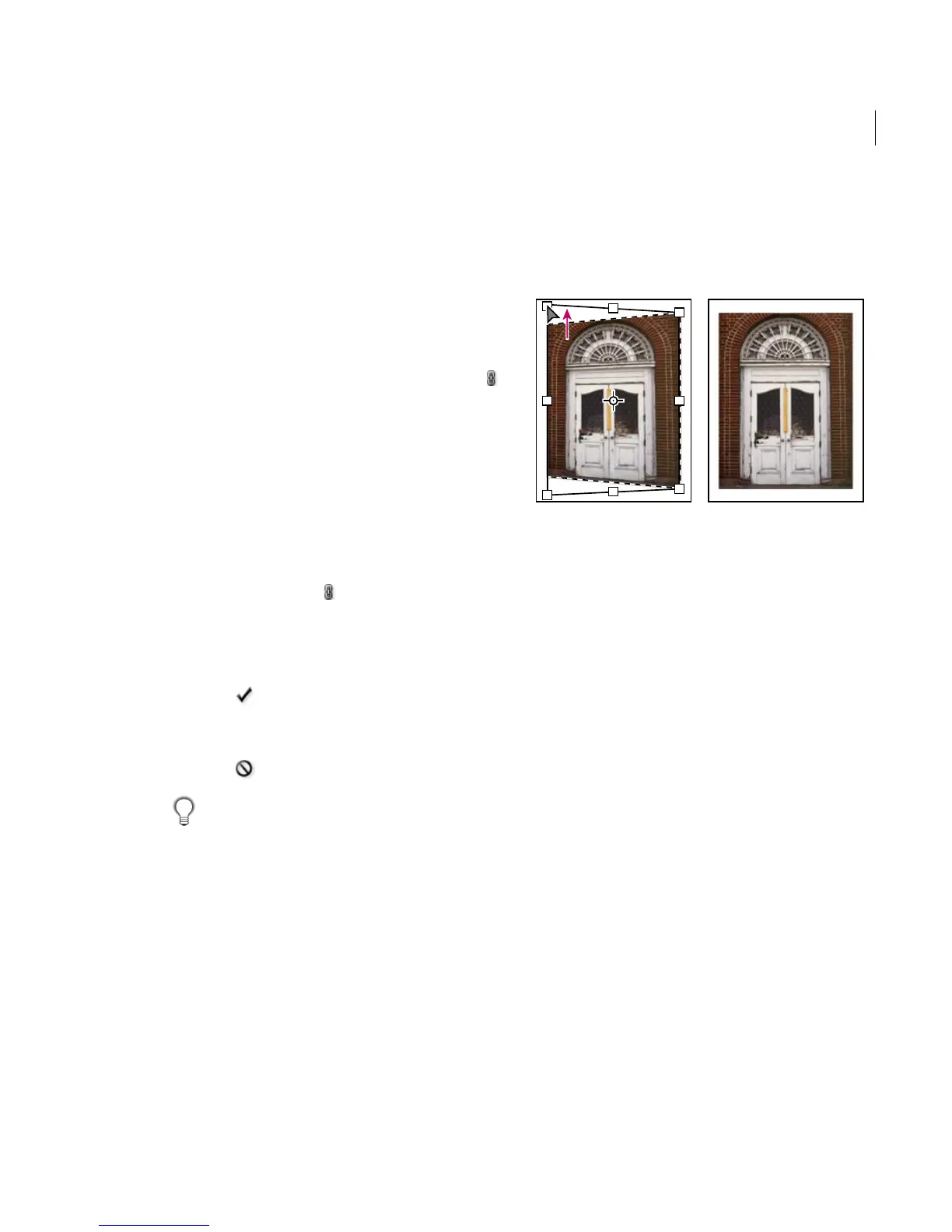
Skewing, distorting, and applying perspective
change the geometry of a layer, selection, or a
shape. Skewing lets you slant things vertically
and horizontally; distorting lets you stretch things
in any direction; applying perspective makes
things appear to go backward or forward in three-
dimensions.
Correcting perspective
To skew, distort, or apply perspective to a layer,
selection, or shape:
1 Select the layer, area, or shape you want to
transform. (See “Specifying what to transform” on
page 153.)
2 Do one of the following:
• To skew an image, choose Image > Transform >
Skew, and drag a handle in the middle of any
side to slant the bounding box.
If you are transforming a shape with the shape
tool selected, choose Image > Transform
Shape > Skew.
• To distort an image, choose Image > Transform
> Distort, and drag a corner handle to stretch
the bounding box. If you are transforming a
shape with the shape tool selected, choose
Image > Transform Shape > Distort.



 To Next Page