3.5 Touch Screen Program
The Touch Screen Program is a "user-friendly" menu-driven setup and operation program.
Popup windows are incorporated for quick and easy setting adjustments. Each time a setting is
changed, the settings are saved so that if power is lost, the “job” will be recalled automatically
without the need for reprogramming. Moving around through the program, entering menu levels
and entering setup options are easily and quickly achieved by just one touch of the screen to set
the options you choose. A general color scheme has been used for consistency with operation:
Blue: Background color. Blue is used as a background or text only color. Pressing this area
will typically do nothing.
Yellow: Yellow buttons are Menu buttons which will take you to other available screens.
Yellow buttons may be located anywhere on the screen.
Green: Setting button. Green buttons are used to change settings or mode of operation.
Red: Stop functions or warning messages.
3.6 Introductory Screen
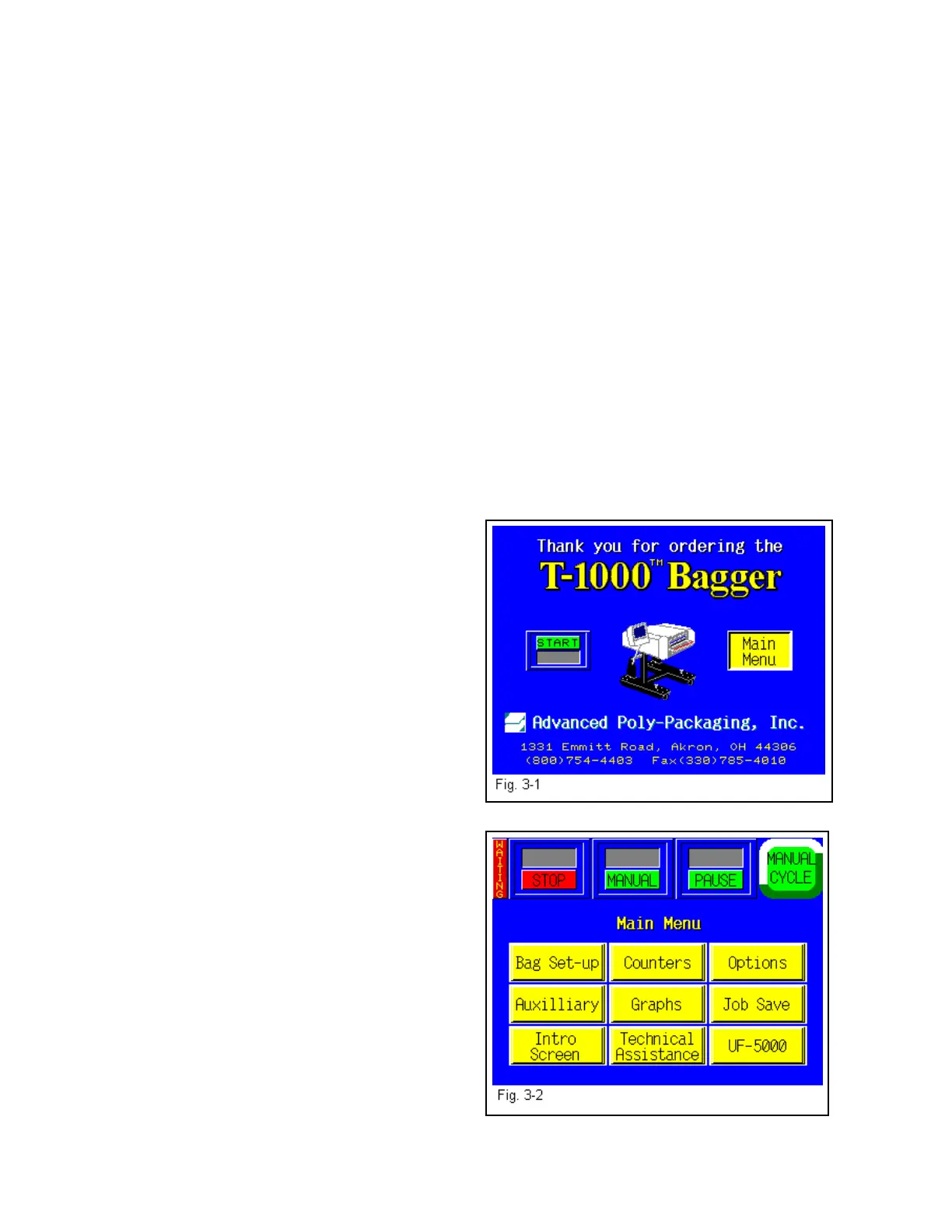
When the T-1000 is turned on, an Introductory screen is displayed (Fig. 3-1). The Introduction
screen is a welcome screen and has a button to take you to the Main Menu.
3.7 Main Menu
The Main Menu (Fig. 3-2) is the first menu
screen displayed after the Introduction is flashed
on the screen and allows you to go to all screens
available in the T-1000. Nine options are
displayed on the Main Menu which control the
operation of the T-1000: 1) Bag Set Up Menu, 2)
Auxiliary Menu, 3) Intro Screen Menu, 4)
Counters Menu, 5) Graphs Menu, 6) Technical
Assistance Menu, 7) Options Menu, 8) Job Save
Menu, 9) UF-5000 Menu. These nine options are
fully described in the following sections. Above
the yellow menu buttons is the “top line buttons”
which are displayed on most screens through the
touch screen program:
Start / Stop: Toggle button controls operation
mode; mode which enables T-1000 to cycle.
Manual/Auto: Toggle button to enter
Automatic (paced rate) or Auxiliary Cycle mode.
Pause/Setup: Temporarily deactivates
Predetermining Counter and Totalizing Counter
until reset. Temporarily deactivates signal to
auxiliary equipment. Allows cycle operation
when heater bar is not up to temperature.
Ready / Waiting: Indicator LED. Displays
Ready when heater bar is at the temperature set point. Waiting flashes when the machine is not
at temperature.
31



 To Next Page