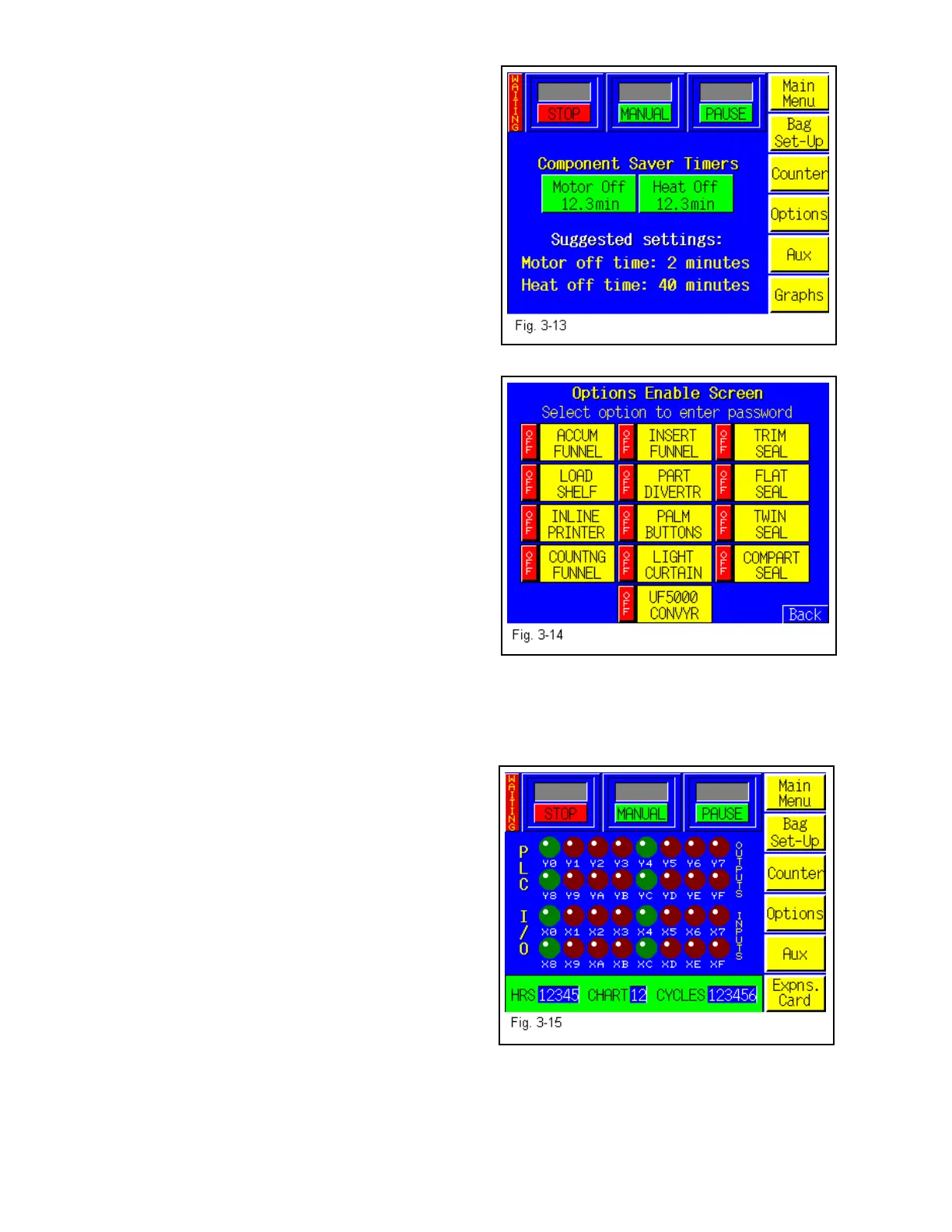
Adjust the Heat Off timer to the amount of time
greater than break or lunch periods up to 60
minutes. Press the <Heat Off> button and enter the
new value in the number keypad. See Fig. 3-13.
Note: It normally takes 3-4 minutes to bring the
heater bar to temperature depending on the Seal
Temp. value and the current temperature of the
heater bar.
3.35 Passwords
The Options Enable Screen is used at the factory to
“enable” options for use by the operator. A status
box is located to the left of the option to indicate if
the option is available to operator. If OFF, the
option settings screen will not be displayed for use
by the operator. See Fig. 3-14.
Options must be purchased from Advanced
Poly-Packaging, Inc. to obtain the pass code.
Contact Advanced Poly-Packaging, Inc. Service
Dept. for more information regarding options
available for the T-1000.
3.36 Inputs / Outputs (PLC)
The PLC I/O screen is provided for maintenance personnel to determine the status of the PLC
and review the mode of Outputs and Inputs. PLC
I/O screen(s) are also used to assist APPI Service
Technicians, working with your Maintenance
Personnel to troubleshoot the T-1000 in the field.
See Fig. 3-15.
To determine the function of each Input / Output,
press the LED to display a brief description. See
Fig. 3-30, 3-46 through 3-50.
The PLC I/O screen also provide the run Hours,
Chart and Cycles counters. These counters cannot
be reset by the operator.
44



 To Next Page