The <Current Graph> button brings you back to the current hours production data. Press the <
(arrow left) button to see past production hours.
Press the <Back> button to return to the Graph Status Screen.
3.32 Job Save / Recall
The T-1000 is able to store 32 machine settings,
called jobs, including BAG SETTINGS, OPTIONS
SETTINGS and AUXILIARY SETTINGS.
Each time a setting is changed on the T-1000, the
settings are immediately saved in memory so that if
power is lost, the T-1000 will power on with the
job that was running before power was lost. JOB
32 setting is preset by APPI. JOB 32 is the factory
settings which cannot be overwritten by the
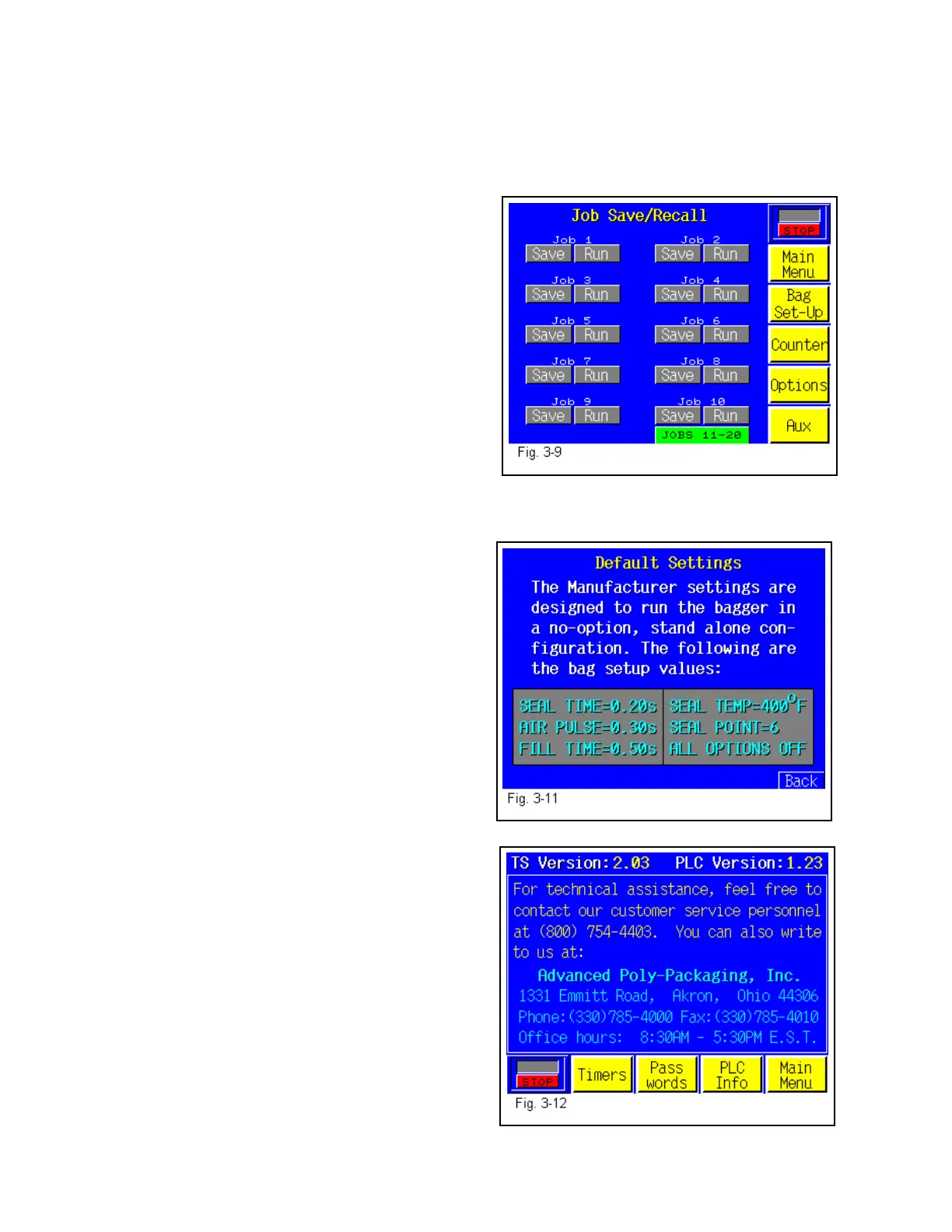
operator. To save a job, press the <JOB SAVE>
menu option (Fig. 3-9) and then press the <Save>
button located beneath the Job number you wish to
save. After pressing the <Save> button, a Warning message is displayed that warns that you
may overwrite a previously saved job. To bypass this screen, press the okay button.
To see the Default (Factory) Settings, press the
<Info> menu option on Job 32. See Fig. 3-11
3.33 Technical Assistance
Press F1 or press the <Tech Assist> menu option
from the Main Menu to obtain APPI phone number
and determine Program Versions. See Fig. 3-12.
Program Versions are required for telephone
support from Advanced Poly-Packaging, Inc.
Several menu options are available from the Tech
Assist. menu which will assist with troubleshooting
the T-1000.
3.34 Timers
The T-1000 is programmed to turn off components
for energy conservation and to increase component
life. Factory settings are described as suggested
settings.
To increase the time of nonuse before the motor
turns off, press the <Motor Off> button and type in
the value on the number keypad. The motor turns
on automatically when the machine is cycled.
43



 To Next Page