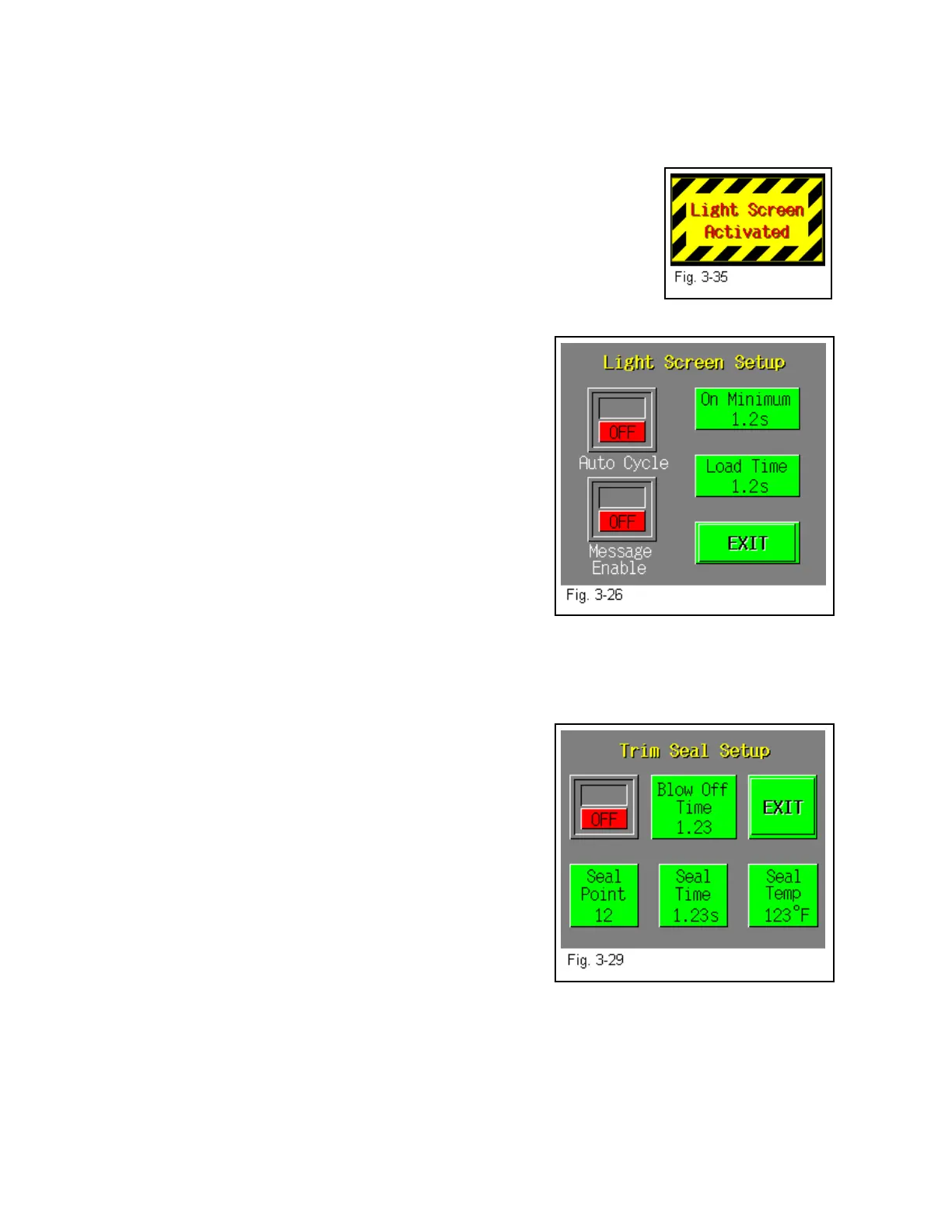
3.25 Light Curtain
The light curtain option is offered as a safety device and also to increase production by providing
“hands-off” product loading. Additionally, a message screen can be toggled ON to display a
message when the curtain has an obstruction in the field. See Fig. 3-35.
When the T-1000 is first turned on, the Light Curtain must reset by
pressing a Reset Button position in the Touch Screen housing. A green
LED will then be displayed on the light curtain emitter.
A minimum ON timer is provided so that false signals do not cycle the
bagger when the Auto Cycle option is turned ON. Additionally, a Load
Time delay is provided which delays the T-1000 from cycling immediately after the light curtain
field obstruction is removed. See Fig. 3-26.
3.26 Trim Seal
The Trim Seal option is not included in the standard
T-1000 package and must be purchased separately. Used
to enhance the appearance of packaged products, the Trim
Seal option removes the excess film (trim) from the bag,
above the seal. The Blow-off time indicates the time, in
seconds, which a blower will remove the excess film from
the bag (trim-off time). The Trim Seal option is ideal for
1) retail products for enhanced appearance and 2) hanging
products for reduction of "shelf" space.
Note: To properly "trim-off" excess film, the bag length may have to be increased to provide the
required finished bag size. We recommend trimming at least 1.5” of film from the bag.
Press the ON/OFF toggle button to enable and disable the operation of the Trim Seal option.
Press the value on the keypad to increase or decrease the
Blow off Time value (trim-off time). Seal Point, Seal
Time and Seal Temp. buttons are also available on this
screen which are the same settings button that are on the
Bag Setup Screen. Adjust all values until bags are
trimming consistently. When finished and tested, press
the <Exit> button to return to the Options Menu. See Fig.
3-29.
3.27 Flat Seal Assembly
The Flat Seal Assembly option is not included in the
standard T-1000 package and must be purchased separately. Used to help decrease or eliminate
wrinkles or folds when sealed, the Flat Seal Assembly can easily be attached. For products
which require a high integrity bag, for retail products, bulky products or "air tight" packages, the
Flat Seal Assembly is ideal. The Flat Seal Assembly, also called "fingers", flattens the seal
portion of the bag (two layers of poly) by pulling the sides of the bag away from the center. The
fingers enter the bag immediately before the pressure bar presses the two layers of the bag
together, against the front sealer plate.
40



 To Next Page