3.18 Accumulating Funnel
The Accumulating Funnel Option is not included in the standard T-1000 package and must be
purchased separately. This special purpose funnel has several functions: 1) to collect
(accumulate) a product before dropping the full contents of the Accumulator into the bag, 2) to
contain a product while the bagger is in a CYCLE operation (sealing, tearing off, and indexing a
bag into position), 3) to insert the funnel into the bag and keep the product away from the
sealing portion of the bag (Insert Funnel) and 4) to physically open the bag with a gate that enter
into the bag while the product exits the funnel.
Increased production can be achieved in manual load or automatic load operations. In a manual
operation, the operator can insert the product into the funnel without waiting for the bag to be in
position and opened. When the bagger is ready to receive the product, the door at the bottom of
the funnel will open, drop the product and shut, to allow the funnel to again be loaded.
In an automatic operation, increased production can be achieved by allowing counters, fillers,
scales and other infeed equipment to feed the funnel without regard for the status of the bagger.
Additionally, the funnel can be operated in an "Open Accumulator" mode or a "Closed
Accumulator" mode. In an Open Accumulator mode, the door is closed only during the CYCLE
operation. When the door opens (when the bag is in
position and blown open), the door will open and remain
open until the bag has been filled with the required
amount of product. The door will then close only until
the next bag is in the Closed Accumulator mode, the door
remains closed until the full contents have been inserted
into the funnel. When the bag contents is reached in the
funnel, the door will open and all of the product will enter
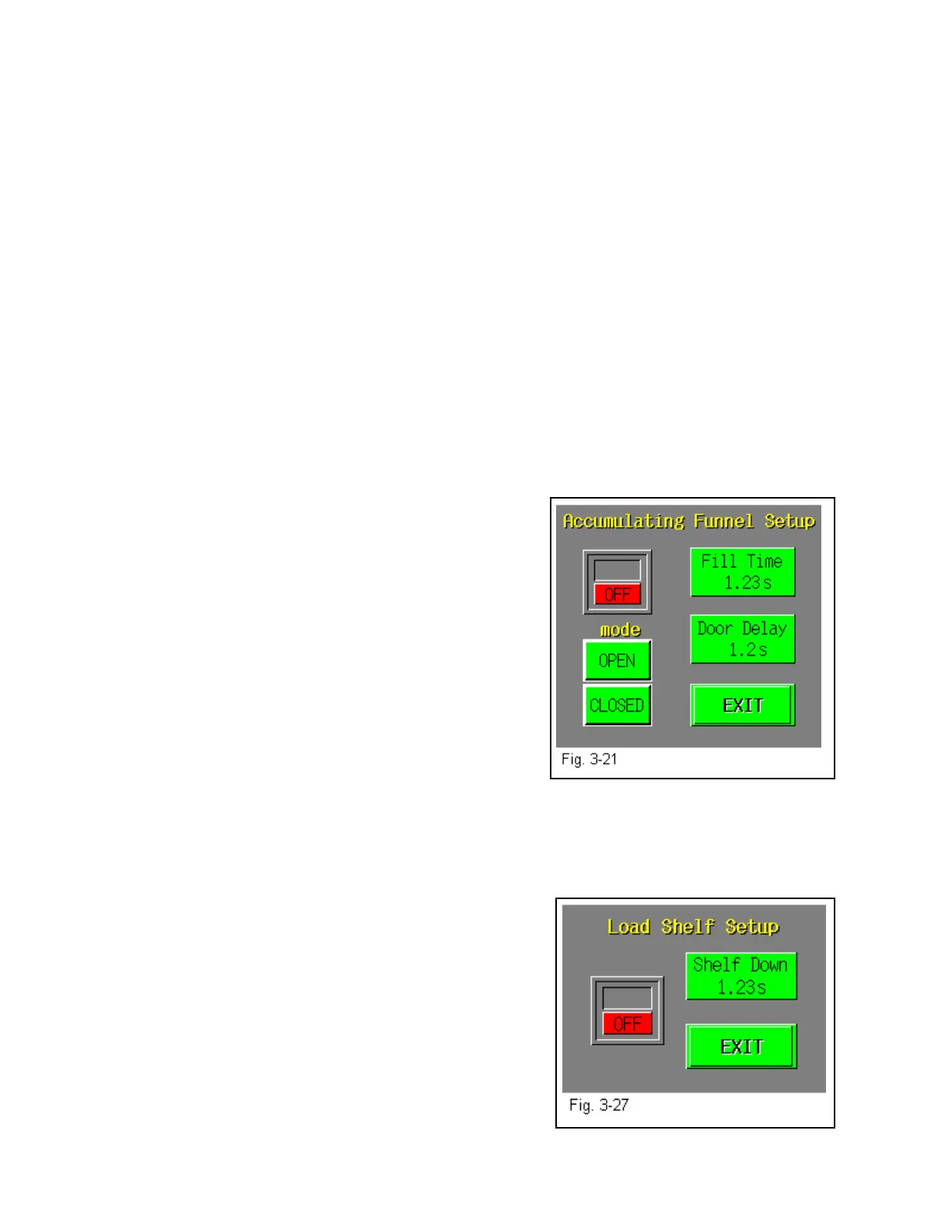
the bag in one. The Setup screen displays the time, in
seconds, which the bagger will wait after the door opens
(product dumps). To increase or decrease the delay time,
press <DELAY TIME> button and the key pad will
appear, press in the value, then when finished <ENTER>.
See Fig.3-21. The function of the Accumulating Funnel:
Open, Closed or Insert Funnel can be set in the AF-10 Setting Screen.
3.19 Load Shelf
This option is used as a support shelf for the product to avoid the bag from prematurely tearing
off at the perforation when the product is inserted in the
bag. The Load Shelf allows the product to drop onto the
shelf relieving the pressure on the bottom of the bag.
To turn ON the load shelf, press the <Load Shelf> menu
option and press the <ON> button. The Load Shelf delay
time is the length of time the shelf is in the down position.
Increase the time for longer bags. See Fig. 3-27.
37



 To Next Page