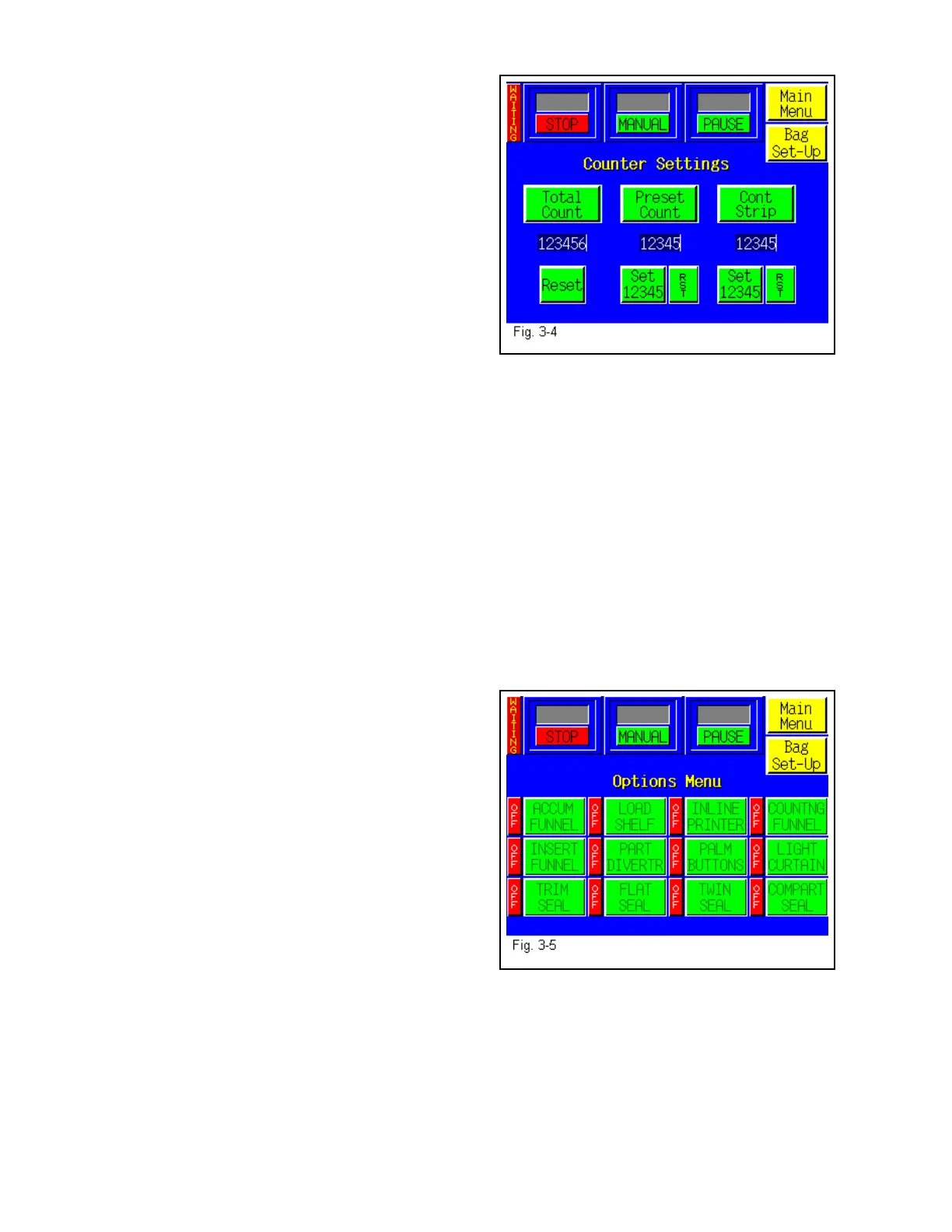
3.16 Counters Menu
The T-1000 is equipped with three internal
counters as a standard feature. See Fig. 3-4.
Totalizing Counter: To track production, use
the Totalizing Counter to count cycle operations of
the T-1000. To turn this option ON, press the
<Total Count> button (the button will darken
indicating that the option is ON). Press the
<Reset> button to reset the counter to zero.
Predetermining Counter: To halt production
after a preset number of cycle operations, use the
Predetermining Counter. When the final count has been reached, a message screen will be
displayed. Set the value by pressing the <Set> button and then type the value on the number
keypad followed by the <Enter> button. When turned ON, the button will be darkened. Note:
To reset the value or change the value, the option must be turned OFF.
Continuous Strip Counter: To disable the tear off feature and package in a continuous strip
of bags, use the Continuous Strip Counter. The <Set Value> button is used to set the number of
bags in the strip. If no preset number is desired, set the value to zero and the continuous strip
feature will continue to operate without tearing off bags. When turned ON, the button will be
darkened.
3.17 Options Menu
Options that have been added to the T-1000 at the
factory can be setup from the Options Screen (Fig.
3-5). If options were not installed at the factory,
then N/A (Not available) will be displayed to the
left of each options button. Otherwise, the button
will display ON or OFF.
If the option is not available, you may press the
button for a description of the option’s use.
Note: If options are added in the field, a pass code
is required to Enable use of the option. Contact
APPI for pass codes. Options which have been
purchased separately must be installed by APPI or
by qualified maintenance personnel.
The following sections describe how to setup optional equipment on the T-1000. If your T-1000
is not equipped with these options, please disregard these sections.
36



 To Next Page