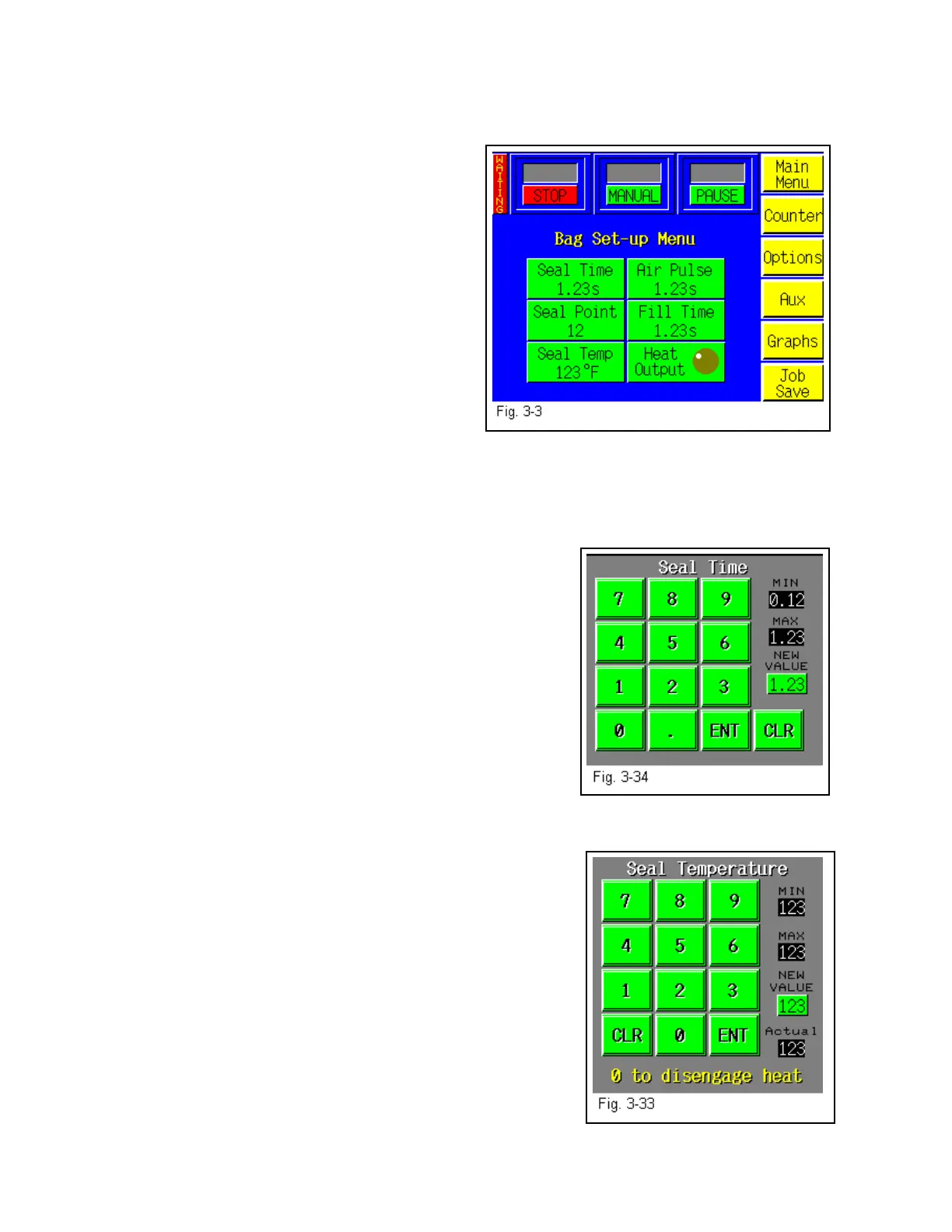
3.8 Bag Setup Menu
The Bag Set Up Menu prompts the operator to input bag timer settings which change seal point,
temperature, fill time (paced rate) and air pulse
time. Bag thickness, length, width and product
characteristics affect these settings. Once set, the
operator may save the bag settings along with
options settings and auxiliary settings for later
recall (Fig. 3-3).
The bag set up menu is the menu where most
entries and machine operation setting will occur.
When a new bag size or thickness is introduced,
the T-1000 must be set up to properly run the
bags
.
3.9 Seal Time
Displays, in seconds, the time the pressure (rubber) bar will remain touching the surface of the
bag for proper sealing. Sometimes referred to as "dwell time", seal time is one of three critical
components to obtain a strong seal (other critical factors include seal temperature and seal
pressure). To adjust the Seal Time value, touch the
highlighted <Seal Time> menu option to display a number
pad. To change the setting, press the number (decimal point
first, if less than 1) and then press <Enter>. To clear an
incorrectly pressed value, press the highlighted <Clear>
button and retype the correct value. Pressing <Enter> will
return you to the Bag Setup Screen. Test and further adjust if
necessary. See Fig. 3-34.
3.10 Seal Temperature
When the power is ON, the heater bar element receives
electrical current. The PLC pulses electrical current to the
element until the temperature setting is reached. Shorter pulses indicate maintaining the
temperature. An amber indicator lamp illuminates on the Bag
Setup Screen while the element is receiving current. The
longer the light is illuminating, the longer the "pulse" of
current and the further away from the temperature setting. If
the temperature of the heater bar is not within 10% of the set
point, “Waiting” will be flashed on the top left screen. To
adjust the value, press the highlighted <Seal Temp> button to
display the number keypad popup screen. Enter the value and
press <Enter> to return to the Bag Setup Menu. See Fig.
3-33.
NOTE: After making adjustments, test the seal strength prior
to beginning production. It is normal for the indicator light to
illuminate (pulse) during operation. As the actual
temperature approaches the set temperature, the pulses will
get shorter and shorter. When the heater bar is up to temperature, the Waiting LED indicator
32



 To Next Page