ON/OFF Counter Auxiliary button sets up the communication with counters (UC-2400).
turns on photo eyes mounted in the discharge funnel of the UF-5000 (CE-10) option, if equipped.
Index Count value is the number of compartments
that will be indexed before providing an output
signal. See Fig. 3-17.
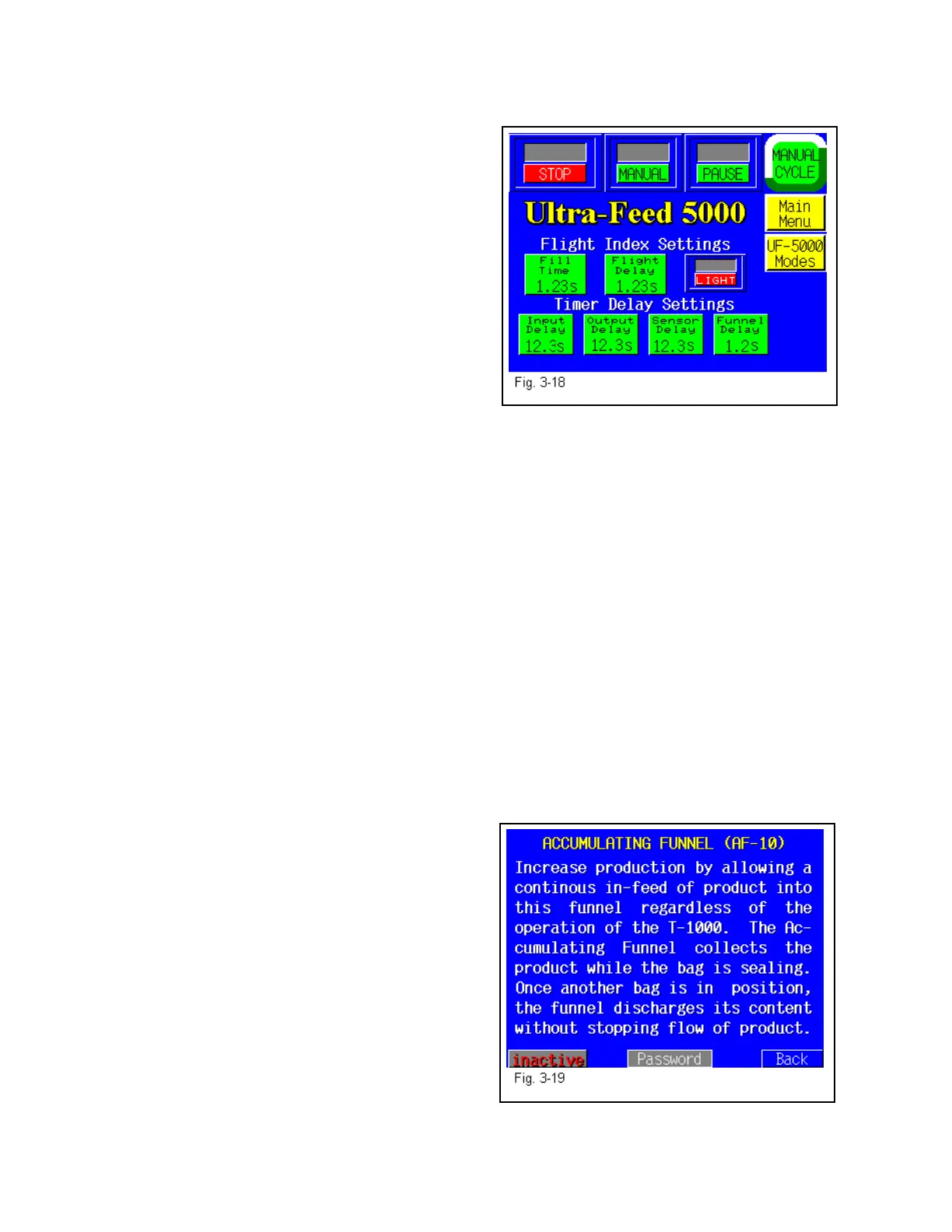
3.39 UF-5000 Settings Screen
The UF-5000 settings screen provides all the
settings to control production speeds and timing of
the integration components of a system.
Fill Time is the amount of time from the time the
conveyor cycles to the point that the bagger cycles.
See Fig. 3-18.
Flight Delay is the delay time that the flight sensor is active when the flight (cleat) passes
through the optical eye (normally set a .2 sec.).
Light/Dark setting is determined by the type of sensor used to detect the cleats (typically set at
Light).
Input Delay is the amount of time from the point the conveyor receives a signal to index to time
that conveyor indexes.
Output Delay is the amount of time after the conveyor indexes to the point that the conveyor
signals the bagger that it has cycled.
Sensor Delay is the amount of time after the conveyor indexes that the photo eyes (CE-10
option) “looks” for a parts before indexing another compartment of the conveyor.
Funnel Delay is the amount of time after the conveyor indexes to the point that an accumulating
funnel (AF-10 option) cycles (if equipped).
Adjust each timer by pressing the associated timer
and entering the value on the number keypad.
After each value, test the settings by cycling the
conveyor. Press the UF-5000 Mode button to
return to the UF-5000 Operation Screen.
3.40 Information Screens
The T-1000 touch screen program provides for
many informational screens that provides
descriptions of functions or screens. See Fig. 3-19
for an example of an information screen.
46



 To Next Page