117
·
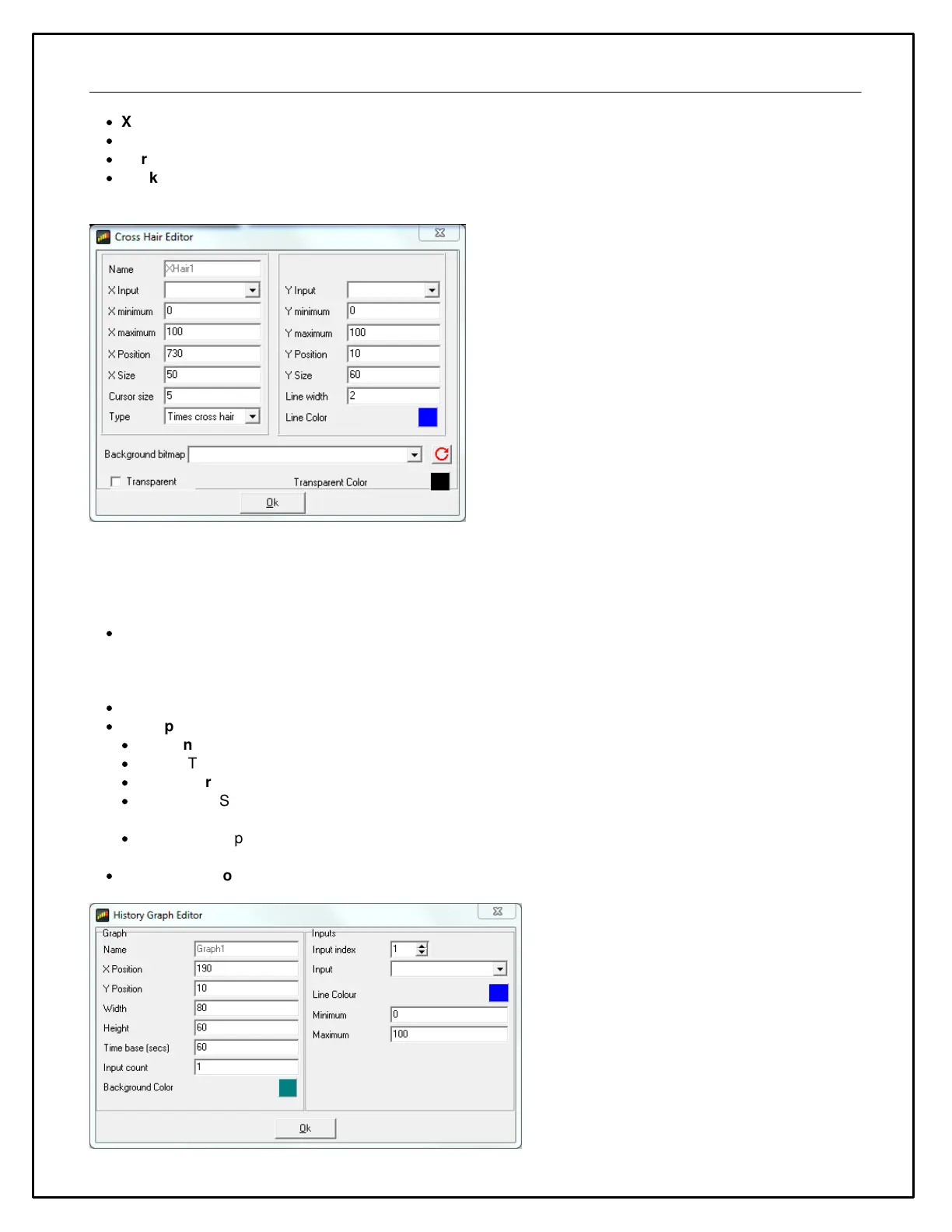
X Minimum, Y Minimum specify the starting values for the X and Y axes.
·
X Maximum, Y Maximum specify the end values for the X and Y axes.
·
Cursor Size is the size of the cross hair cursor.
·
Background graphic can be used to specify a graphic that will be shown behind the cross hairs, This can be
used to clarify the meaning of a particular position for the cross hair.
Historical Graph
The Historical Graph gauge is used to show the trend of one or more outputs in the form of a y-t graph. The
Historical Graph gauge has the following special properties:
·
Time Base - This is the width of the x axis in seconds. When a page with a historical graph gauge is first
selected, the data is drawn from the left hand side of the graph (t=0). As the time progresses, the lines progress
towards the right hand side of the graph. Once t = time base, the graph scrolls to the left to make more space
available for drawing the lines.
·
Input Count - The number of lines (outputs) drawn in this graph.
·
The Inputs box allows the details of each line to be specified:
·
Input Index - Selects which line the following settings apply to.
·
Input - The output for which the line is drawn.
·
Line color - The color of the line.
·
Minimum - Specifies the lower range of the y axis of the graph for this line. If the value of the output for this
line falls below this value, the line will be drawn at the minimum value.
·
Maximum - Specifies the upper range of the y axis of the graph for this line. If the value of the output for this
line exceeds this value, the line will be drawn at the maximum value.
·
Background color - The background color of the graph.



 To Next Page